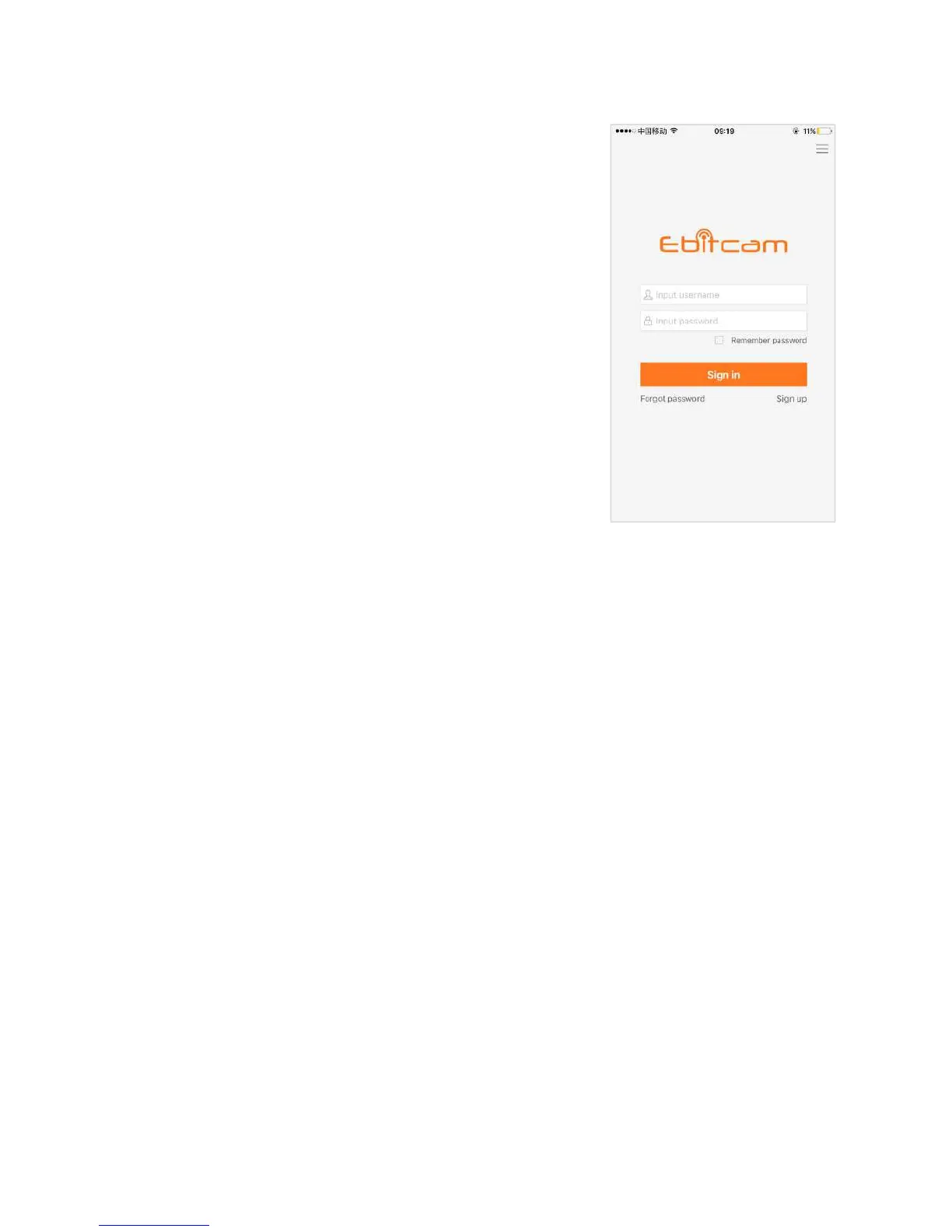
To use the camera, you will need to set up an account with
In the Ebitcam app on your mobile device,press
I am a new user Sign up .
The Sign Up page opens. Create a
User name and a Password.
Logging in to the EBITCAM Account
Locate the Sign in link:
Enter your user name and password in the appropriate fields.
Note: If you forgot your password, you can click the Forgot
2.3 Connecting the Device
Access to the camera is accomplished with an Ethernet or Wi-Fi connection:
Ethernet: If you plan to use the device through a wired connection, you simply connect an
Ethernet cable from the Ethernet interface to your router. The device will then show up on your
network.
Wi-Fi: If you plan to connect through Wi-Fi, you will find the camera on the network once it is
hooked up and the power is turned on. You will be able to add the camera, using the Add a
device option, on the Ebitcam app.
To connect your device to your network:
Connect the device to a power source and wait approximately one minute for the camera to fully
power On. If you connect via an Ethernet connection, the wired network light will flash green
three times every three seconds, indicating that the camera is connected normally.
Connect your mobile device to the same Wi-Fi on which the device is running.
Note: This only needs to be done once during the initial setup.
After you connect your device to the network, you need to log in to your EBITCAM account and add
the device to it.


 To Next Page