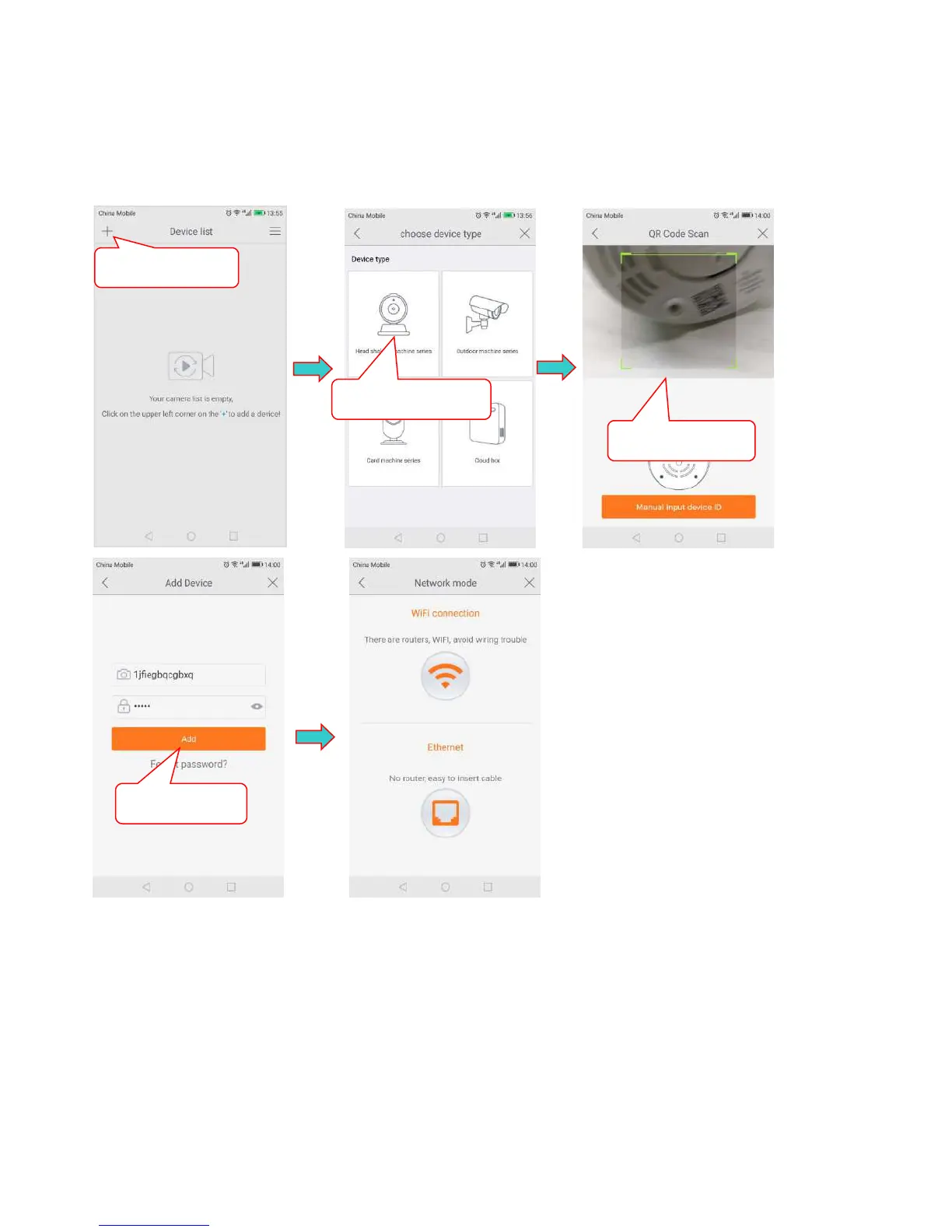
2.4 Add camera to account
Click on '+' in top left corner, select the device model, scan the QR code and add the device ID, and
enter the network connection interface.
2.5 Select network connection method
When network configuration, you can choose Wi-Fi configuration or ethernet configuration.


 To Next Page