1. Introduction
Thank you for making the choice to purchase Ebitcam Camera. We’re sure that you will love
everything that this fantastic security camera has to offer from the ease of setup and use to all of the
fantastic features it offers. In this manual, we’ll cover everything you need to know about the camera,
including how to set it up, how to download apps for your smartphone, and how to control all of the
aspects of the camera right through our website.
Let’s get started so you can get your camera set up and running to provide you with that added
measure of security you need for your peace of mind.
1.1 What Is the Ebitcam Camera?
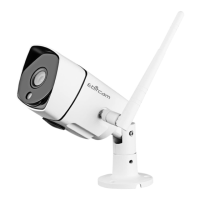
The Ebitcam Camera offers users a number of functions that help to make it an ideal solution to
those looking for added security and peace of mind in both home and office settings. Let’s examine
some of the biggest benefits you will find now that you’ve chosen to use this security camera.
Traditional IP cameras tend to be difficult to install and use. The Ebitcam Camera does not have this
issue. It’s relatively simple to set up and use, as you will see through the course of this manual. It is a
plug and play system, and offers a wealth of different features.
In addition, it offers:
• WI-FI/3G/4G remote monitoring for real time control from anywhere
• Video in 1M/2M/3M/4M HD
• Motion detection function
• Observe what is happening in real time from remote locations
• Capture and store video and images both manually and automatically
• Zoom in to get a better view of a specific area
• Communicate with people (or pets) in the viewing area
• Hear what is happening in the viewing area
Users will be able to work control and use their security camera through a variety of different devices,
including iOS and Android devices. We will cover those devices, as well as how you can use them,
throughout the course of this book.


 To Next Page