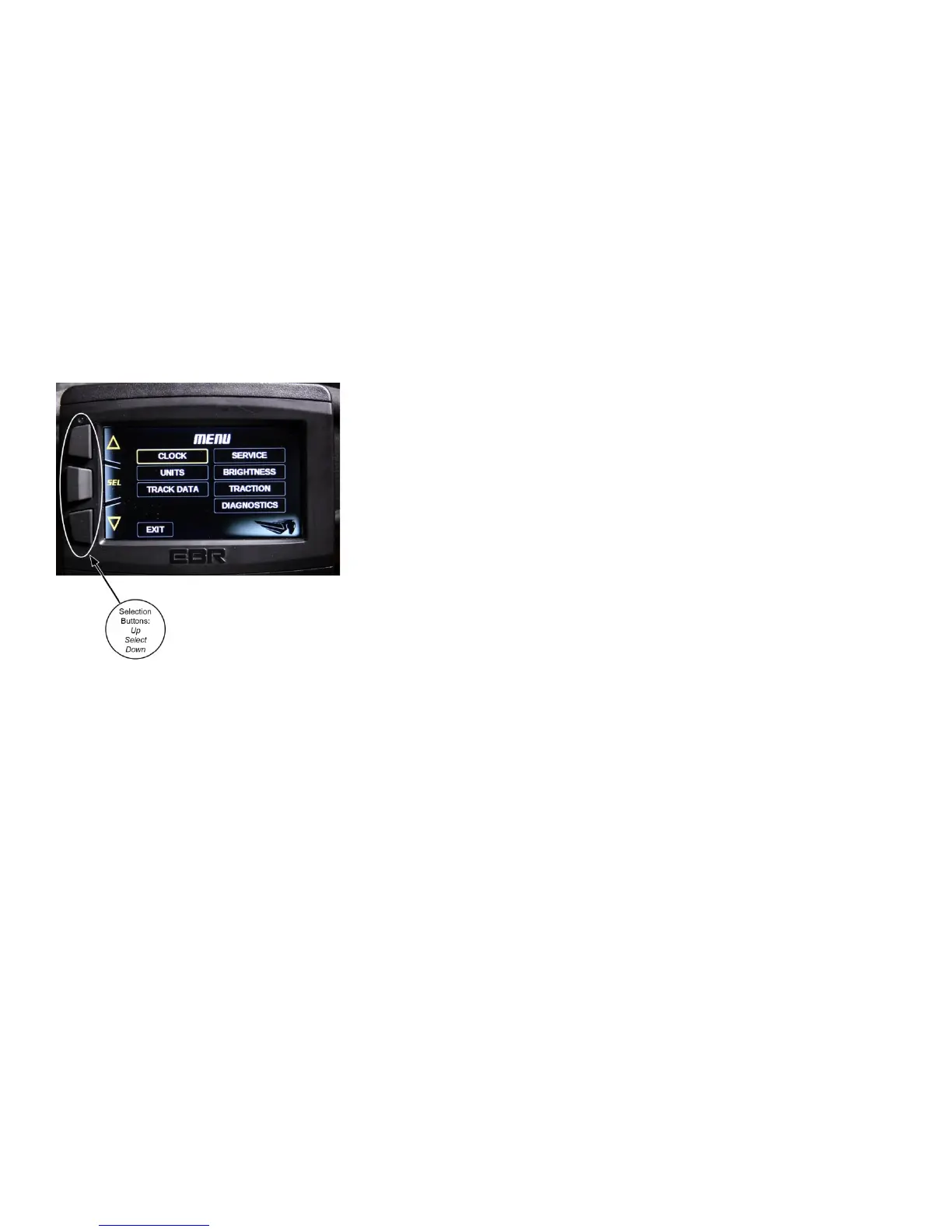
Figure 10.
The various functions available in the instrument cluster are
selected using the three buttons on the left hand side of the
cluster housing.
• The center button toggles the lower left user
preference area and can display the odometer readings for
the 4 trips as well as the total mileage.
• The lower button toggles the lower right user
preference area and can display fuel consumption figures for
the various trips as well as displaying any CONDITION
messages such as SERVICE DUE, COOLANT TEMP EVENT,
etc..
• The upper button opens the MENU screen.
NOTE
The Menu cannot be accessed at speeds above 3 MPH (5
KPH).
See Figure 10. The clock screen allows you to set the current
time using the buttons on the left of the case.
• Click the center button (SEL) to display the clock
settings.
• Toggle to the setting you wish to change with the top
or bottom buttons on the left.
43


 To Next Page