The BOLTMARK
®
II‑series PrinTers
Basic OPeraTing insTrucTiOns
142018/02/27#2.0EN
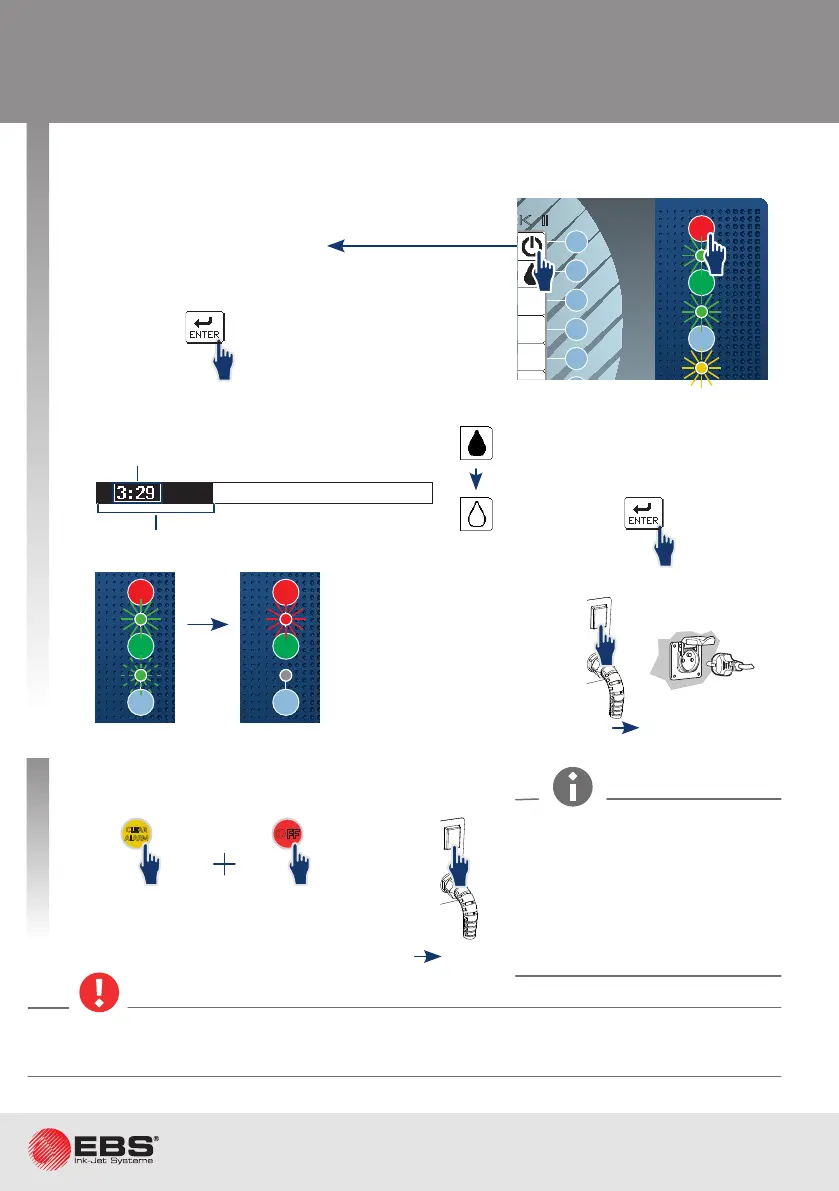
Shutting the Printer down
Printer in standby mode.
The procedure for shung the printer
down follows.
Press once and hold
down over 1s.
Hold down.
Turn the power o,
if need be.
or
On shung the printer down in emergency shutdown mode, wash the printhead interior (espe-
cially the guer area) with solvent.
• emeRgency shutdoWn mode (foR up to 1 houR)
• RegulaR mode (foR up to 1 Week)
2
OFF
ON
INK
ON / OFF
READY
CLEAR
ALARM
ERROR
PRINT
ON / OFF
Enter
Delete Par
Shift
Space
Alt Alt
Shift
Caps
Esc
Insert
Ctrl
Enter
F5
F4
F3
F2
F6
F1
BOLTMARK
®
II
OFF
ON
INK
ON / OFF
READY
CLEAR
ALARM
ERROR
PRINT
ON / OFF
Enter
Delete Par
Shift
Space
Alt Alt
Shift
Caps
Esc
Insert
Ctrl
Enter
F5
F4
F3
F2
F1
®
II
1
1
1s
OFF
ON
INK
ON / OFF
READY
CLEAR
ALARM
ERROR
PRINT
ON / OFF
Enter
Delete Par
Shift
Space
Alt Alt
Shift
Caps
Esc
Insert
Ctrl
Enter
F5
F4
F3
F2
F6
F1
BOLTMARK
®
II
CLEAR
ALARM
1
OFF
2
SWITCH THE POWER OFF
ARE YOU SURE (Y,N)?
(Y=ENTER, N=ESC)
SWITCHING THE PRINTER OFF
.....
Press ENTER...
The printer can be shut down in
emergency shutdown mode only
when a clear failure of the print-
er occurs and a few minutes'
shung down in regular mode
could cause further damage
(e.g. ink spill).
POWER „O”
3
POWER „O”
1
Time required to complete the procedure.
Progress bar.



 To Next Page