The BOLTMARK
®
II‑series PrinTers
Basic OPeraTing insTrucTiOns
262018/02/27#2.0EN
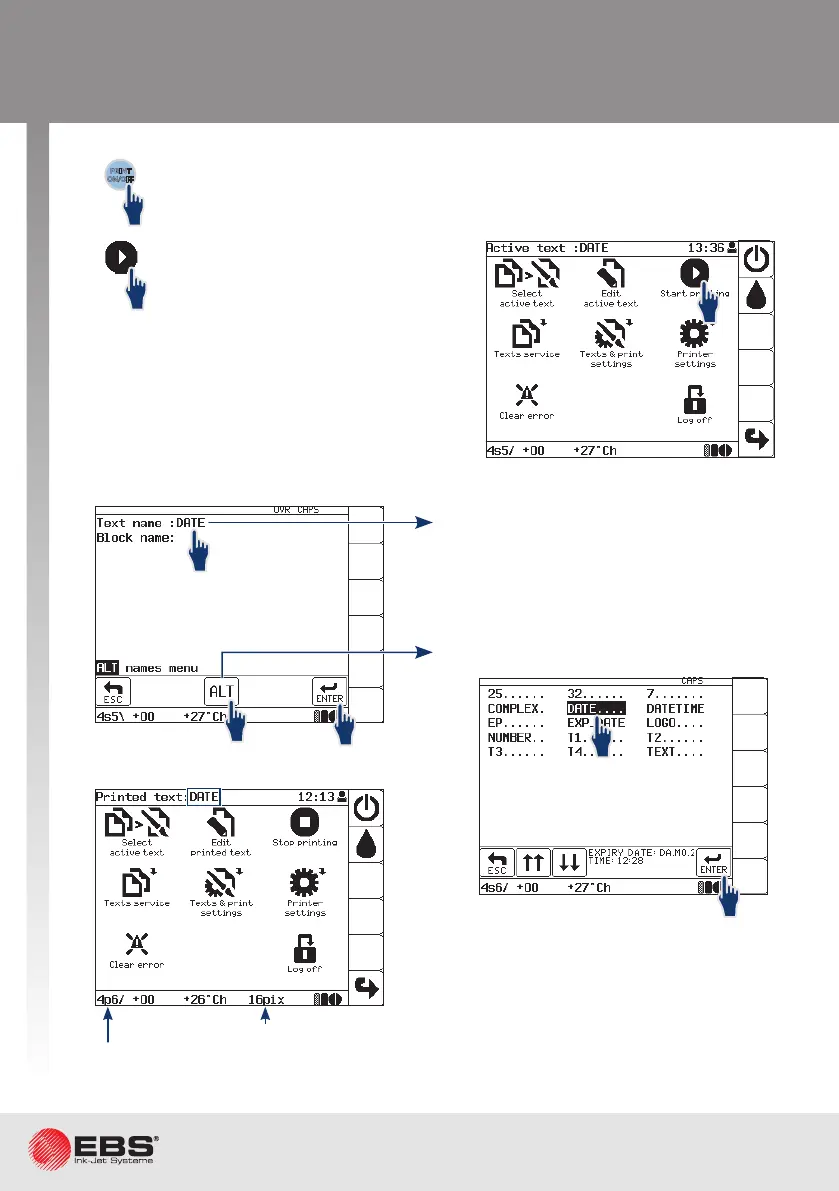
p ‑ print
Height (in dots) of the printed text.
The name of the printed text is displayed
on the informaon bar.
To start prinng the acve text
or any text selected from the
library.
To start prinng the acve text.
The buon can be used regardless of what screen is currently displayed
(e.g. while a text is edited).
PRINT
ON/OFF
or
1
2
1
1
2
Printing
1
2
3
Type in a text name.
Up to 8 characters - capital/small liers,
digits and characters excluding . , / \ ; : * <
> | [ ] { } = +, e.g. DATE.
Select a text to print from the library.



 To Next Page