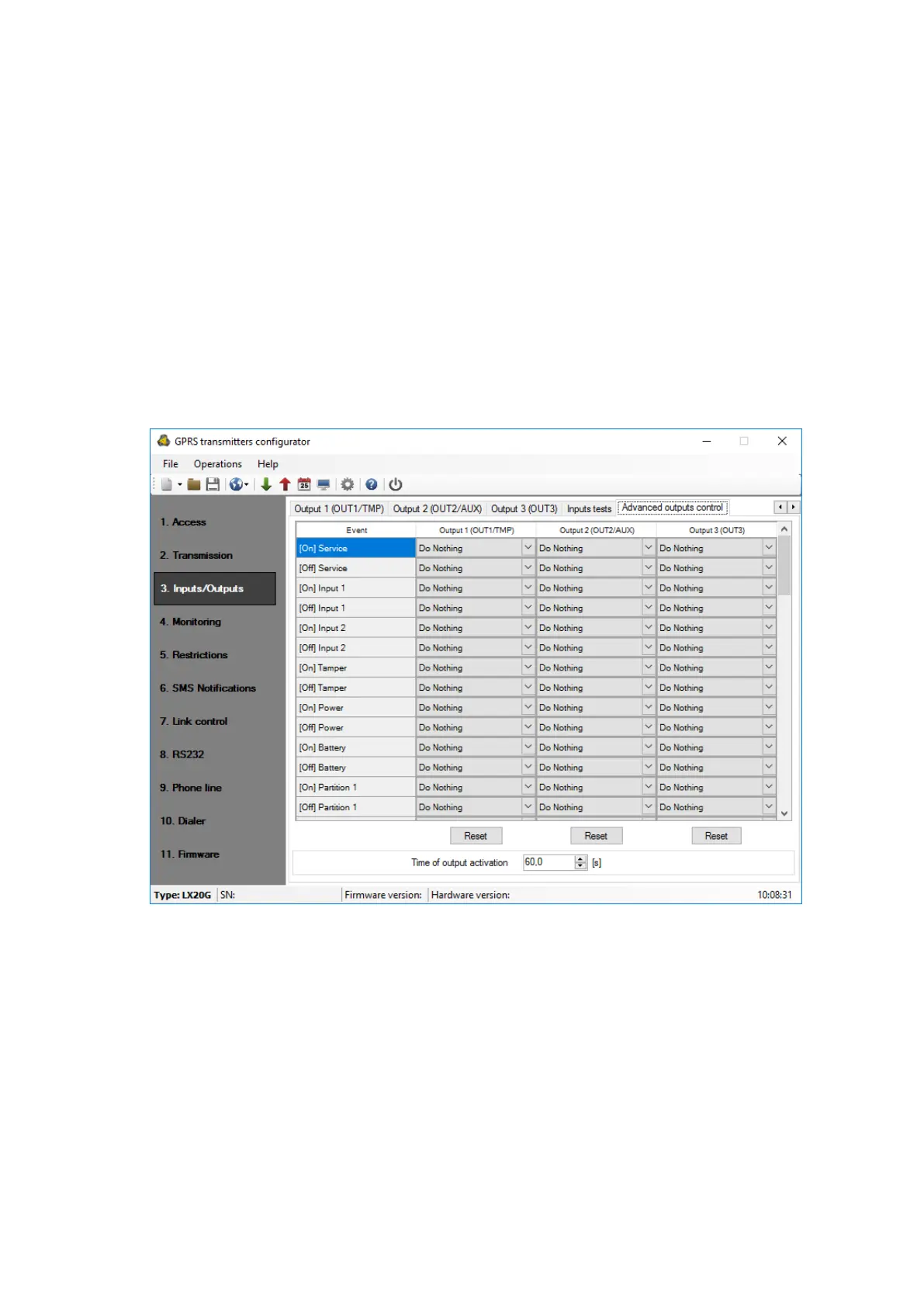
you may define separately the behavior of each of the outputs, depending on events
taking place. “Advanced outputs control” differs from the existing basic “Outputs
configuration” by:
o it is possible not only to turn on but also to turn off the output
o output can be activated temporarily for specified amount of time
o there is a complete list of events for which you can define the behavior of the
output
Note: where possible, use either the basic configuration of outputs (0 )
or with an “Advanced outputs control”!
In particular, the basic configuration of existing options: “No connection to
server (immediately after detection)”, “No GSM signal (immediately after
detection)” and “Dependent on state transitions from non-active to active of one
of the inputs” should not be used with their replacements “[Off] Server”, “[Off]
GSM” and “[On] Input x”.
7.3.4.1. Output 1/Output 2/Output 3
These columns define which signals are to influence the status of a specific output.
Possible choices are:
o Do Nothing – output status will be not changed (default action)
o Turn on output – output will be permanently turned on
o Turn on output temporarily – output will be turned on for an amount of time
specified by parameter 7.3.4.2 Time of output activation
o Turn off output – output will be turned off
Press the [Reset] button to assign the action “Do Nothing” for each event.



 To Next Page