2
Getting Started
Watching TV
G
ETTING STARTED
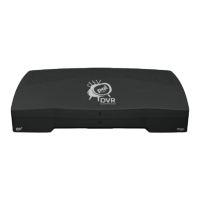
Welcome! Your new high-definition, digital video recording, over-the-air
receiver is a powerful, yet easy-to-use device you'll enjoy!
Connecting DTVPal DVR to Your TV
IMPORTANT SAFETY NOTE: Do not connect your TV or your
DTVPal DVR to a power supply until after you have properly connected
all of the cables using the following instructions.
To connect your DTVPal DVR, start with the antenna:
1. On the back of your TV, locate the A
NTENNA IN connection, which
connects your TV to your over-the-air antenna. This connection may be
labeled O
VER-THE-AIR ANTENNA IN, CABLE IN, COAX IN or another
name. Refer to your TV’s user guide for help locating this connection.
2. Disconnect the coaxial cable from your TV’s A
NTENNA IN connection.
Note: If your TV uses twin-lead (300 ohm) connections, you will need
to obtain and install a 75 ohm to 300 ohm converter on your TV. This
converter can be found at most consumer electronics stores.
3. Look at the back of your DTVPal DVR, and locate the O
VER-THE-AIR
A
NTENNA IN connection. Connect the coaxial cable from step 2 to the
O
VER-THE-AIR ANTENNA IN connection on the DTVPal DVR.
Important: Do not use a wrench to tighten this connection.
Determine the connection type you’ll use to connect your DTVPal DVR to
your TV. If your TV has:
- a HDMI connection, you can use a HDMI cable to provide both
high-definition video and stereo audio to your TV’s compatible input
(go to step 4).
- component connectors (Y/Pb/Pr) for video, you can use a set of
component cables for video and either a Dolby Digital optical audio
cable, or a pair of RCA-type audio cables (one right and one left), to
connect to your TV’s corresponding audio input (go to step 5).


 To Next Page