39
Audio/Video operation
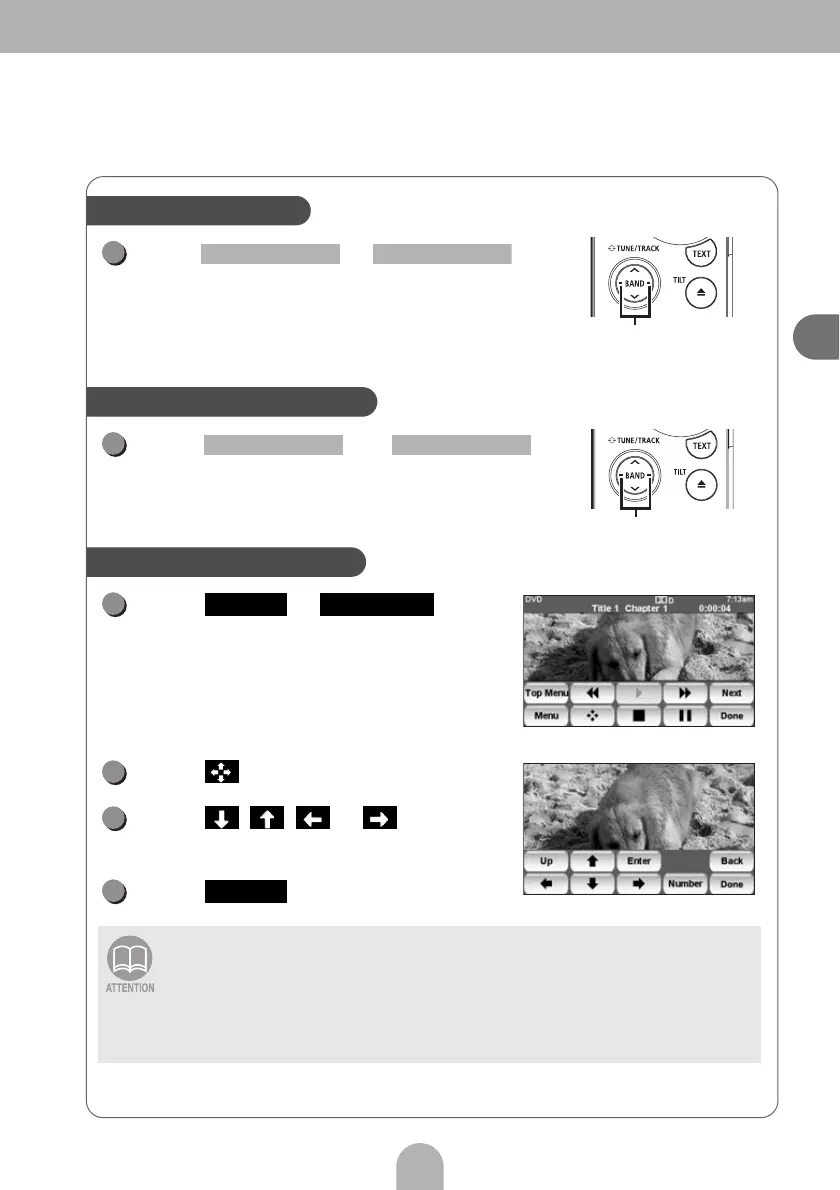
Press or .
•Right:
Selects the next chapter.
• Left:
Selects the current/previous chapter.
Press or
repeatedly until you hear a beep sound.
Touch or .
Touch .
Touch , , or and
select the video to play.
Touch .
• The menu screen displayed differs depending on the DVD disc.
• This product incorporates copyright protection technology that is protected by
method claims of certain U.S. patents and other intellectual property rights owned
by Macrovision Corporation and other rights owners. Use of this copyright
protection technology must be authorized by Macrovision Corporation, and is
intended for home and other limited viewing uses only unless otherwise authorized
by Macrovision Corporation. Reverse engineering or disassembly is prohibited.
Selecting a chapter
Chapter selection button
1
SELECT (Right) SELECT (Left)
Fast-forwarding/rewinding
Fast-forward/rewind buttons
1
SELECT (Right) SELECT (Left)
Operating the disc menu
1
Menu Top Menu
2
3
4
Enter



 To Next Page