26
Audio/Video operation
5
Satellite radio (SIRIUS/XM) operation (North America only)
How to listen to the satellite radio
With the satellite radio (SIRIUS/XM), over 100 channels are available
including music, news, and entertainment programs. You can select the
channel you want from various categories such as POP and ROCK, or you
can select a channel by direct input. In this manual, the explanations are
given taking SIRIUS satellite radio screens as examples.
* The operation procedure for the XM satellite radio is the same as that for
the SIRIUS.
*SIRIUS/XM satellite radio can only be received by paying members.
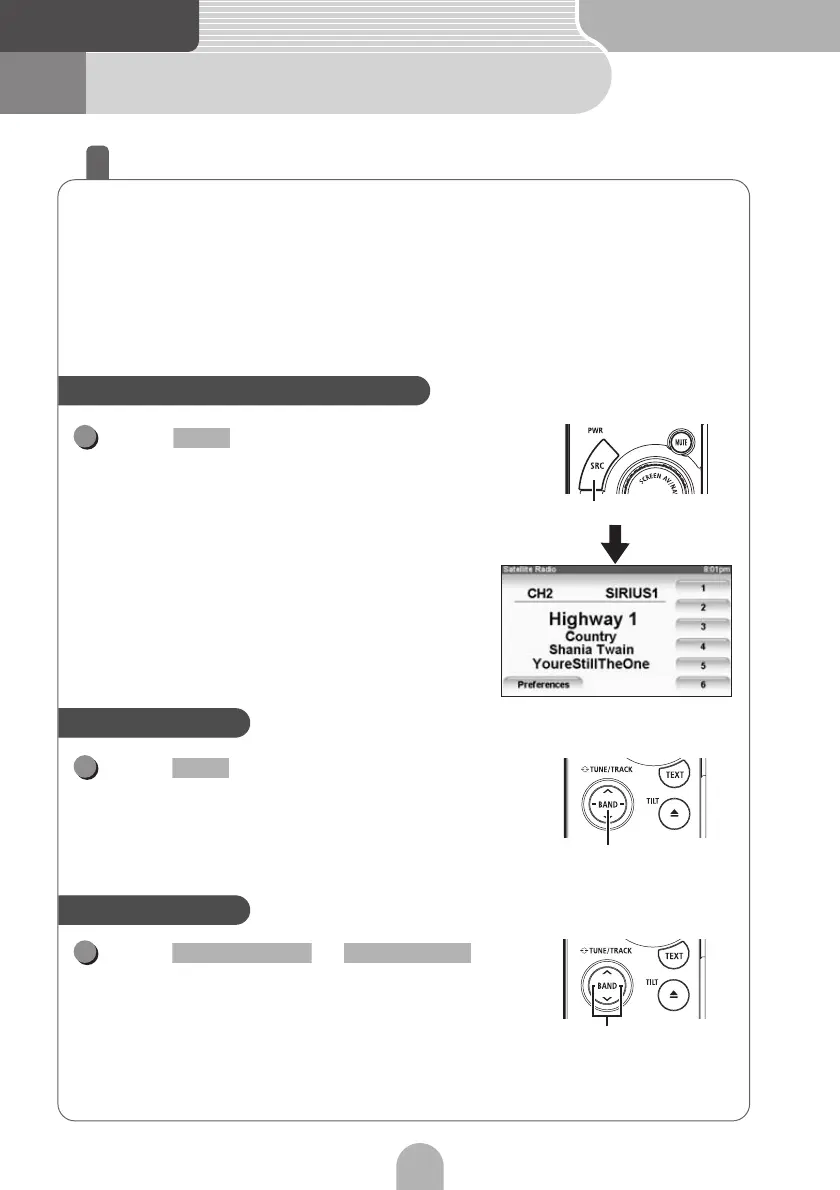
Press repeatedly until "SIR" or
"XM" appears on the sub-display.
Press .
• The BAND changes.
[SR1]
→ [SR2] → [SR3] → [SR4] ... → return to
[SR1] (For SIRIUS)
[XM1]
→ [XM2] → [XM3] → [XM4] ... → return to
[XM1] (For XM)
Press or .
• Right: Selects the higher channel.
• Left: Selects the lower channel.
• Right (at least one second): Switches to a higher
preset channel.
• Left (at least one second): Switches to a lower preset
channel.
• The preset channel can also be switched using the touch switches.
Select satellite radio for the source
SRC
1
SRC
Switch the band
BAND selection button
1
BAND
Select a channel
Channel selection button
1
SELECT (Right) SELECT (Left)



 To Next Page