62
H110M-C3V/H110M-C3D USER MANUAL
Chapter 4
Follow these instructions to install device drivers and software for the
motherboard:
The following screens are examples only. The screens and driver lists will be
different according to the motherboard you are installing.
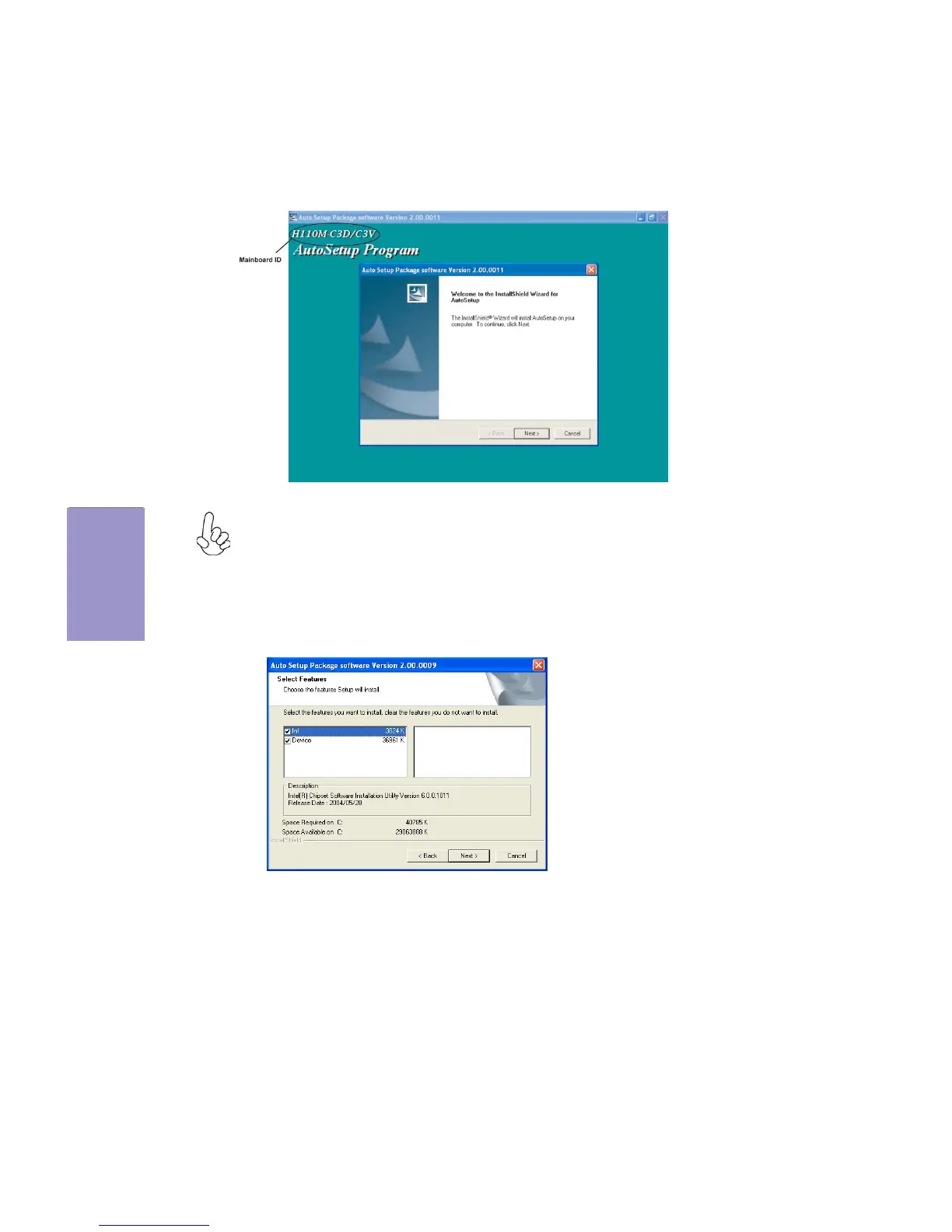
1. Click Setup. The installation program begins:
Running Setup
The motherboard identification is located in the upper left-hand corner.
2. Click Next. The following screen appears:
3. Check the box next to the items you want to install. The default options are recommended.



 To Next Page