Chapter 3
| Switch Chassis
Switch Cooling Requirements
– 23 –
Fan Trays The fan trays are an important part of the switch air cooling system. Five fan trays
must be installed in the switch at all times. If a fan should fail, the fan tray must be
replaced as soon as possible.
The fan trays installed must have a matching airflow direction. You must only
install fan trays that are either all front-to-back airflow or back-to-front airflow:
◆ ES6622BTS-FANTRAY (front-to-back airflow)
◆ ES6622BTSR-FANTRAY (back-to-front airflow)
The airflow direction of the fan tray is indicated by labels attached to the fan tray
(see Figure 10 on page 23).
Caution:
All installed fan trays must have a matching airflow direction. Installing a
front-to-back (F2B) tray with a back-to-front (B2F) fan tray may result in overheating
and subsequent damage to the switch.
Each of the removable fan trays, located at the rear of the switch, include dual in-
line fans and support fan speed control. The fan speed is dynamically controlled as
a function of temperature: the higher the internal temperature, the faster the speed
of the fans. The fan trays do not include LED indicators.
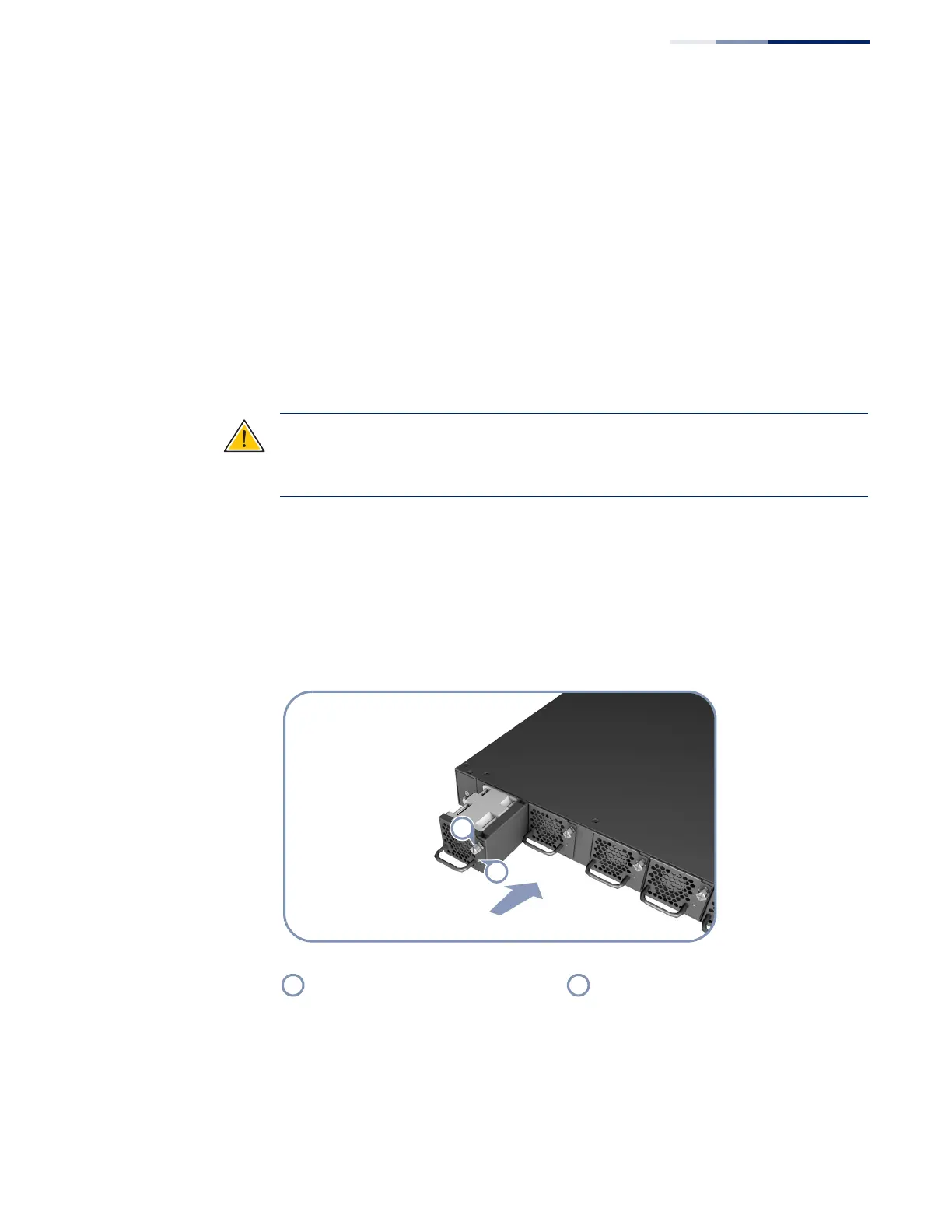
The following figure shows a fan tray being installed into the switch.
Figure 10: Fan Tray
Fan tray retainer screw Fan Tray LED



 To Next Page
 Loading...










