Home
Edimax
Security Camera
IC-9110W V2
Page 41 (Connection Information)
Edimax IC-9110W V2 - Connection Information
141 pages
Manual
Save Page as PDF
To Next Page
To Next Page
To Previous Page
To Previous Page
Loading...
IV
-4
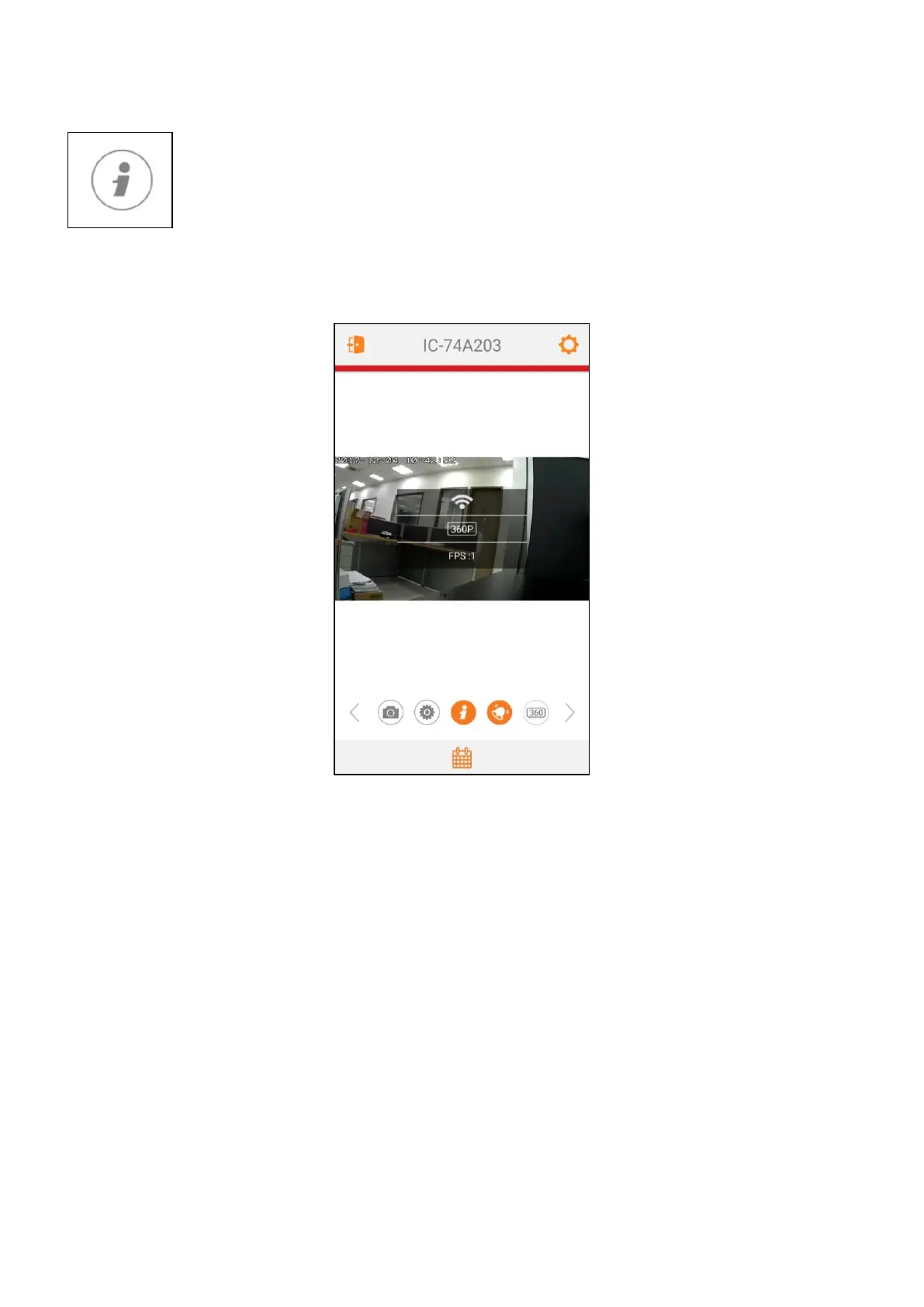
Connection Information
Tap this icon to di
splay current conne
ction information.
1.
Connection Methods:
P2P, Cloud or LAN.
2.
Video Resolution (adjust
able, please refer to
IV
-6 Re
solution
).
3.
Frames Per Second (FPS).
40
42
Table of Contents
Main Page
Table of Contents
3
I Product Information
6
Package Contents
6
System Requirements
7
LED Status
7
Product Label
8
Reset
8
Camera Setup
10
Hardware Setup
10
Connecting to Edilife App
13
II-2-1 Android os
14
II-2-2 Apple Ios
17
Ediview Finder
19
II-3-1 Windows
20
II-3-2 Mac
25
II-3-3 Using Ediview Finder
28
WPS (Wi-Fi Protected Setup)
30
Outdoor Installation
31
Using the Edilife App
36
Snapshot
38
Video Settings
39
Event
40
Connection Information
41
Push Notification on / off
42
Resolution
43
Camera Settings
44
IV-7-1 Camera Name
45
IV-7-2 Change Password
45
IV-7-3 Flip Image
45
IV-7-4 Push Notification Settings
45
IV-7-5 Advance Settings
46
IV-7-5-1 Date & Time
47
IV-7-5-2 Email Account
48
IV-7-5-3 Generate QR Code to Share
53
Web-Based Management Interface
54
Basic
58
V-1-1 Network
59
V-1-2 Wireless
60
V-1-2-1 Smartphone
61
V-1-2-2 Computer
63
V-1-2-3 Wps
64
V-1-3 Dynamic DNS
65
V-1-4 Rtsp
66
V-1-5 Date & Time
67
V-1-6 Users
68
V-1-7 Upnp
70
V-1-8 Bonjour
71
Video
72
V-2-1 Video Settings
73
V-2-2 Image Appearance
75
V-2-3 Night Vision
76
Events
77
V-3-1 Motion Detection
78
V-3-1-1 Motion Detection
78
V-3-1-2 Detection Region
80
V-3-1-3 Schedule Settings
82
V-3-2 Notification
84
V-3-2-1 Mail Settings
84
V-3-2-2 Ftp
86
V-3-2-3 Push
87
Storage Settings
88
V-4-1 Storage Directory
89
V-4-2 Schedule Settings
90
V-4-3 NAS Settings
92
V-4-4 SD Card Settings
93
V-4-5 File Management
94
System
95
V-5-1 Basic
96
V-5-2 Advanced
97
Status
99
V-6-1 System Information
100
V-6-2 System Log
100
16 Channel Viewer for Windows
102
Installation
102
Using the 16 Channel Viewer
106
Configuring the 16 Channel Viewer
108
VI-3-1 Add Camera/Camera Configuration
108
VI-3-1-1 Camera
109
VI-3-1-2 Scheduled Recording
111
VI-3-1-3 Audio
113
VI-3-1-4 Motion Recording
114
VI-3-2 General Options
115
VI-3-2-1 General
115
VI-3-2-2 Email Settings
117
VI-3-2-3 Security
119
VI-3-2-4 about
121
Changing the Display Layout
122
Full Screen Mode
125
Scan
126
Zoom In/Out
127
Pan & Tilt
128
Snapshot
129
Recording
130
Video Playback
131
Troubleshooting
132
Related product manuals
Edimax IC-9110W
124 pages
Edimax IC-3110
185 pages
Edimax IC-7110
172 pages
Edimax IC-3100
147 pages
Edimax IC-1510
84 pages
Edimax IC-3140W
133 pages
Edimax IC-3116W
116 pages
Edimax IC-7001W
111 pages
Edimax IC-7113W
136 pages
Edimax IC-5150W
132 pages
Edimax IC-1520DPg
2 pages
Edimax IR-112E
66 pages



 To Next Page