V-1-2-2 Computer
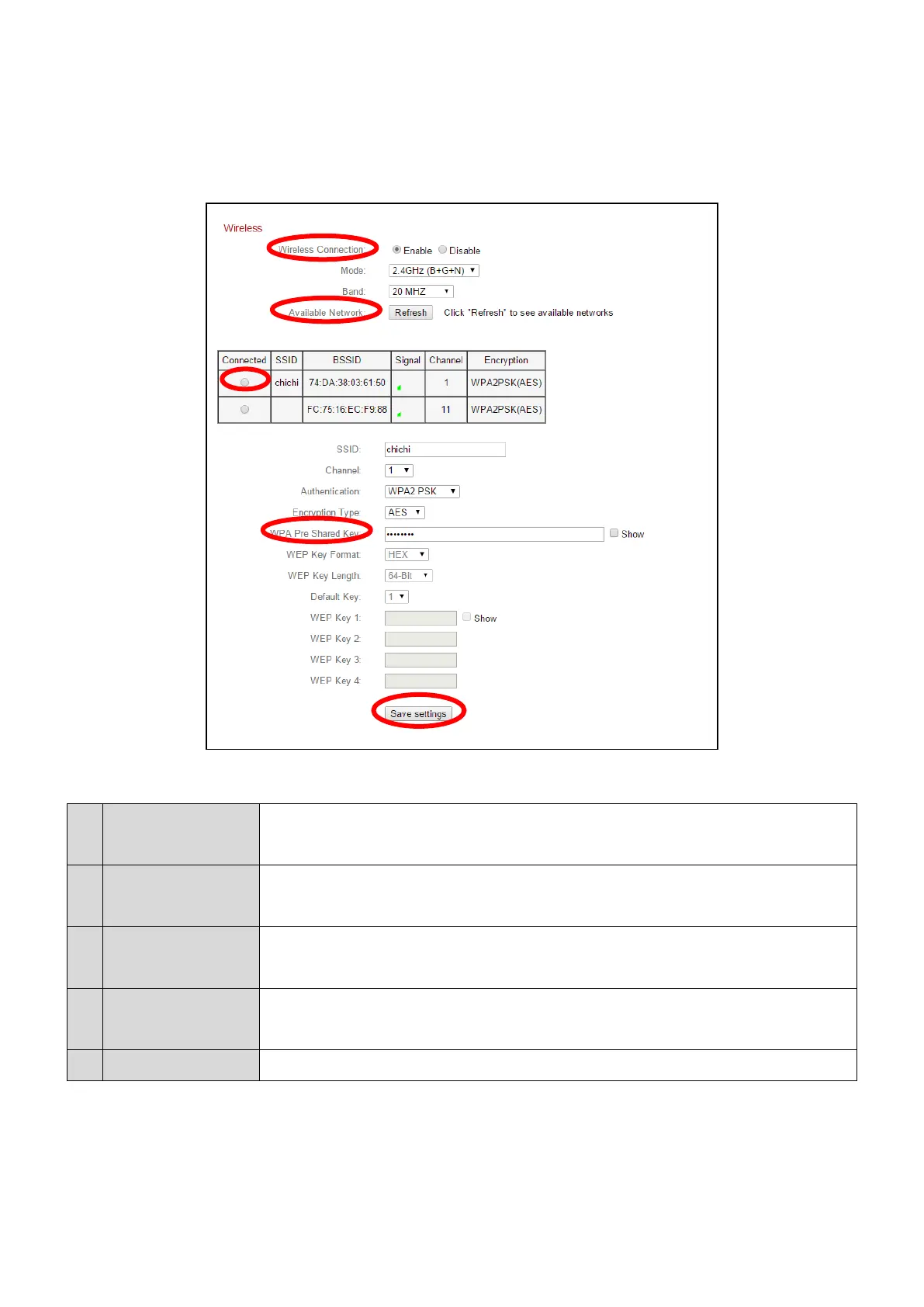
1. Configure the wireless settings A – E shown in the table below:
2. After the settings are saved, remove the Ethernet cable from your
network camera. Your camera should now be connected to your Wi-Fi.
Select “Enable” to enable the wireless connection.
Click “Refresh” to display all available Wi-Fi networks.
Select your Wi-Fi network from the list. This is the wireless
network which your camera will connect to.
Enter your Wi-Fi password.
Click “Save Settings” to save your settings.



 To Next Page