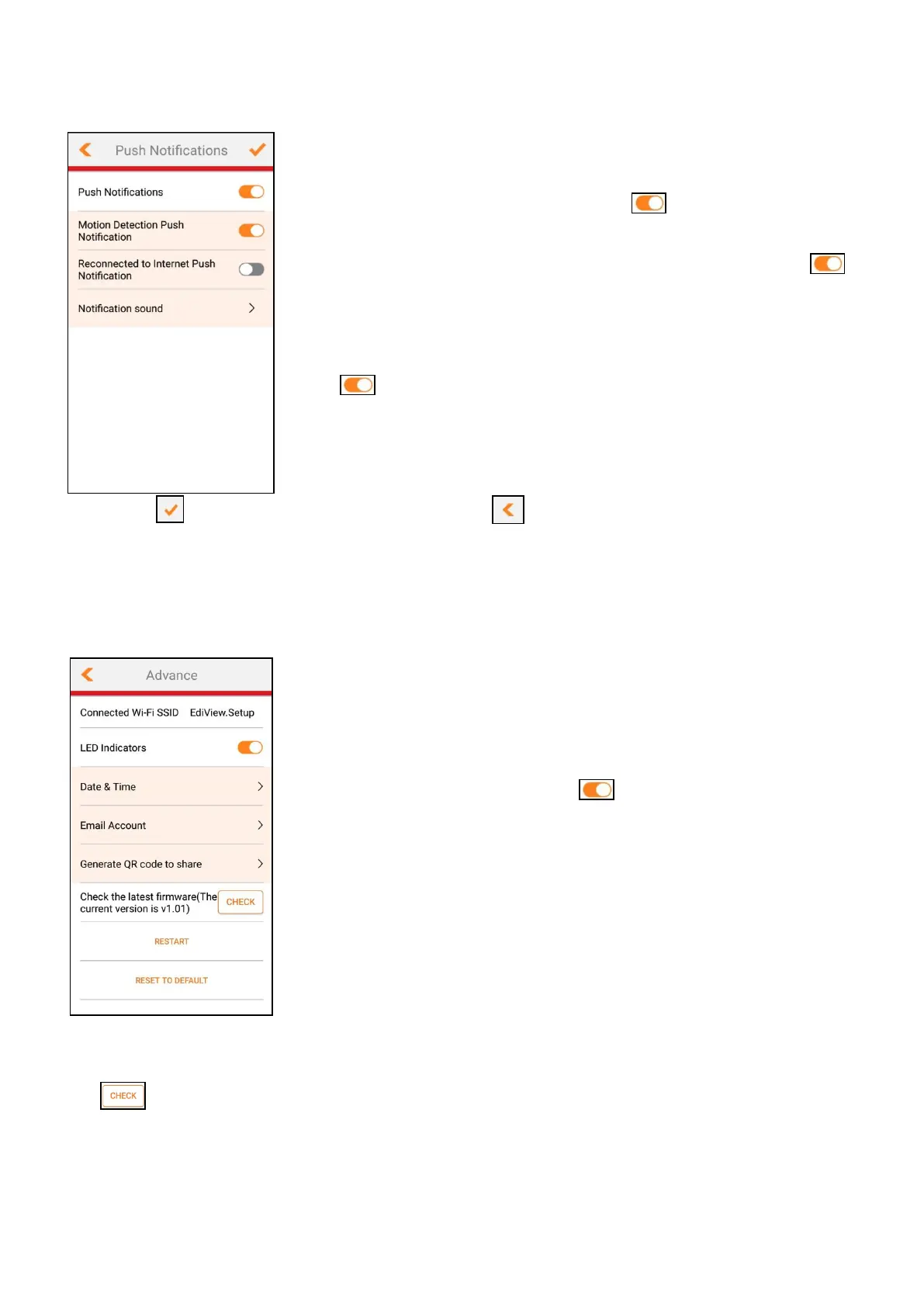
Notification Settings
Tap the Push Notifications bar to enter push
notification settings.
1. Push Notifications: Tap the icon to turn on /
off all push notifications.
2. Motion Detection Push Notification: Tap the
icon to turn on / off push notifications from motion
detection.
3. Reconnected to Internet Push Notification: Tap
the icon to turn on / off push notifications from
the network camera reconnecting to the Internet.
4. Notification sound: Tap this bar to choose a
notification sound.
Tap the icon to save the changes, or to forfeit the changes.
IV-7-5 Advance Settings
Tap the Advance bar to enter advance settings menu.
1. Connected Wi-Fi SSID: Displays the connected Wi-Fi
network name.
2. LED Indicators: Tap the icon to turn on / off
the LED indicators (on the Indoor Main Unit).
3. Date & Time: Tap the bar to enter the date and
time settings (more information in its section below).
4. Email Account: Tap this bar to enter the email
account settings (more information in its section
below).
5. Generate QR code to share: Tap this bar to display
the QR code (more information in its section below).
6. Check the latest firmware: Displays current firmware version. Tap the
button to check for the newest firmware.
7. RESTART: Tap this bar to reboot the network camera.
8. RESET TO DEFAULT: Tap this bar to reset the network camera to its default
settings.



 To Next Page