V-1-5 Date & Time
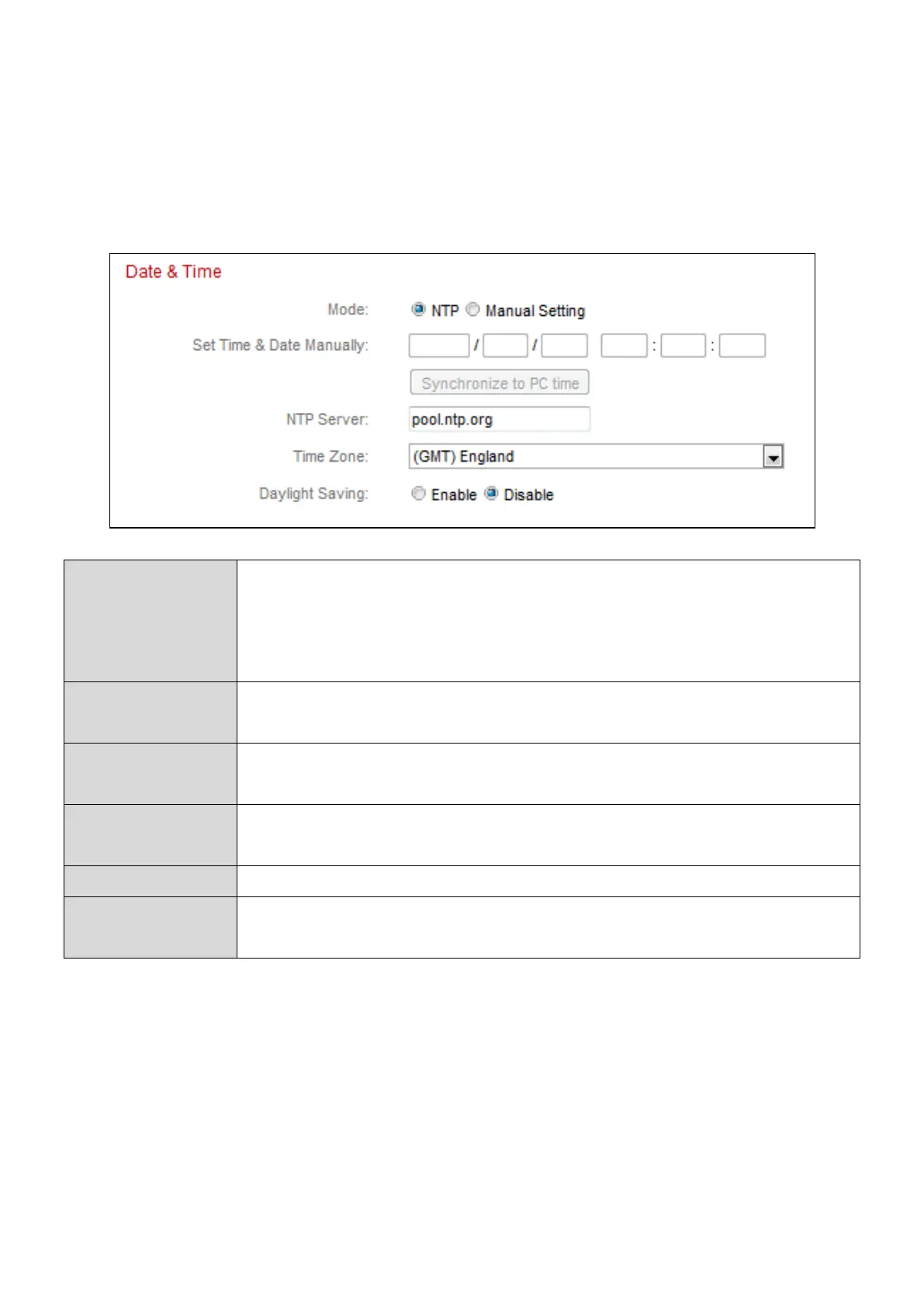
You can set and adjust the network camera’s system time and date on this
page. Maintaining a correct system time is particularly important for recorded
video organization/playback.
Select ”NTP” or “Manual Setting”. NTP (Network Time
Protocol) can set and maintain the time and date
automatically via an NTP server on the local network, if
available.
For manual setting mode, enter the correct time and date in
the following format: YYYY/MM/DD HH:MM:SS
Click here to automatically enter the same time and date as
your computer.
For NTP mode, enter the NTP server’s hostname or IP
address.
Select the correct time zone.
Enable or disable daylight saving according your local time
zone.


 To Next Page