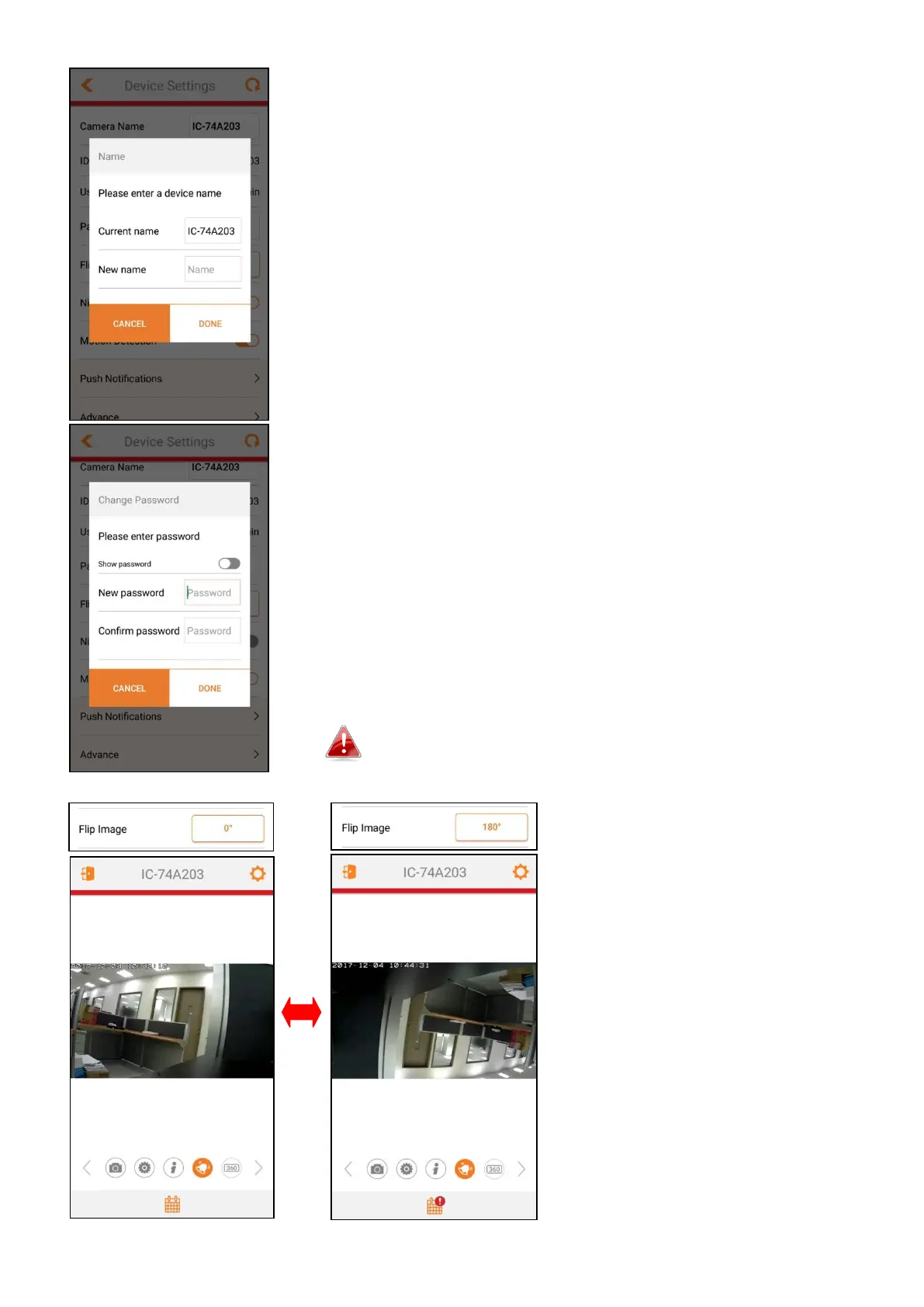
IV-7-1 Camera Name
Tapping the field will allow you to change the camera’s
name as shown on the left:
Enter a new name and tap “DONE” (for Android) or the
button with similar meaning (for iOS).
IV-7-2 Change Password
Tapping the field will allow you to change the camera’s
password as shown on the left:
Enter a new password and tap “DONE” (for Android) or
“OK” (for iOS)
The password must be over 8 alphanumeric characters.
Enter this password in another mobile device to
access your camera.
IV-7-3 Flip Image
Flips the video by 180°.
IV-7-4 Push



 To Next Page