15
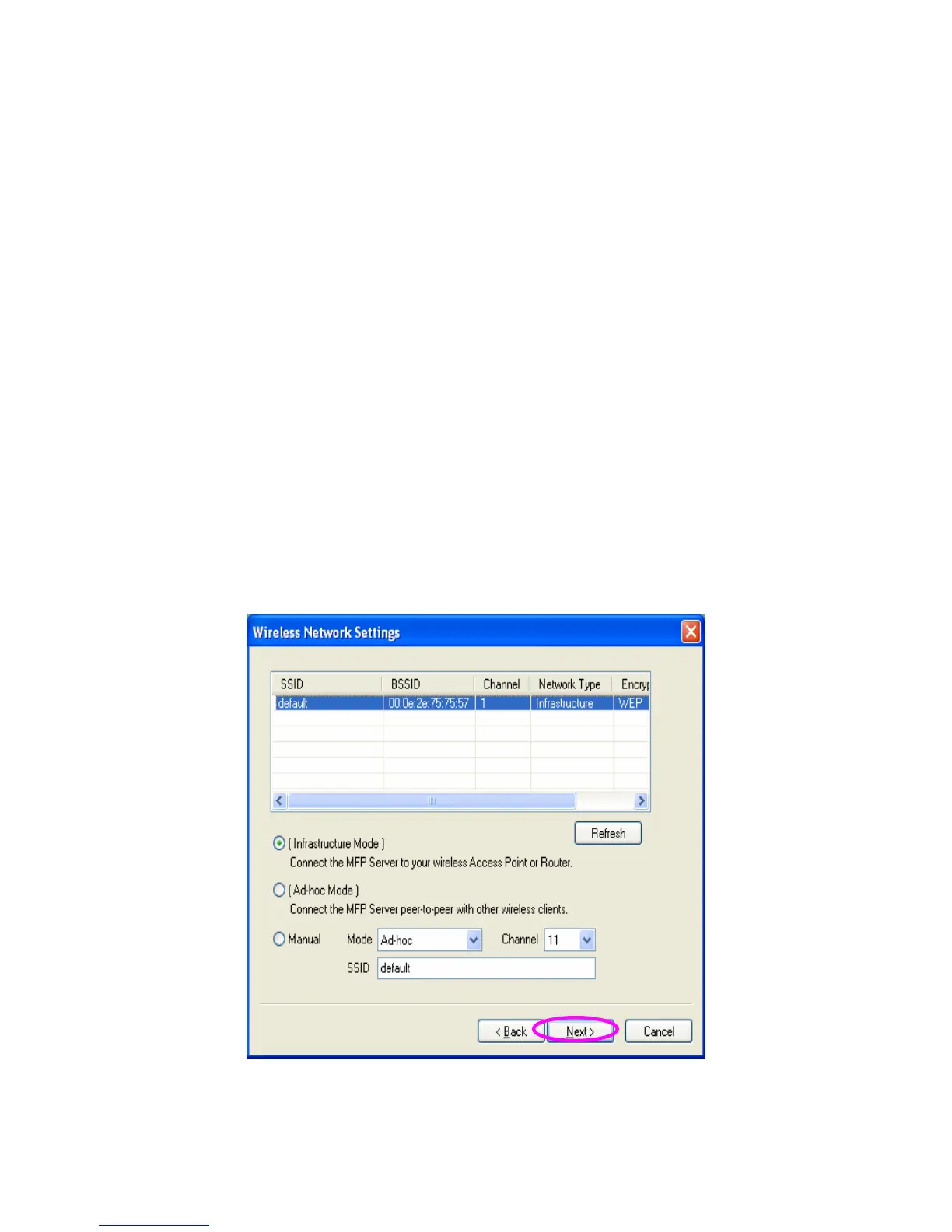
10. The “Wireless Network Settings” screen will allow you to
connect your wireless MFP Server to your wireless router,
access point, or point-to-point ad-hoc connection.
The MFP Server will automatically scan the wireless
networks nearby. Please select the appropriate wireless
network that you would like to connect from the list and click
“Next”.
You may choose to scan for the wireless access point or
router (Infrastructure mode) or the wireless adapters (Ad
Hoc mode). Or, you can manually enter the wireless
network information (Manual mode). By default, the wireless
settings are as below.
Mode: Ad Hoc
SSID: Default
Channel: 11















 To Next Page