21
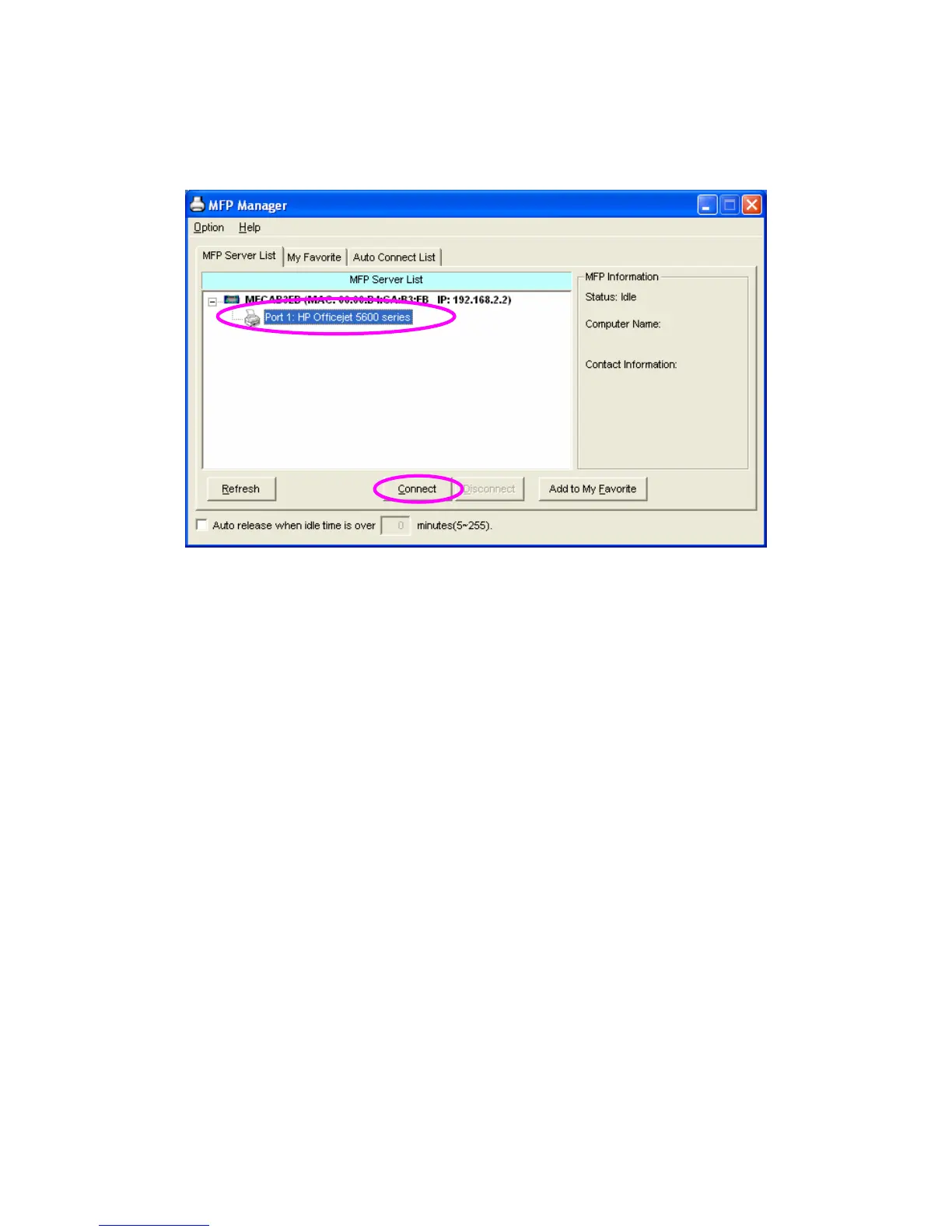
1. Select the MFP that you want to install in the “MFP Server List”
and click “Connect” button.
2. The Windows will detect the new hardware and prompt to install
the MFP drivers. When the system stops prompting, the drivers
are all installed. If the system can’t find the MFP driver, please
insert the installation CD of the MFP and designated to find
drivers in the CD.
Note:
If the MFP you have connected is a composite device, the system
will install the driver for composite device at first. The following
screen will be popped up, please click “Continue Anyway”. When
the system stops prompting, the drivers are all installed. If the
system can’t find the MFP driver, please insert the installation CD
of the MFP and designated to find drivers in the CD.


 To Next Page
 Loading...














