ES-12B 5 Terminal Single Phase Residential Electricity
Meter - Installation and Commissioning Guide
Copyright © 2020 EDMI Europe Ltd. All rights reserved
Version / Status: 1.0
Public
Step 1: Unpack meter and inspect for damage
Unpack the meter and dispose of the packaging according to your company’s waste disposal /
recycling policy. Inspect the meter for any visible signs of damage. If your inspection of the meter
indicates that the meter is damaged, follow the return procedures specified by your company.
Note: In the event that a meter fails for whatever reason, refer to your company’s returns and
installation processes.
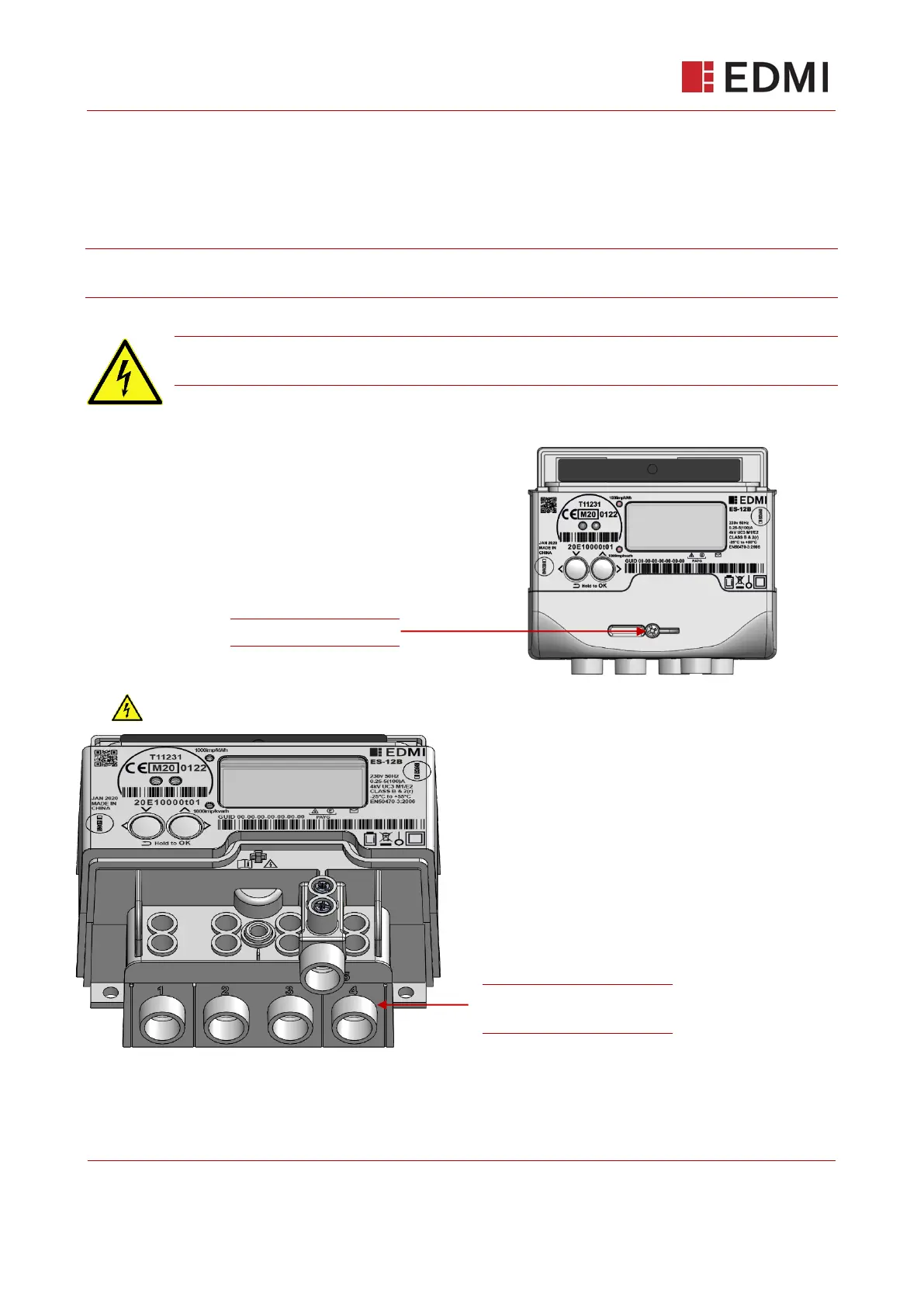
Step 2: Remove terminal cover from meter
Caution!
Supply to the meter must be isolated or disconnected before access.
To remove the terminal cover from the meter:
1. Unscrew the central screw on the terminal cover.
2. Slide off the terminal cover.
Terminal Block 1 (TB1)
Supply Connections
ES-12B Terminal Block Uncovered



 To Next Page