ES-12B 5 Terminal Single Phase Residential Electricity
Meter - Installation and Commissioning Guide
Copyright © 2020 EDMI Europe Ltd. All rights reserved
Version / Status: 1.0
Public
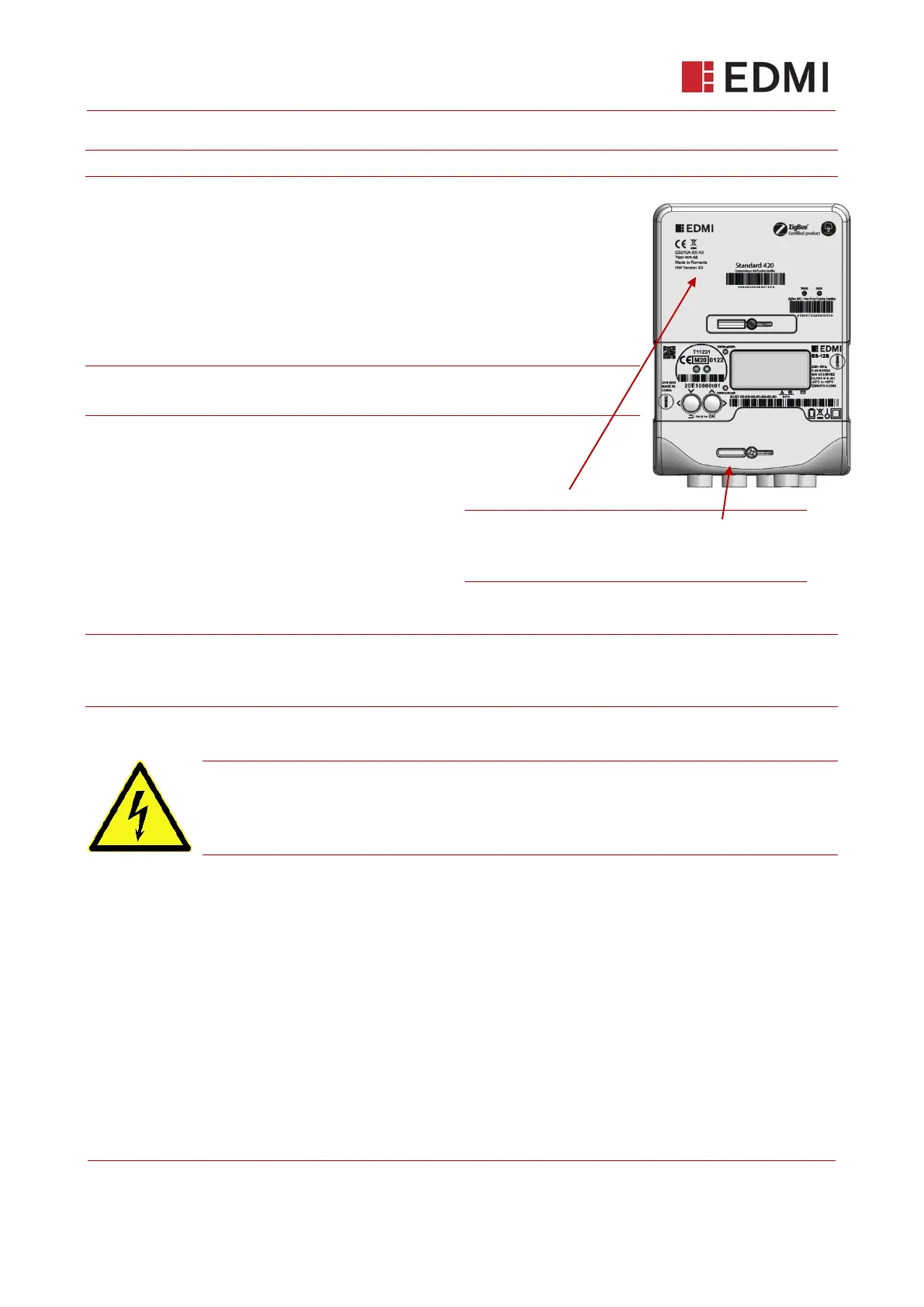
Step 7: Replace terminal cover and fit the Communications Hub
Note: Before replacing the terminal cover, check your work from steps five and six.
To replace the terminal Cover:
1. Put the cover in place and secure it by tightening the central screw
applying 0.3Nm of torque.
2. Install anti tamper seal
3. Remove ICHIS rubber cover and dispose of according to your
company’s waste disposal / recycling policy.
Note: For installs without a communications hub an EDMI hard plastic
ICHIS cover should be used affixed to the meters ICHIS interface.
Fit Communications hub:
4. To fit the Communications Hub follow the
Communications Hub manufacturer’s
recommended installation procedure.
5. Ensure Communications Hub is sealed.
Note The Communications Hub also have the option of being installed remotely and connected to
the meter by means of a cradle and flying lead. Refer to your Communications Hub documentation
for information.
Caution! The Communications Hub has the option of being installed remotely and
connected to the meter by means of a cradle and flying lead. If this is the case.
Ensure that an appropriate blanking plate is installed. Refer to your
Communications Hub documentation for information.
Step 8: Turn on the mains power supply
Turn on the mains power supply, ensuring that you follow all of your company’s safety precautions.
The meter will power on and prepare itself for pairing with the Home Area Network (HAN).
At this point, if you have installed a Communications Hub, the Hub will go through its initialisation
process, joining the Smart Metering Wide Area Network (SMWAN) and forming a Home Area
Network (HAN). The LEDs on the Communications Hub will indicate the success or failure of these
initialisation steps. Refer to your Communications Hub documentation for information on how to
determine what state the hub is in.
Make sure that the terminal and
Communications Hub covers are securely
fitted.



 To Next Page