UPS: MKD 700 – 3000 VA RT (XL) Installation and Connection
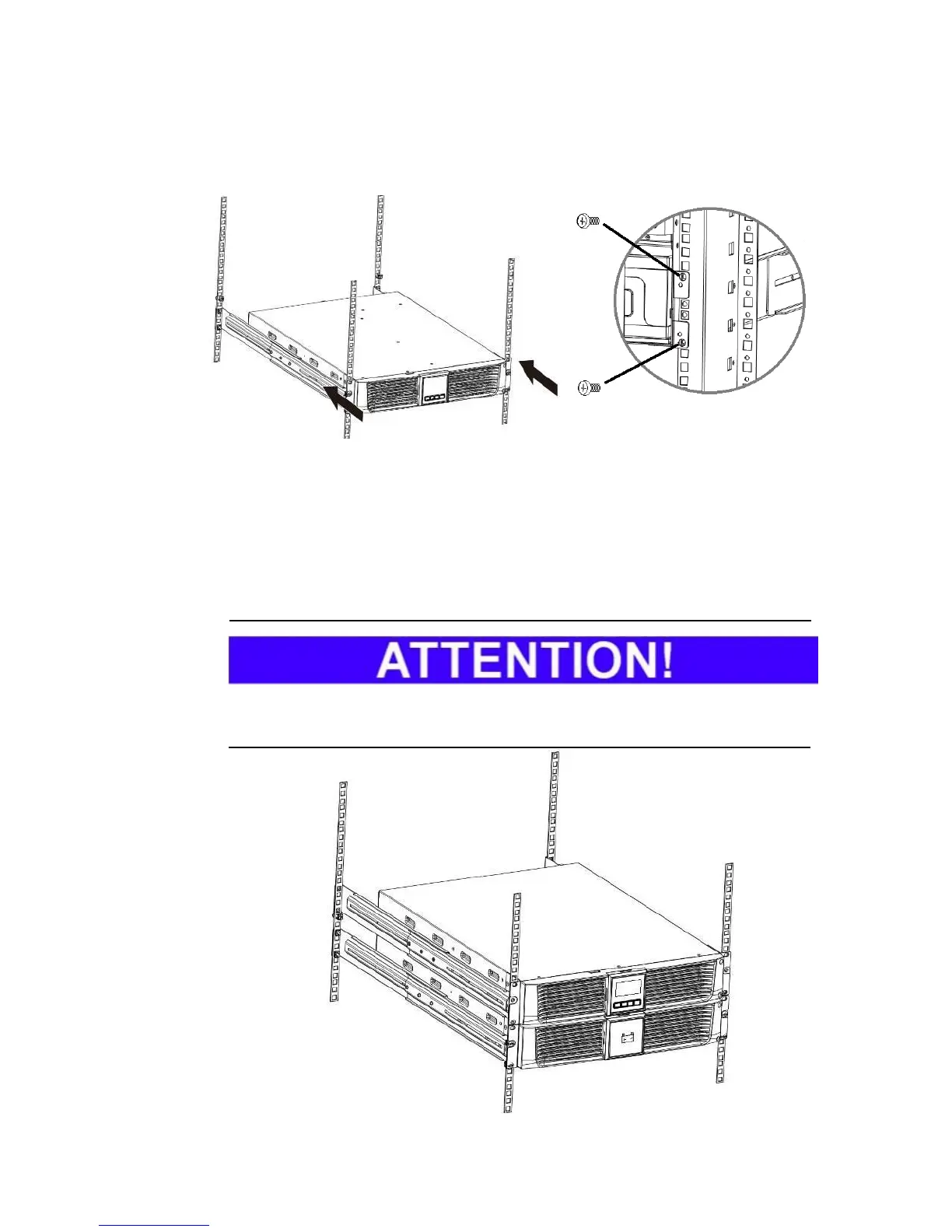
Step 3: If the UPS (or the battery bank) is properly integrated, it should be
secured on the mounting bracket. See the following illustration for this.
Fig. 5-6 Securing all devices on the brackets.
Step 4: Equip the respective UPS (and the external battery bank) with the
previously removed battery packs, reattach the safety cover and connect the
battery pack with the UPS or the external battery bank with the UPS. Finally,
reattach the front panels and fasten these with the screws provided (according
to 5.1.1 in reverse order).
Also note that the external battery bank must always be installed under the UPS
on account of the waste heat from the UPS.
Fig. 5-7 Model RACK installation of the UPS and an external battery bank (MKD RT).



 To Next Page