UPS: MKD 700 – 3000 VA RT (XL) Installation and Connection
read the battery bank operating manual in its entirety and observe the notices,
warning and connection data listed there.
Always make sure that the UPS and the battery bank are compatible. A
corresponding product is inspected by EFFEKTA Regeltechnik GmbH and listed
in 14 Scope of delivery / accessories.
5.4 Connecting the UPS device
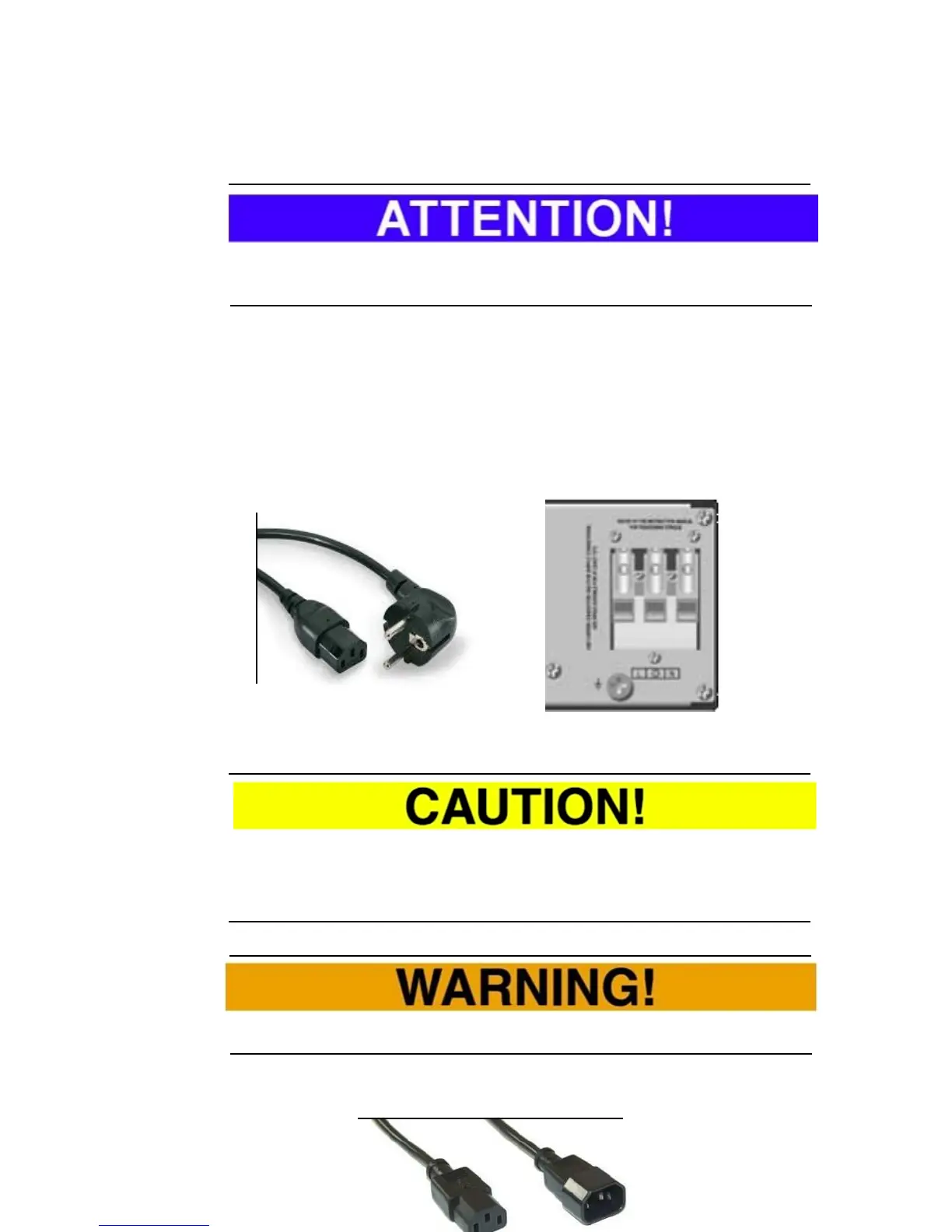
The MKD 700-3000 RT (XL) series is equipped with cold device connections
according to IEC 60320. Thus it is possible to connect the UPS with the
provided power cable to the common wall socket (network). Only the MKD 3000
XL version unconditionally requires a fixed connection on the input side.
Fig. 5-11 Cold device line or fixed connection MKD 3000 XL variant.
Once the UPS is connected to the mains power supply, it switches to the by-
pass mode, the status display appears, the charging mode is active and the
loads are already being supplied.
In general, ensure that the wall socket is properly secured and the PE
connection is present.
Additionally, the load(s) can, as a rule, be connected to the UPS with an
appropriate cold device line.



 To Next Page