UPS: MKD 700 – 3000 VA RT (XL) Installation and Connection
switch (potential-free). The EPO signal must remain active for at least 20 ms in
order to guarantee the release of the loads.
5.4.3 Connection of the communication interfaces
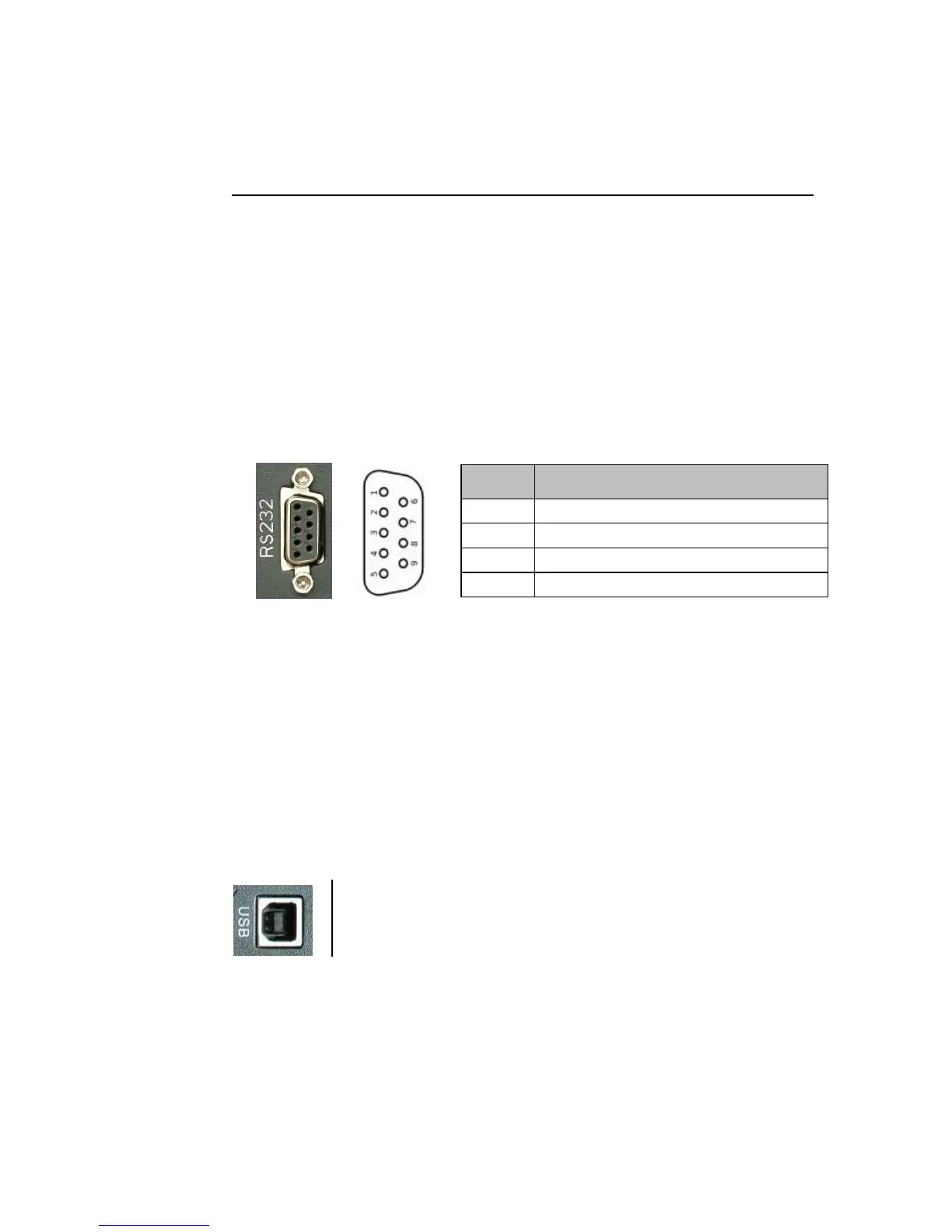
The serial port RS232 and the USB port serve to connect the equipment with a
PC or rather the application (software) installed on it. However, only one of the
two interfaces can be used.
Serial port RS232
The connection is also established for a serial standard cable. The configuration
is as follows (unlisted pins are not assigned):
Fig. 5-15 RS232 device connection (SubD 9pole, female).
The serial port RS232 of the UPS works with the following interface parameters:
Data rate: 2400 Baud;
Data bits: 8;
Stop bits: 1;
Parity bit: none.
USB port
Connect the USB port via a USB cable (Type A to Type B) to your
PC or a suitable, superior control system. The port functions
according to the USB Protocol 1.1.
Both communication interfaces support the complete „MegaTec Extended“-
protocol (August 2000 version).
Internal contact interface (DRY CONTACT, configurable)
The MKD 700 – 3000 RT (XL) series already has a simple contact interface
each with a signal input or a signal output. The relative function is configurable
on the control panel or the software application. Further information is under
6.2.6 UPS settings.



 To Next Page