Every 4 Hours
Document ID: OMM-00144-L VUTEk 3r & 5r Series Maintenance Guide 17
PPE Items: GLOVES NITRILE DISPOSABLE BOX LARGE
SAFETY GLASSES
Required Items: WIPES 9X9 CLEAN ROOM
PRINT HEAD CLEANING FLUID
How-to Video:
Directions:
1. Ensure the printer is in the Printer Ready status.
NOTE: Print head wiping should not proceed until ink system is completely warmed.
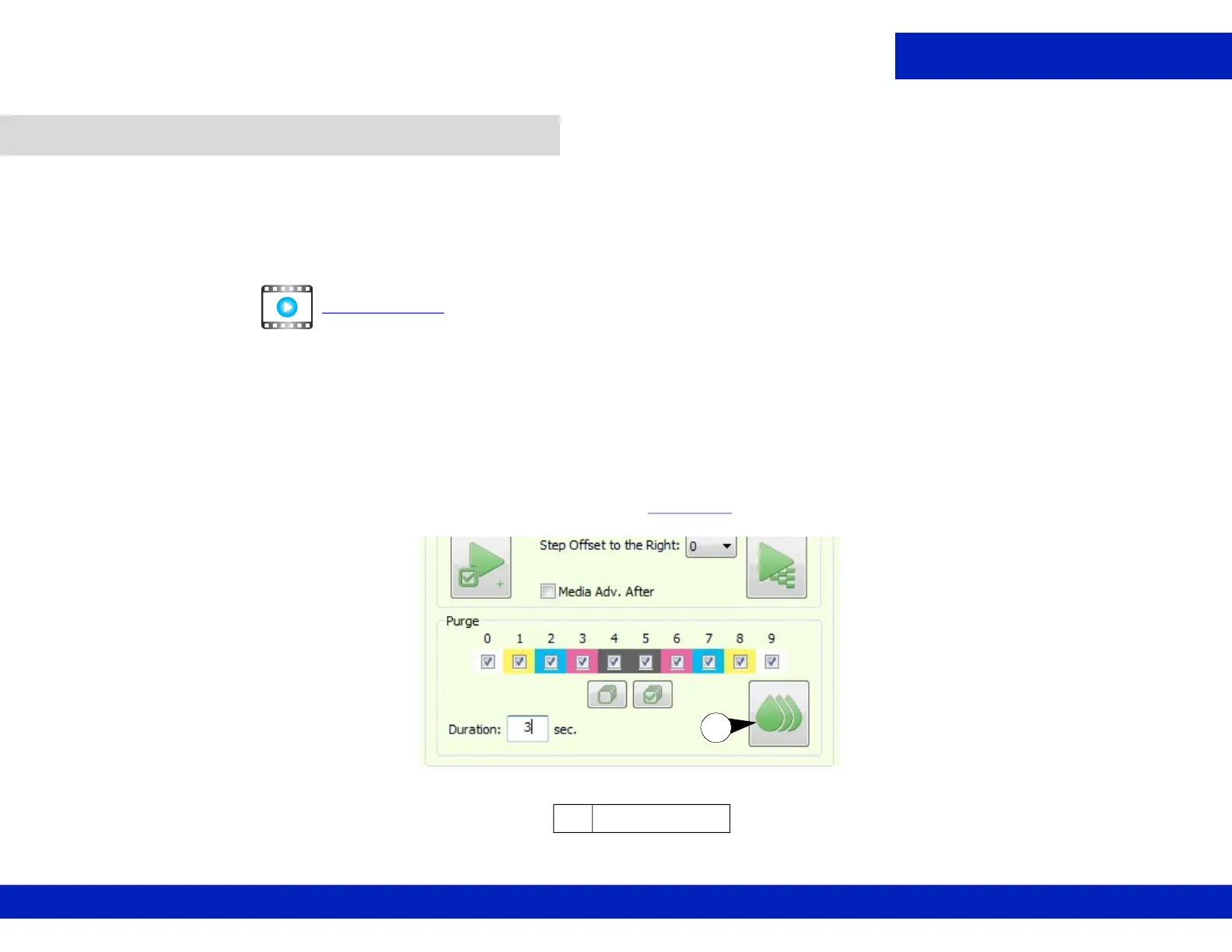
2. From the printer Front End in Print Heads Maintenance pane, set the Duration to 3 seconds.
3. Click the Purge button to perform a three second Ink Purge, Figure 3-1
.
3.2 Clean print heads.
CLICK TO PLAY
Figure 3-1 Print Heads Maintenance, Purge options, 3 second duration
A Purge button
A



 To Next Page
 Loading...



