Every 4 Hours
Document ID: OMM-00144-L VUTEk 3r & 5r Series Maintenance Guide 21
PPE Items: GLOVES NITRILE DISPOSABLE BOX LARGE
SAFETY GLASSES
Required Items: WIPES 9X9 CLEAN ROOM
ISOPROPYL ALCOHOL
Directions:
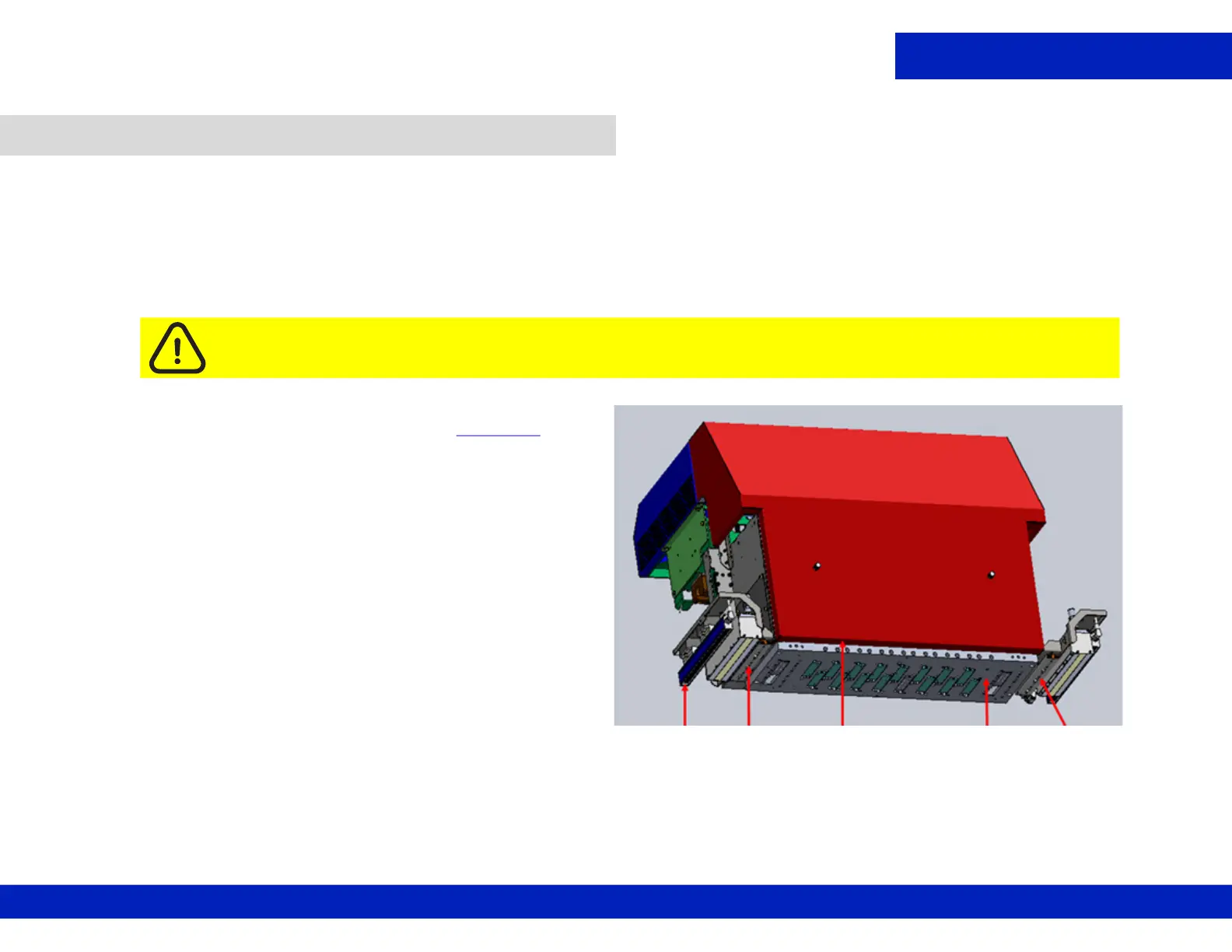
1. Using a lint free wipe dampened with IPA, wipe the
underside of the following areas: (see Figure 3-8
.)
• The left and right light shields
• The underside of the left and right ionizer bars
• The underside of the carriage cover
• The underside of the left and right crash protector
2. Remove the retaining pins after completing tasks.
3. Close the printer hood.
3.3 Clean printer carriage components.
Caution: Never wipe the print heads with IPA. Always wear latex gloves to prevent alcohol
absorption through the skin.
Ionizer
bar
Light
Shield
Carriage
Cover
Print Head
Plate
Light Shield
Figure 3-8 : Carriage Underside



 To Next Page
 Loading...



