44
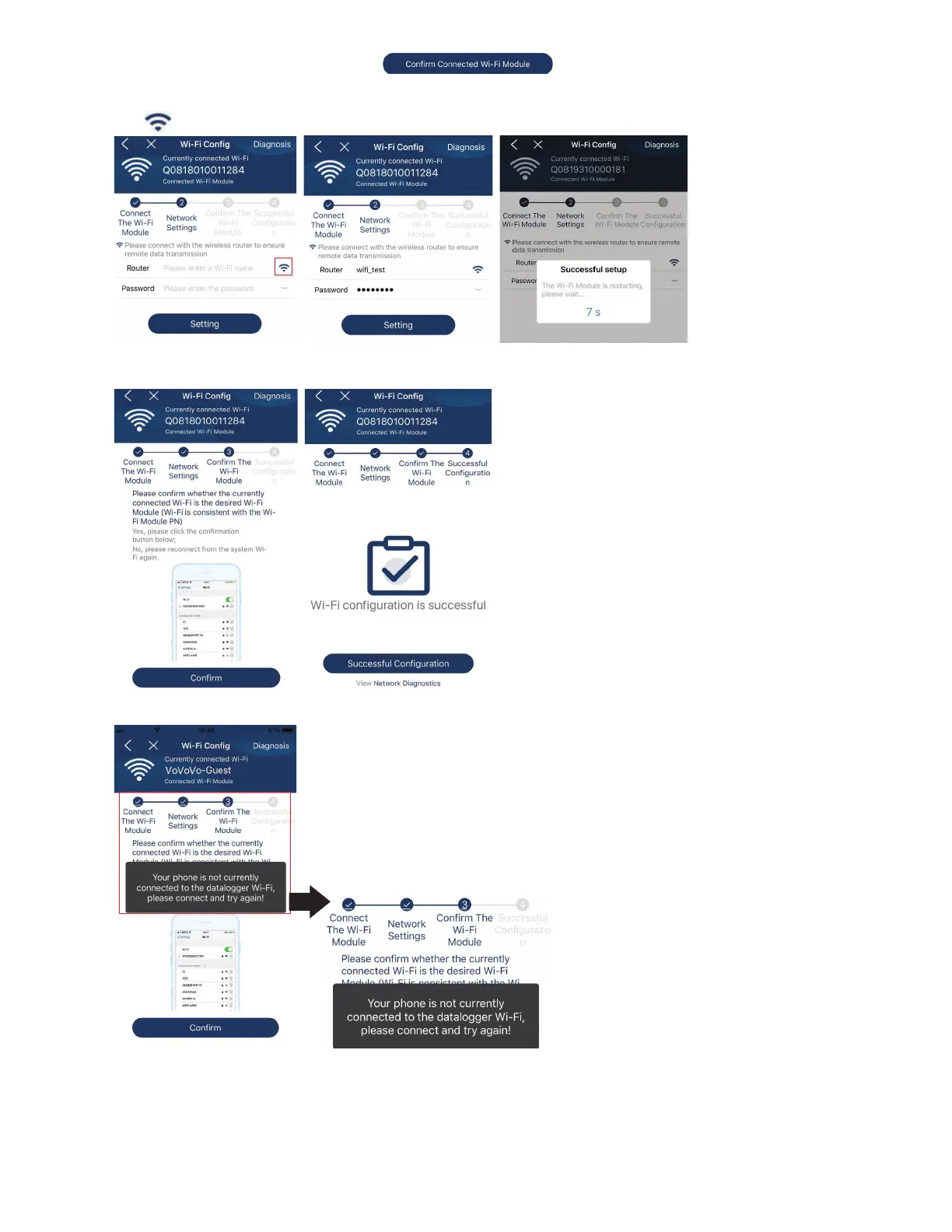
Then, return to SolarPower APP and tap “ ” button when Wi-Fi module is connected
successfully.
Step 3: Wi-Fi Network settings
Tap
icon to select your local Wi-Fi router name (to access the internet) and enter password.
Step 4: Tap “Confirm” to complete the Wi-Fi configuration between the Wi-Fi module and the Internet.
If the connection fails, please repeat Step 2 and 3.



 To Next Page