15
USER MANUAL MAGIC 500 PLUS ULTRASOUND UNIT
T +49 7461 96 580 0 | F + 49 7461 96 580 90 | export@eickemeyer.com | www.eickemeyer.com
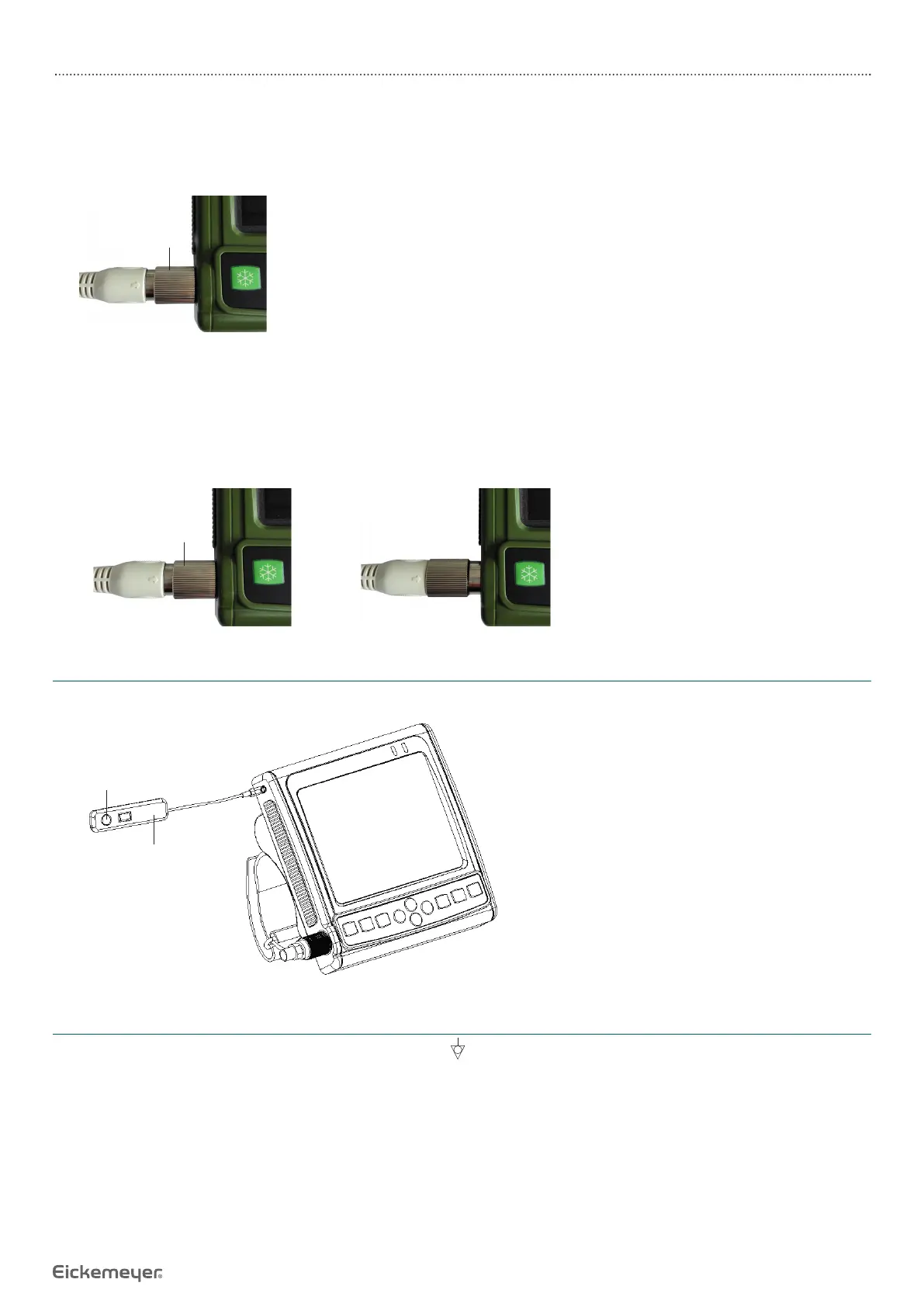
3. After pushed in place, hold the machine with one hand and rotate the knob clockwise with the other hand until the probe
is locked.
Note: Before turning the knob clockwise, be sure to push the probe connector into place and then rotate to prevent the
knob from idling.
Turn it
clockwise
5.2.2 Ultrasonic Probe Disconnection
1. Turn off the system, pinch the oval position on both sides of the probe cable with one hand and rotate the probe knob
counterclockwise with the other hand.
2. When rotating counterclockwise, pull out the ultrasonic probe connector vertically when the knob touches the probe
cable.
Turn it
counterclockwise
5.3 Shutter Release Installation
Install shutter release to Freeze interface (TV / VGA interface) as shown in the fi gure.
Shutter release
During operation, you can
“freeze” or “unfreeze”
images using shutter
release.
5.4 Video Recorder Installation
1. Turn off the system, connect the equipotential terminal ( ) of the video recorder to the earthing.
2. Connect one end of the video connection line to the video recorder and the other end to the “TV / VGA interface” on the
left of main unit.
3. Insert one end of power plug (jack) of the video recorder to the power input socket of the video recorder, the other end
to the power supply socket.
Note: When connecting the video recorder, the main unit needs to output the TV signal. Please contact EICKEMEYER®.


 To Next Page