18
USER MANUAL MAGIC 500 PLUS ULTRASOUND UNIT
T +49 7461 96 580 0 | F + 49 7461 96 580 90 | export@eickemeyer.com | www.eickemeyer.com
6. FUNCTIONAL OPERATION
6.1 Startup and Shutdown
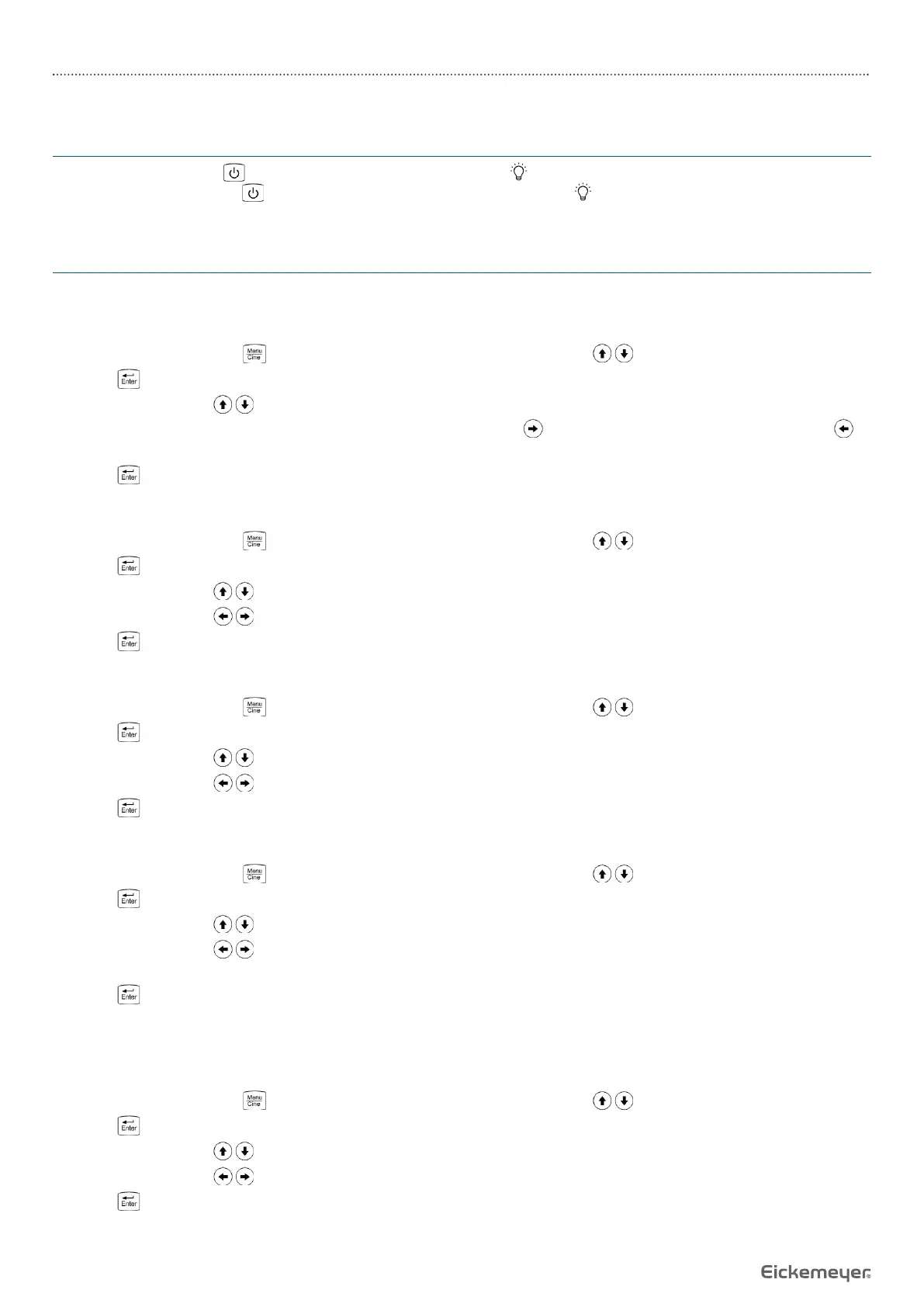
In shutdown status, press key, machine starts up, power indicator lights.
In startup status, hold down key, the machine shuts down, power indicator goes out. Please note that when shutting
down the machine, the time of pressing key is longer than normal.
6.2 System Functions Setting
In B, B / B, B / M, M mode and in real-time status can be set as follows.
6.2.1 Time Setting
1. In real-time mode, press key to enter the main menu, press direction keys to select “Preset”.
2. Press key to enter setting interface.
3. Press direction keys to select “YY, MM, DD, hr, min”.
4. When setting year, month, day, hour and minute, press direction key to increase the value or press direction key to
decrease the value.
5. Press key to confi rm the time setting and quit setting interface.
6.2.2 TV Mode Setting
1. In real-time mode, press key to enter the main menu, press direction keys to select “Preset”.
2. Press key to enter setting interface.
3. Press direction keys to select “Mode”.
4. Press direction keys to achieve TV mode conversion between PAL and NTSC.
5. Press key to confi rm this setting and quit setting interface.
6.2.3 Key Sound Setting
1. In real-time mode, press key to enter the main menu, press direction keys to select “Preset”.
2. Press keyto enter setting interface.
3. Press direction keys to select “Key Sound”.
4. Press direction keys to select between “On” and “Off”.
5. Press key to confi rm this setting and quit setting interface.
6.2.4 Screensaver Setting
1. In real-time mode, press key to enter the main menu, press direction keys to select “Preset”.
2. Press key to enter setting interface.
3. Press direction keys to select “Screen saver”.
4. Press direction keys to adjust the screensaver time; screensaver time are “00 – 99” minutes, “00” stands for turn off
the screensaver.
5. Press key to confi rm this setting and quit setting interface.
Note: Go beyond the system setting screensaver time without pressing any key, the machine will automatically enter a
screensaver status. Press any key, the system will return to normal operation status.
6.2.5 Image Filter Setting
1. In real-time mode, press key to enter the main menu, press direction keys to select “Preset”.
2. Press key to enter setting interface.
3. Press direction keys to select “Filter”.
4. Press direction keys to select two kinds of fi lters.
5. Press key to confi rm this setting and quit setting interface.


 To Next Page