

 To Next PageTo Next Page
 Need help?
Do you have a question about the Eizo FlexScan EV3895 and is the answer not in the manual?
Diagram and explanation of warning symbols and their meanings.
Information on appropriate usage scenarios, safety measures, and limitations of the monitor.
Details about the LCD panel, including stabilization time, afterimages, and pixel characteristics.
Guidance on monitor setup, including installation, cleaning, and general maintenance procedures.
Recommendations for optimal viewing comfort and eye strain reduction.
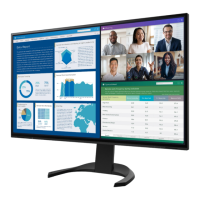
Overview of key features including curved display, free layout, and docking capabilities.
Detailed explanation of front and rear monitor controls and their functions.
List of supported resolutions for DisplayPort, HDMI, and USB-C connections.
Instructions for adjusting display settings in Windows and macOS for proper image display.
Guide on how to navigate and operate the monitor's switches and menus.
Procedure for selecting and switching between different input sources.
Explanation of pre-installed color modes for various display purposes.
How to adjust the screen brightness to suit your environment and preferences.
Instructions for setting speaker and headphone volume levels.
Basic steps for accessing and navigating the monitor's advanced setting menus.
Detailed functions available in the setting menu, including color, signal, and preference adjustments.
Configuration options for input signals, screen size, and color format.
Customizing monitor settings like power saving and indicator behavior.
Features for energy conservation, including automatic brightness adjustment.
Setting display language and viewing monitor information.
Instructions on connecting the monitor to multiple computers simultaneously.
Guide to displaying multiple input signals side-by-side on the screen.
Enabling USB device sharing across multiple connected PCs.
Methods for switching between USB upstream ports for connected devices.
How to access and navigate the Administrator Settings menu for advanced configuration.
Detailed functions including Auto Input Detection, Compatibility Mode, and USB/Ethernet settings.
Solutions for problems related to the monitor not displaying an image or power indicator status.
Troubleshooting steps for screen brightness, color, text blur, and afterimages.
Resolving issues with menus, audio, USB devices, and computer sleep mode.
Step-by-step guide on how to safely detach the monitor's original stand.
Instructions for mounting the monitor to an external arm or stand using VESA standards.
Procedure for reattaching the monitor's original stand after removal.
How to use the monitor as a docking station for network and peripheral connectivity.
Detailed technical specifications of the LCD panel, video signals, USB, audio, and power.
List of registered trademarks and software licenses associated with the product.










 General