22
2.16 Recipe book
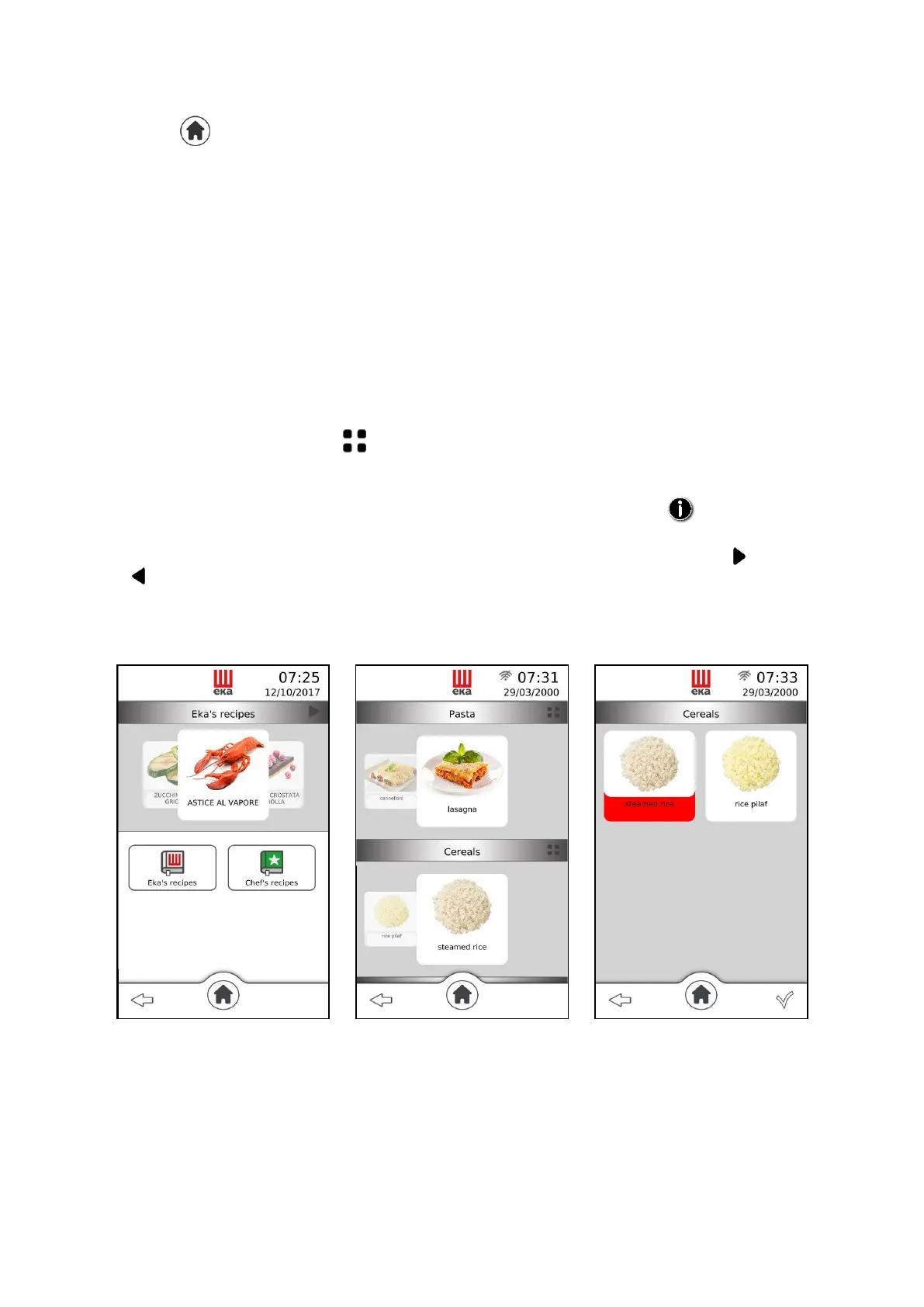
Touching the “ ” symbol on the display shows the “Recipe book” icon. Touching this icon again
displays another 3 icons that represent the 3 different types of recipes available (Fig. 24):
Eka Recipes
Chef Recipes
By touching the relative icon, one of the 3 types of recipes can be selected: the “Menù ricette” (Recipe
menu) screen appears containing a series of dishes divided into 9 categories arranged on as many windows
overlapping one another (Fig. 25). Each window is identified by the category name:
To view all 9 "windows", if already occupied by at least one stored recipe, simply slide up or down the
finger on the "windows" of the screen. The recipes, available in the "windows", can be displayed in a
single screen by touching the symbol (Fig. 26) or, separately, by sliding, to the right or left, the finger
on the photos that represent them.
Once the recipe has been selected, the "summary" screen appears (Fig.27) where all the parameters
relating to the cooking cycle of the recipe appear. Furthermore, by touching the " " symbol,
information about the selected recipe can be displayed, if available.
All “Eka Recipes” are already available in the “Home” screen: by repeatedly touching the “ ” symbol
and/or “ ” symbol, all “Chef Recipes” and “Most used recipes” also become available. To select the
wanted one, simply slide, right or left, your finger on the photo representing the recipe dish; then, to be
able to use it in the cooking cycle, simply touch the selected photo: the “summary” screen appears with
the dish name. Touch “” to start cooking.
Fig.24 Fig.25 Fig.26



 To Next Page