27
2.20 Accessories
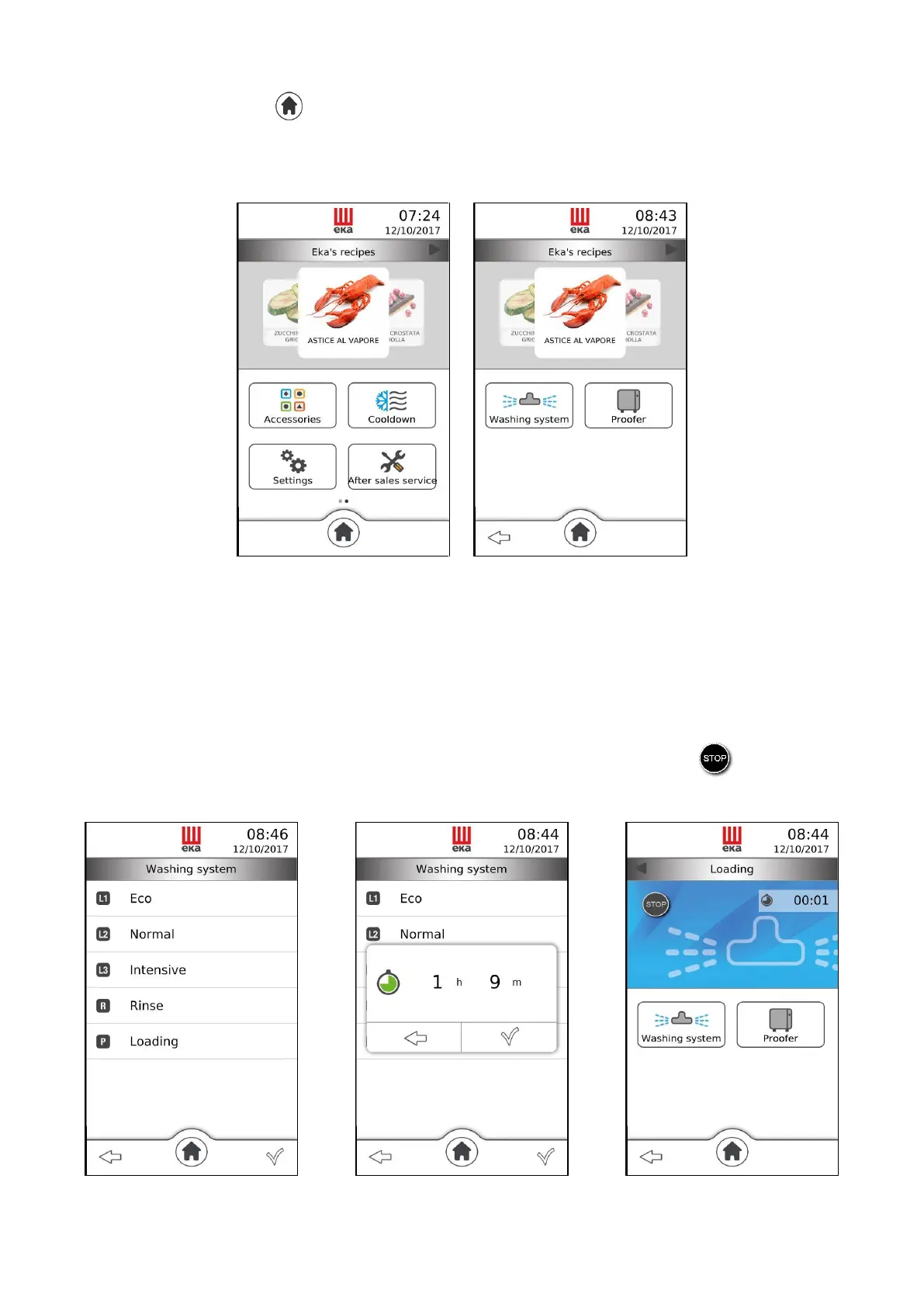
From the “Home” screen ( ) slide your finger to the left on the “Available functions” window: the
“Accessories” icon appears (Fig. 33); touching it displays the window that shows the types of accessories
that can be used (Fig. 34):
PROOFER/HOLDING CABINET
Fig. 33 Fig. 34
Touching the “Washing” icon displays the screen with the modes available (Fig. 35):
Touching the “text” of the desired mode displays the window that shows the operating time of the mode
(Fig. 36). Touching the “” symbol starts the washing: the operating screen (Fig. 37) displays the text
identifying the washing mode in progress, the washing time countdown and the “ ” symbol which
allows disabling the washing in progress at any time, automatically enabling the “Rinse” mode.
Fig. 35 Fig. 36 Fig. 37



 To Next Page