INSTALLATION
06/2020 33 NP-DK50 2V 50, 2x2V 110-A-5_06-2020-MD
The compressor is ready for operation.
12.2. Connecting a compressor installed in a cabinet
Route the mains plug through the opening in the rear wall of the cabinet for cabinet-mounted
compressors.
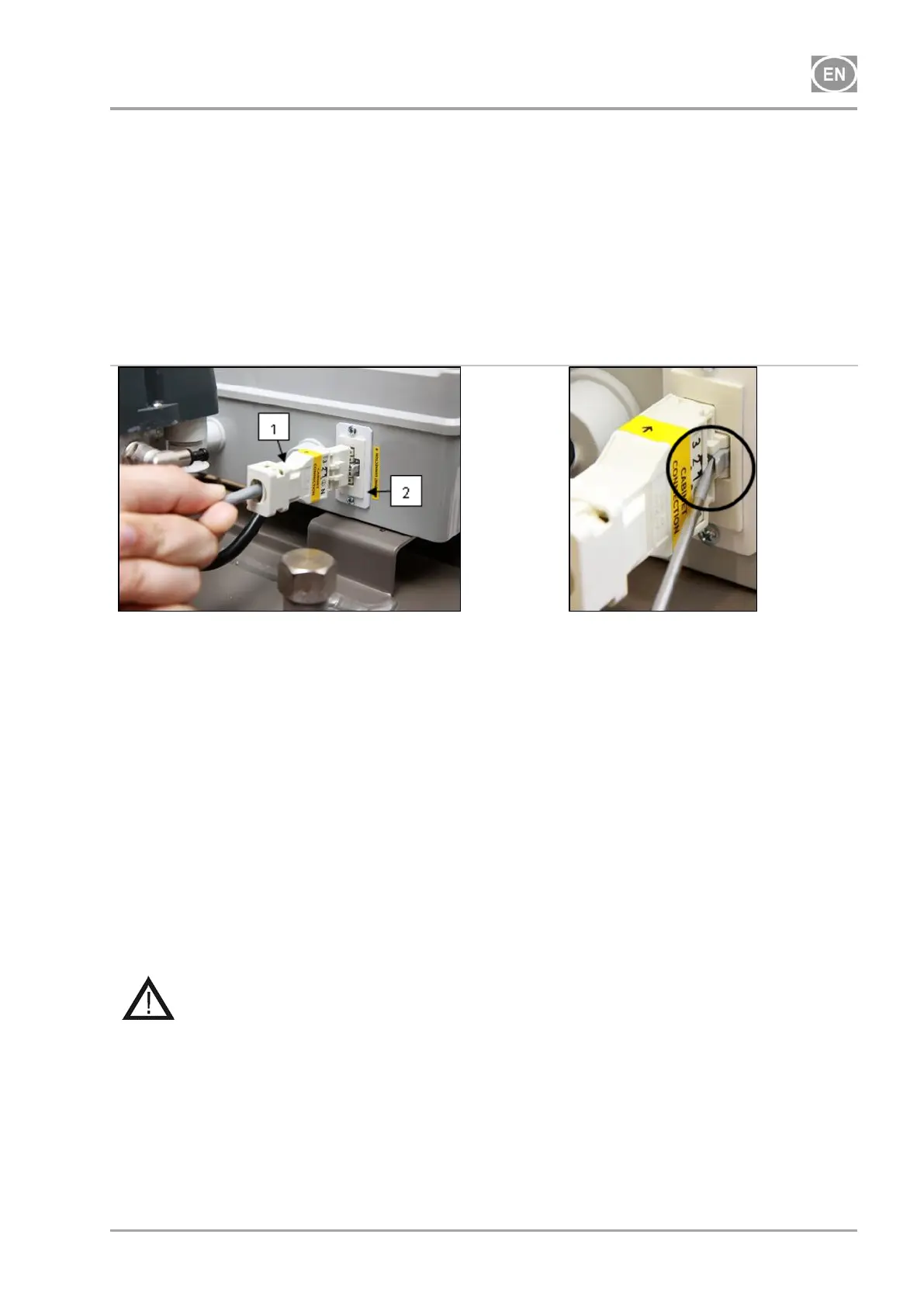
Connect the cabinet electrically to the compressor by inserting the provided power cord with
connector (1) into an outlet. (Fig. 8)
Disconnect the cabinet electrically from the compressor by pulling the connector (1) from the
outlet while the latch is released.
Fig. 12: Connect the cabinet to the compressor
13. COMMISSIONING
Check if all fixing elements used during transport have been removed.
Check correct connection of compressed air (see chapter 11).
Check correct connection to the mains (see chapter 12).
Check position of the circuit breaker switch, it must be in position „I“. If it is in position „0“, turn
the switch (4) to position „I“. (Fig. 13).
On DK50-10S/M (8 - 10bar) compressor, switch the switch (4) on the front side of the cabinet
to position „I“, the green light indicates the device status in operation. (Fig. 13)
Check connection of the cabinet connector to the compressor. (Fig. 12)
Check connection of the cabinet manometer hose to the pneumatic block of the compressor..
(Fig. 9)
The compressor is not equipped with a backup power supply.




 To Next Page