ELAD FDM-DUO User Manual - Rev. 2.3 - 06/2016
© 2016 ELAD S.r.l. All rights reserved. No part of this document may be reproduced, published, used, disclosed or disseminated in any form or
by any means, electronic, photocopying or otherwise, without prior written permission of ELAD S.r.l.
84
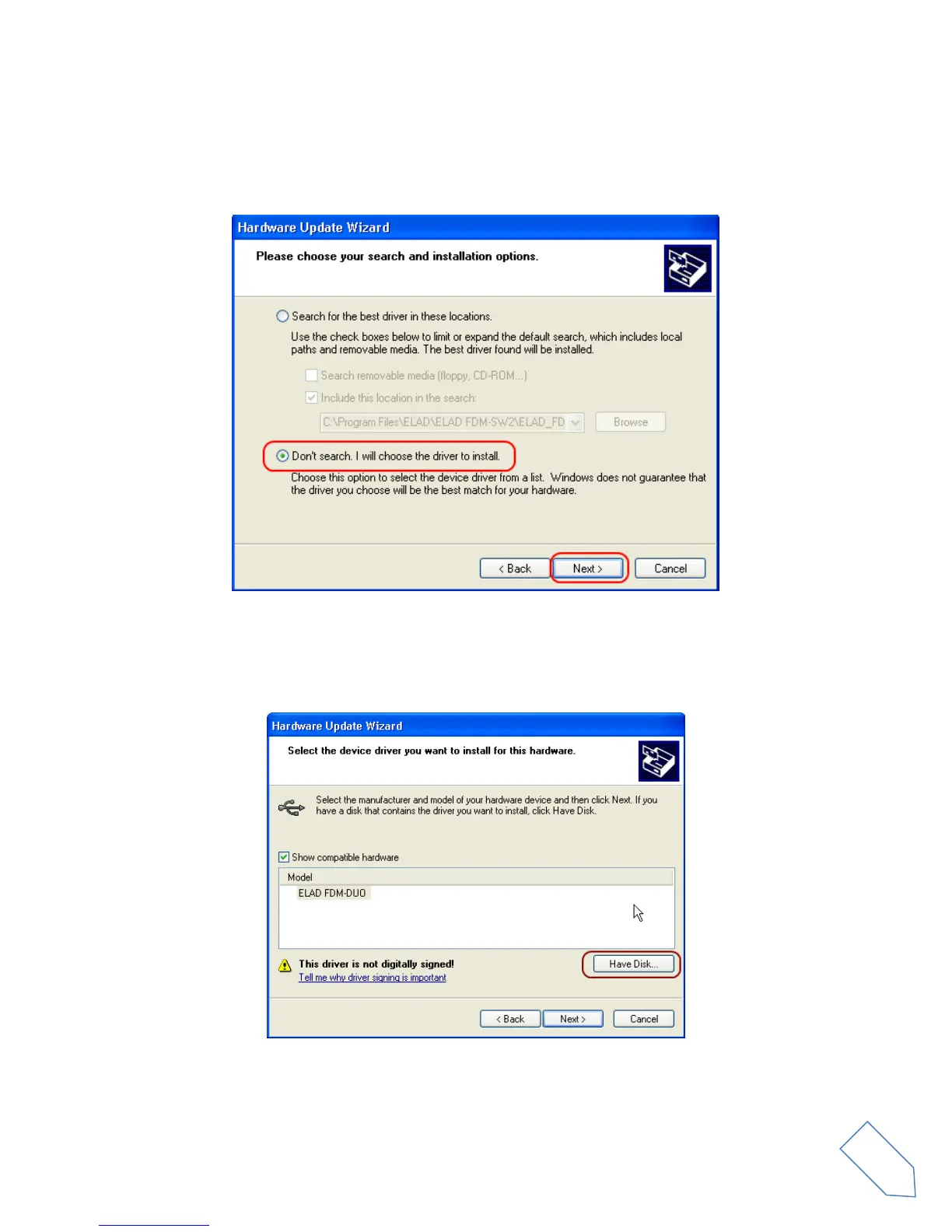
At next step select “Install from a list or specific location (Advanced)” and “Next”.
Then, disable all check-boxes that the system automatically sets and choose the last option for manual
driver update, as depicted in figure. Select “Next”.
Verify that “Show compatible hardware” option is checked and ELAD FDM-DUO is selected: then click on
“Have a Disk”. Don’t click “Next”.


 To Next Page