User Guide
Product: Evolis
A_Evolis Solution GB elancity
Page
/
Date: 03/01/2018
Confidential document, property of ELANCITY. All copies and transfers are unauthorized without prior consent.
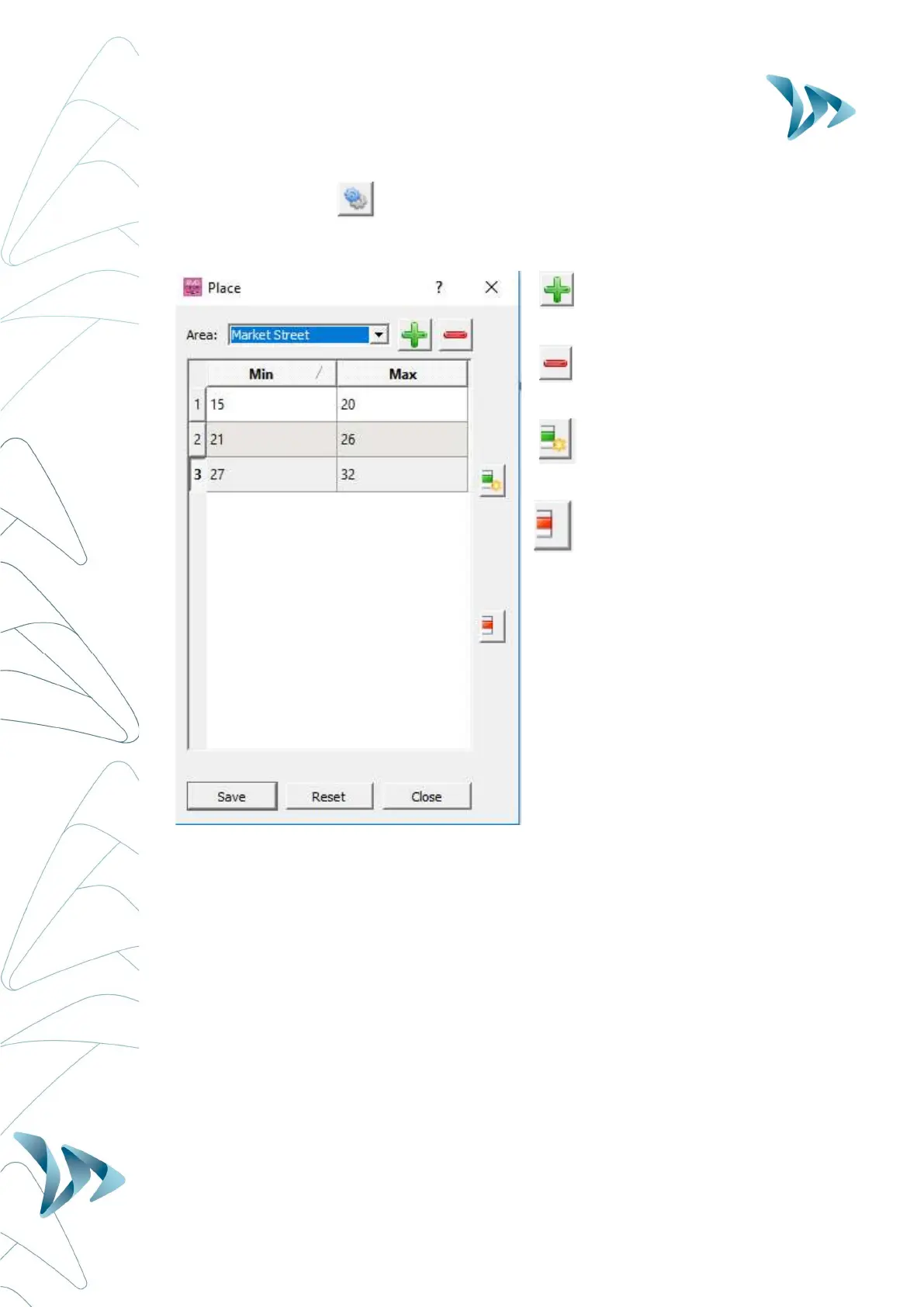
By selecting the icon, you can personnalise the number of different speed slots that will
be shown in the pie chart.
Create a new Place Name
Remove a Place Name
Create a new/supplementary
Speed Slot
Delete a Speed Slot
Once you have completed you new
settings, click on ‘Save’ and these settings
will become available
The ‘Reset’ button allows you to go back
to the initial configuration (20,30,50,60
and 70mph)


 To Next Page