8. HOW TO USE THE INSTRUMENT ELBO CONTROLLI srl
Preset E236+
37
þ It’s advisable to add, in the positioning window move the axes in the same direction, for example from
the bottom to the top for the Z-axis from the right to the left for the X-axis.
During this procedure it is possible to repeat the collimation of one point that was previously confirmed by
mistake, press the icon .
The dimensions that are displayed for the X (D) e Z (E) axes, relate to the centre of the screen and can be
useful if you want to reduce the calibration area travel: indeed, it is not compulsory to reach the farthest
position indicated in the green rectangle, but you can decide to calibrate only in the central area.
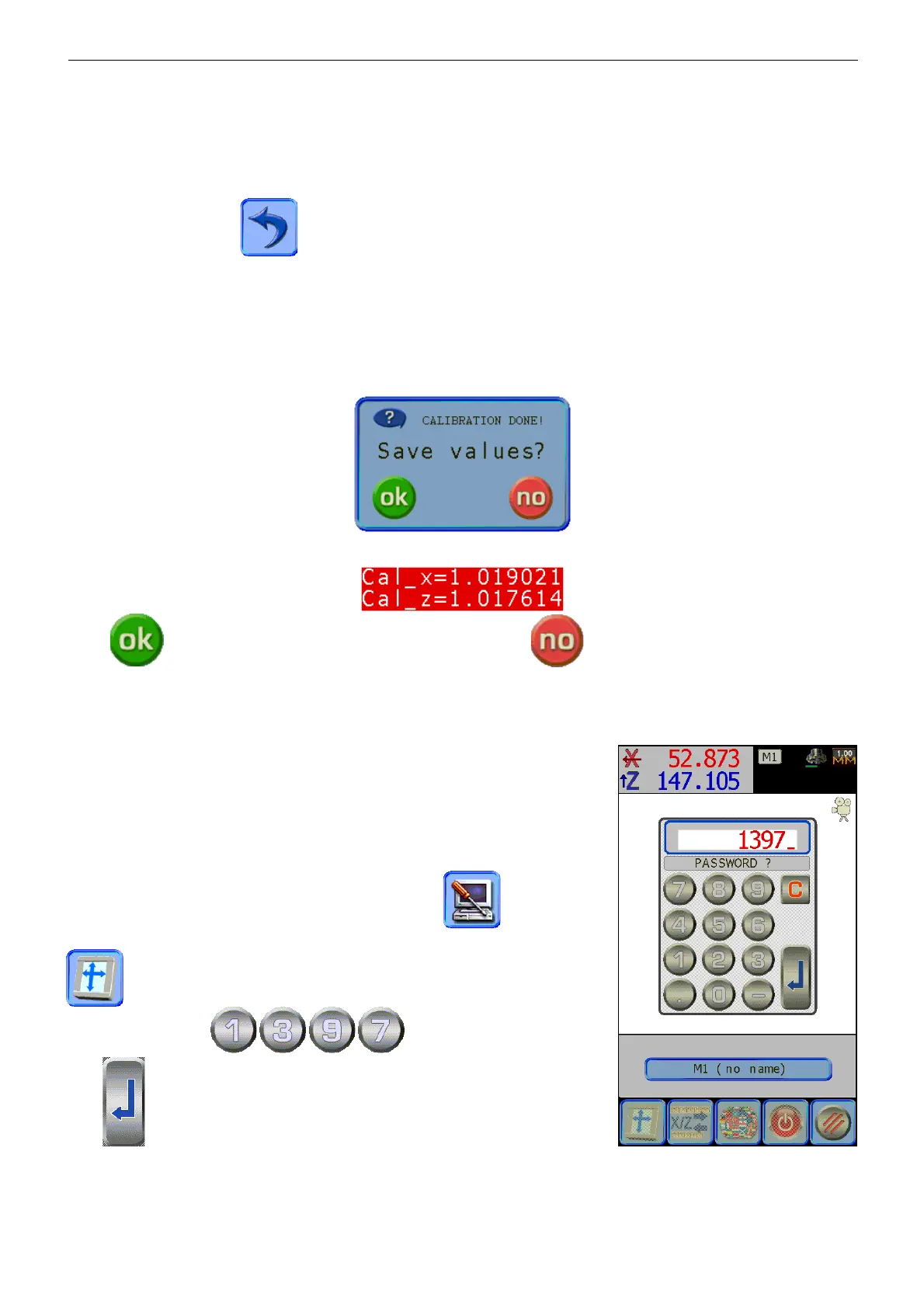
At the end of the procedure, the calculated values will be shown, and you will be asked to save or cancel
the newly acquired calibrations.
Press to save the new camera calibration values, press to delete.
8.7.2 CALIBRATION OF THE TOUCH SCREEN
The calibration allows you to correlate the positions of the points you
touch on the screen to the coordinates of the LCD display below.
The calibration of the touchscreen is enabled in the factory, and can be
repeated in case it is found it doesn’t correspond between the point
touched and the activation icon, or in case of restoration of standard
settings (para. 8.8).
To access the “configuration” menu press the icon , successively
to follow the cycle of calibration of the touch-screen press the icon
.
Type the password
, confirm it by pressing the
icon .
E236+ activates the procedure that asks you to press three points of the screen to note coordinates, to
calculate the compensation matrix of the touchscreen.


 To Next Page