9. MACHINE ORIGINS ELBO CONTROLLI srl
Preset E236+
47
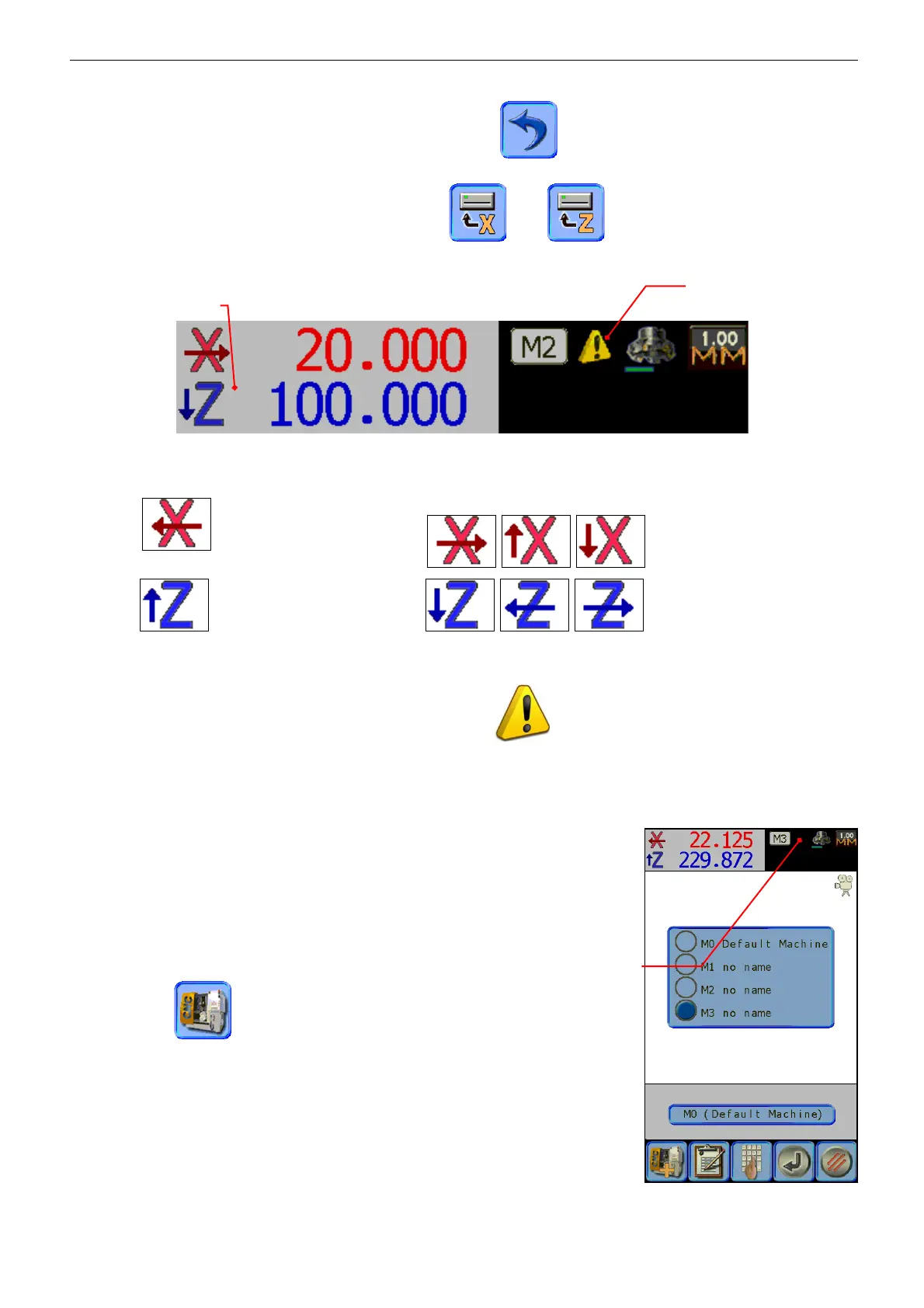
When the desired axes configuration is settled, press the icon to return to the base settings or to
continue with offset measurement procedure, as described in the previous paragraph.
þ Attention: the offset measurement, by pressing and , icons, must be carried out after
having settled the counting direction and the axes assignment.
When the NC machine origin input procedure is finished, the counting direction and the axes configuration
will be clearly shown by identifiers of the displayed dimensions:
X default , not standard configuration ;
Z default , not standard configuration .
The arrow indicates the axes configuration, either vertical/horizontal or positive/negative counting
direction.
If axes are not set in default mode, it will be shown the
, “attention” symbol nearby to the active
origin number.
9.4 ACTIVATION OF A NC MACHINE ORIGIN
With the preceding operation a machine origin has been registered on the
presetter memory of all machines for which the tools should be measured
(up to a maximum of nine).
In order to properly measure a tool, it is therefore necessary to activate the
origin of the machine to work on.
The procedure is as follows:
Press the icon to enter the machine origins menu.
Choose from the list the origin to activate pressing the round button: the
system automatically shows the settings of the selected machine.
Axes configuration
different from standard
Horizontal and vertical
reversal counting
Setting of the
selected machine


 To Next Page