9. MACHINE ORIGINS ELBO CONTROLLI srl
Preset E236+
46
Press to exit the machine origins function and start to measure or
press and repeat the previous procedure to create a new machine
origin.
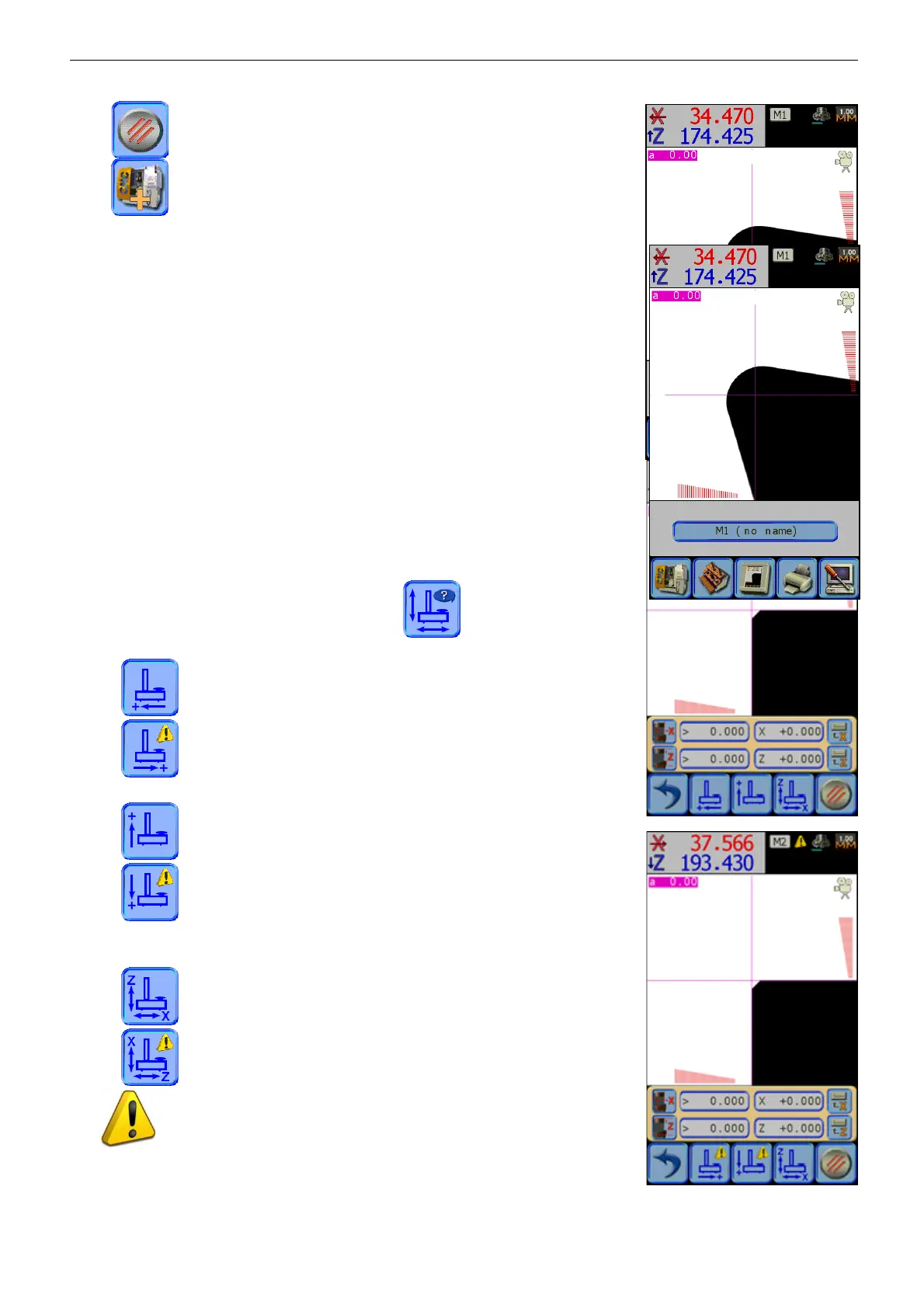
As shown in the picture, beside the number (M1 ÷ M9) the system will assign
to each origin the name “no name”.
This can later be edited using the software TD236+ (see chap.11).
þ Warning: For the memorization of a machine origin it isn’t necessary to
acquire the dimensions of both axes.
9.3.1 MULTIFUNCTION MACHINE ORIGIN CONFIGURATION
As we have seen in the previous paragraph, it’s possible to assign to each
NC origin its own configuration of the measurement axes respect to the
conventions used, for example by multitasking machines for turning and
milling.
E236+ is able to individually manage the reversal of the counting direction
of horizontal and vertical axes and assign their measure to the X and Z
dimension, depending on the requirements of the machine center.
To set the axes configuration, press the icon, set the E236+
horizontal movement counting direction:
default counting direction,
reverse counting direction.
Set the E236+ vertical movement counting direction:
default counting direction,
reverse counting direction.
Finally choose if the X and Z dimensions correspond to the horizontal and
vertical movement or not:
X = horizontal, Z = vertical (default configuration),
Z = horizontal, X = vertical.
The “attention” symbol is located in icons with different setting
from the default one, in order to recognize it immediately.


 To Next Page