10. TOOLSET ELBO CONTROLLI srl
Preset E236+
53
10.3 EDIT A TOOLSET
It's possible to access the toolset to add, remove, measure the tools or print the label of it.
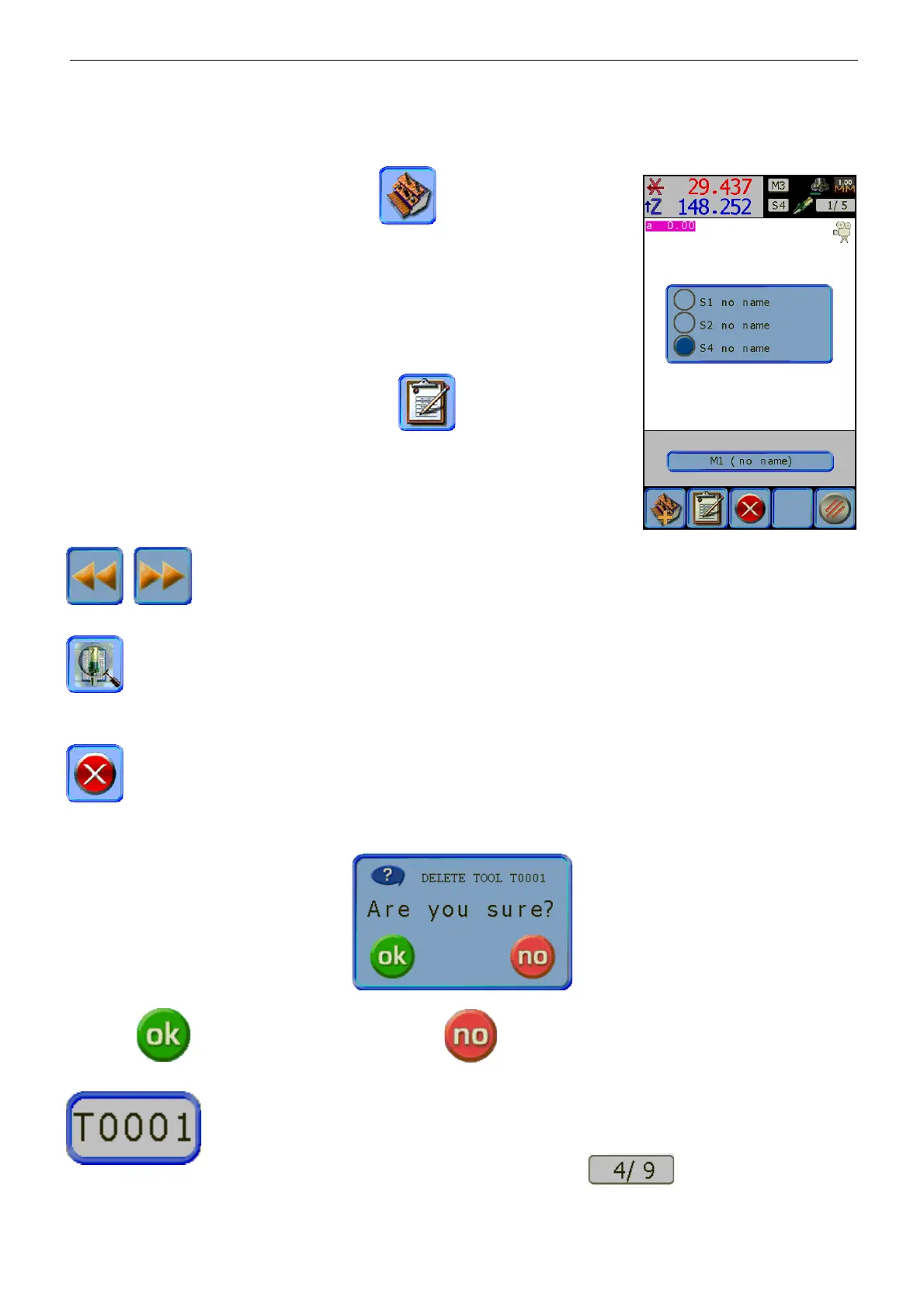
From the main menu, press the icon
,
in order to open the
memorized Toolset list.
As is possible to notice from the picture, the name assigned by the system
to each toolset when it is created “no name”.
This can be later edited using the TD236+ software (see chap. 11).
The simple selection of a Tool Set will be shown also with the relative
information that is: the associated machine origins and the number of the
tools of which it’s made up.
Select the toolset to edit, then press the icon .
The first tool of the set will be shown, and it will be possible to add the
measures following the modality illustrated in the previous paragraph.
The scroll icons allow moving backward and forward into the toolset positioning on the
tool before or after the one selected
The search icon allows you to insert, using the icon pad, the number of the tool that is being looked
for within the toolset. If the number searched for doesn’t exist the software will be pointing to the tool offset
number before the entered one.
The delete icon allows you to erase the record of the active tool of the active toolset. After using
the search button or the scroll icons in order to choose the desired tool, if pressing the delete button, the
system will ask you to confirm:
selecting the tool will be erased, selecting
will go back to the previous screen.
The offset grey icon allows you to change the tool number previously assigned;
without changing the memorized measures.
When the tool number is reassigned the tool will automatically recognize the tools of
the Set and update the index of the current record .


 To Next Page