10. TOOLSET ELBO CONTROLLI srl
Preset E236+
52
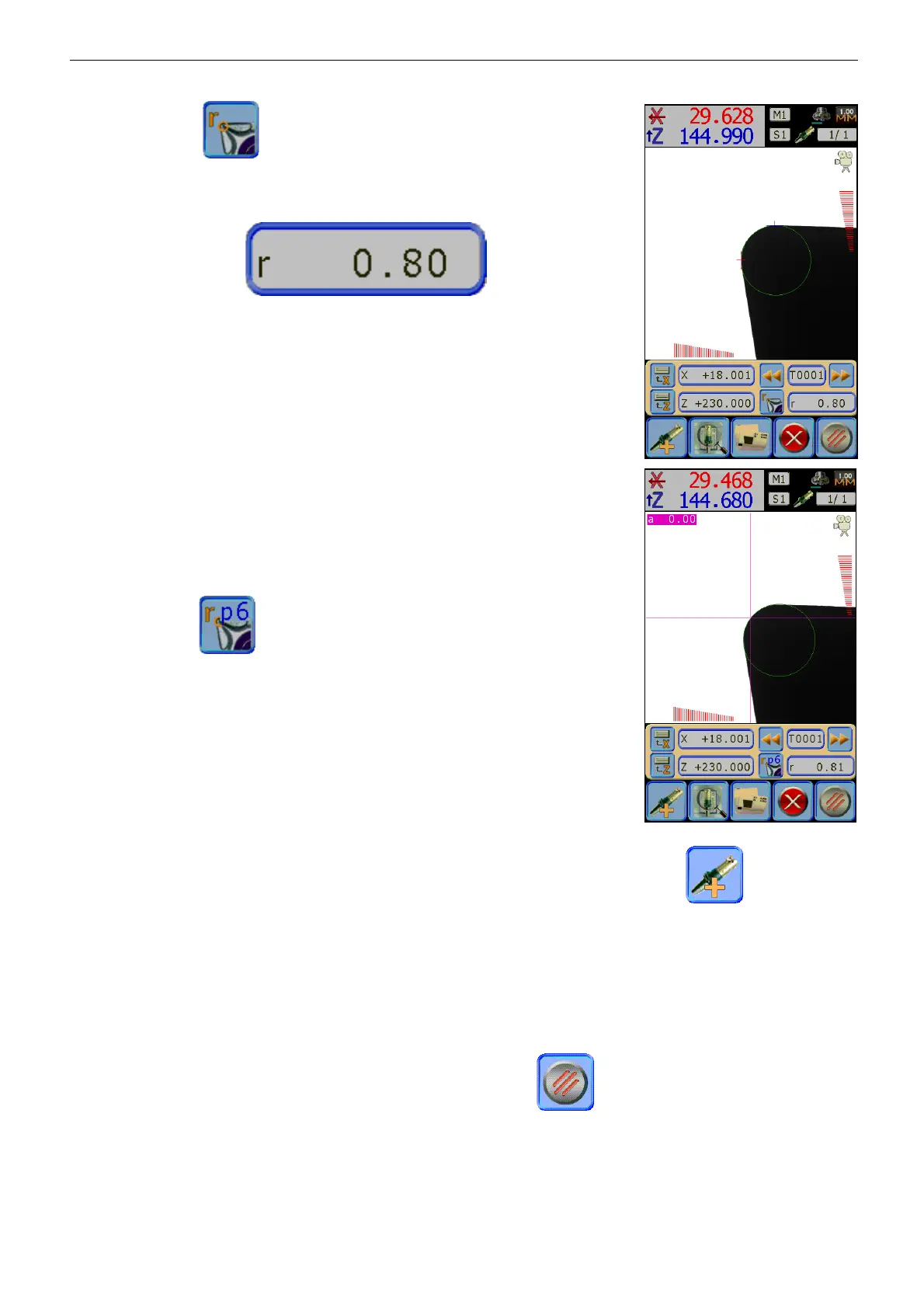
Pressing the icon , the system will analyse the profile of the tool to
search, if it is detected, the radius will be drawn on the screen and the
measure will be inserted in the proper field:
It is possible to repeat more times the geometrical calculations since E236+
recognizes many geometrical entities, if necessary, with small movements
you can eliminate parts of the profile not actually required that can disturb
the geometrical entities.
For this type of analysis, it is very important to perfectly clean the tool to
ensure the correct shape of the tools shadow: tools with damaged cutting
edges or used are not recognized. Tools with circles smaller than 0,5 mm
will not be recognized.
If we want to measure the radius acquiring the points with the fixed reticule,
it’s necessary to collimate each single point along the radius to be measured
and confirm with . The maximum number of points are nine and the
meter appears on the text graphic.
The same rules explained in par. 8.5 are valid.
After the memorization of the fifth point, I twill be displayed the result of
the manual calculus.
Once the first tool is stored it is possible to create a new one pressing the icon and repeat the
operation described so far.
It’s possible to create a new tool without measuring it, or acquire only some dimensions or more insert the
theoretical values pressing the grey icon of the measurement of the axis to measure or the radius one, this
way to manually insert, using the icon board, the values desired.
For all the other functions of the toolset see below.
To finish the operation and go back to the Toolset list press , all changes will be automatically
saved.


 To Next Page