8. HOW TO USE THE INSTRUMENT ELBO CONTROLLI srl
Preset E236+
40
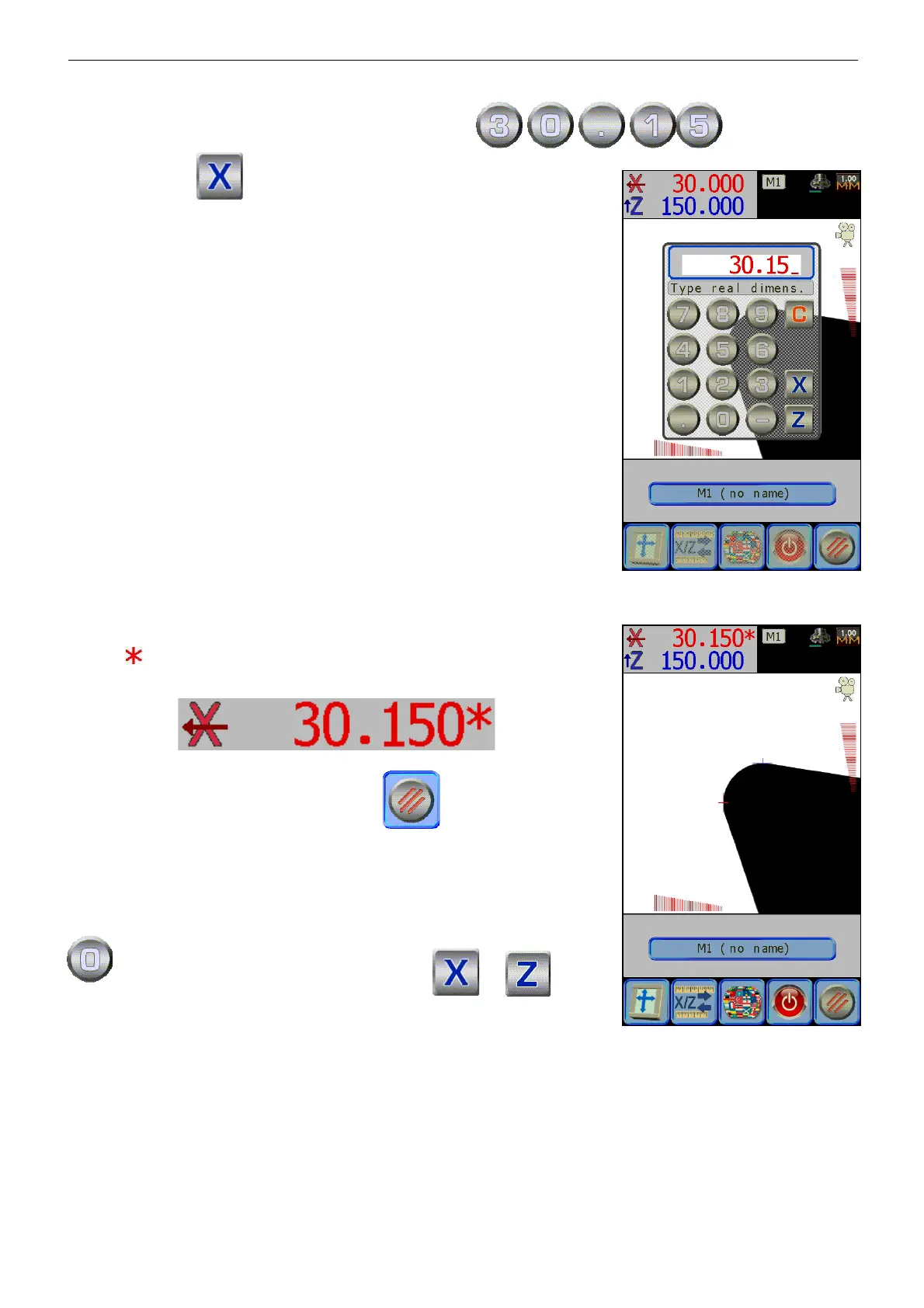
Type in the actual dimension that has to be displayed
, confirm it by
pressing the axis .
It will calculate the compensation factor that is necessary to correct the
display, then it will be stored and activated.
The compensation factor activation will be pointed out through the
symbol which it is after the dimension of the required axis:
To exit the “settings” menu press the icon .
To disconnect the linear compensation, repeat the procedure and insert
as real value, then confirm it by pressing ( or
) axes.
þ The maximum allowed compensation equals +/- 1%, inserting higher values the compensation will be
disconnected.


 To Next Page