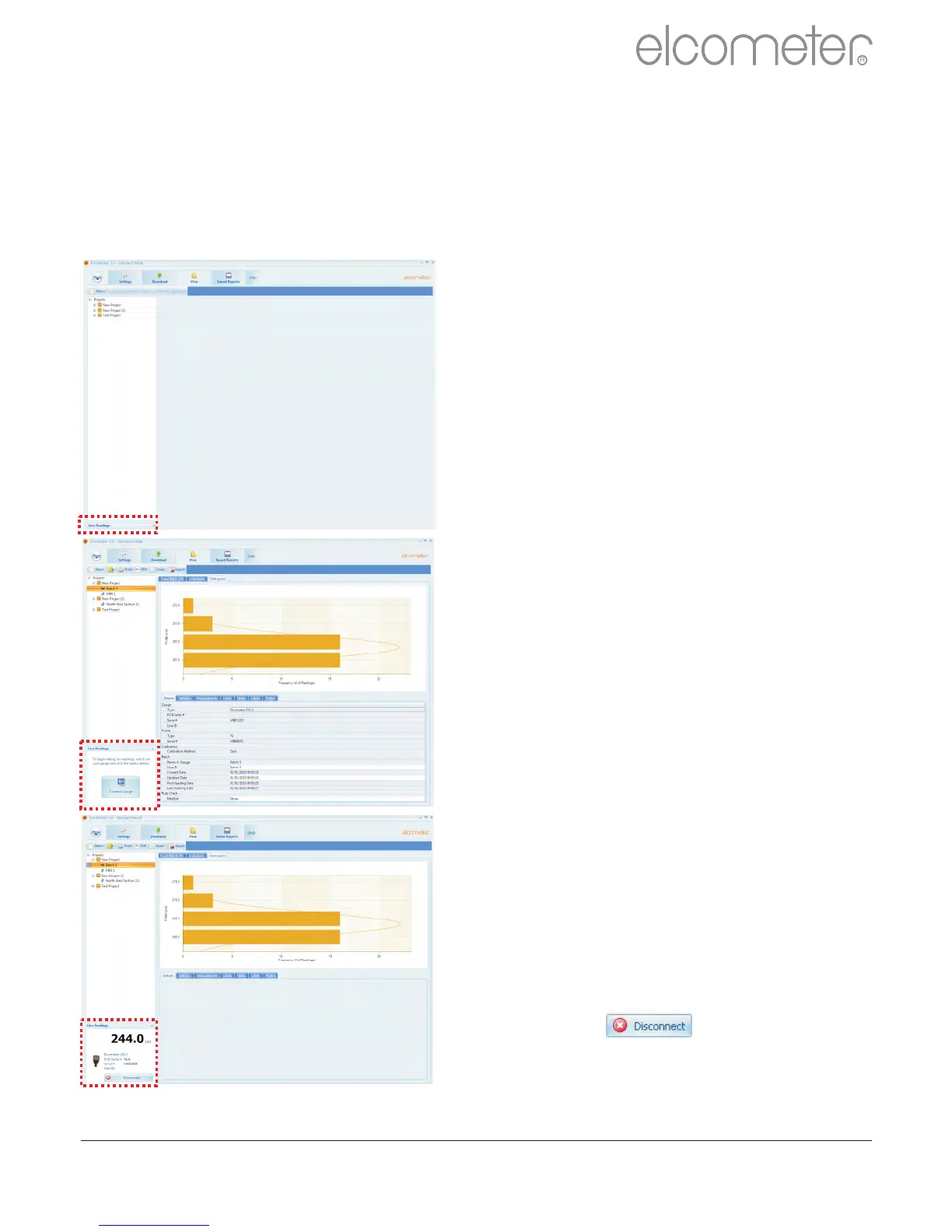
Once the gauge has been connected
to
on your gauge and click
the ‘Live Readings’ button on the
View Action Tab
?Select the appropriate batch (or
create a new batch) for the
readings to be recorded into
ElcoMaster™ 2.0 will now open up
the Live Readings display, and ask
the user to ‘ Connect Gauge’
?Click on the Connect Gauge
?Select a gauge from the list
?Select the relevant connection
method (if more than one
connection method has been set
up (see pages 33 - 35)
ElcoMaster™ 2.0 will then link with
the selected gauge and, when ready
display the gauge information within
the Live Readings window.
?At any time the user can select a
different batch to change where
the next reading is taken.
?Click the button or switch
of the gauge to disconnect
ElcoMaster™ 2.0 (see pages 33 -
35), switch
?Live Gauge Readings (BT)
ElcoMaster™ 2.0 allows users to transfer data from a gauge as the
readings are taken, to be stored in a batch within ElcoMaster™ 2.0
Live gauge readings can be recorded via Bluetooth (T) or USB
(BT) connections
www.elcometer.com 44
en
R



 To Next Page