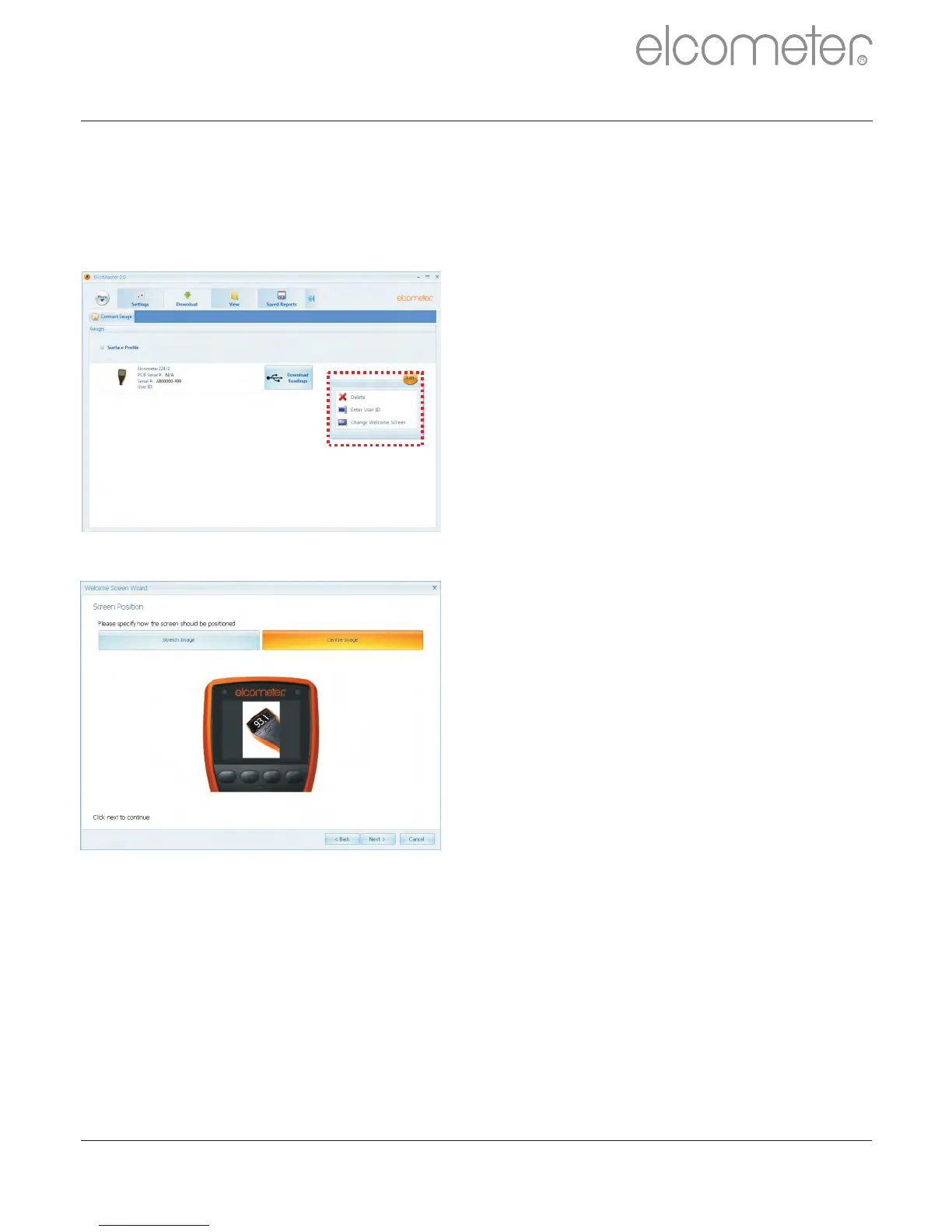
12 CHANGING THE WELCOME SCREEN (BT)
Each time the Elcometer 224 gauge is switched on, the Elcometer logo is
displayed. Users can add their own logo, image or identification details as
required via ElcoMaster™ 2.0.
Once the gauge has been connected
to ElcoMaster™ 2.0 (see pages 33 -
35), to add a user welcome screen
?Switch on your gauge
?Select the Download Action Tab
?Click the ‘Edit’ button on the right
hand side of the appropriate
gauge
?Select ‘Change Welcome Screen’
from the drop down menu
?Select the required image, and or
add user specific text.
?Select ‘Stretch Image’ or ‘Centre
Image’ as required and press
‘Next >’
?Select the appropriate connection
method and press ‘Next >’
ElcoMaster™ 2.0 will now download
the selected image into the gauge.
This may take some time.
www.elcometer.com 52
en
R



 To Next Page