22
4.3 Installation and operation check
User GuideRG-1000e Remote Gateway
5. Turn on the RG-1000e GATEWAY via POWER button on the front panel. Connect the RG-1000e GATEWAY to
a PC (with installed "CPS RG-1000e") using USB A-miniB cable from the delivery set. Run "CPS RG-1000e" and
configure the RG-1000e GATEWAY Ethernet network parameters and the RG-1000e GATEWAY Radio ports
parameters.
6. Power down the RG-1000e GATEWAY using the POWER switch on its front panel and connect the RG-1000e
GATEWAY to the IP network equipment.
Note: Don't use Ethernet cables installed outdoors. Only indoor Ethernet cables are allowed !!!
Note: It is highly recommended to use shielded Ethernet cables !!!
7. Specify the IP address and XCMP port of the RG-1000e GATEWAY to configure the SmartPTT radioserver.
8. In accordance with the configured operation mode of the RG-1000e GATEWAY interface, connect the required
interface cable to the RADIO 1 or 2 connector, which is located on the rear panel of the RG-1000e GATEWAY,
and to the corresponding radio connection jack.
9. Connect the power cable and antenna to the radio.
10. Connect the radio's power cable to the RG-1000e GATEWAY power supply unit.
Note: The RG-1000e GATEWAY and radios must receive power from a shared power source. In case of
separated power supplies, connect the negative leads of those power supplies together using the
copper wire of at least 2 mm2 section !!!
Note: Pay extreme attention to the reliability and quality of connection of the negative radio supply
lead to the power supply terminal. Its emergency shutdown can lead to the RG-1000e GATEWAY failure
!!!
11. Turn on the RG-1000e GATEWAY and radio power supply. Power up the radio station and RG-1000e
GATEWAY. The equipment is ready for use.
12. Run SmartPTT radioserver. Wait for 3-5 minutes.
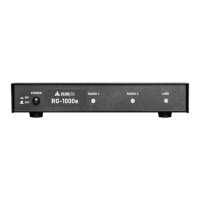
13. Check the RG-1000e front LED statuses. If installation and configuration are done properly, without mistakes,
"LINK" Led should be turned-On and at least one "Radio" Led should be turned-Off.
14. Check SmartPTT Radioserver Configurator "Activity Tab". If installation and configuration are done properly,
without mistakes, you will see message "Remote Control Station connected".


 To Next Page