Man. NVIP3 – Rel 1.3 EN (UK)
- 23 -
4.2.9 - Tariffs Setup
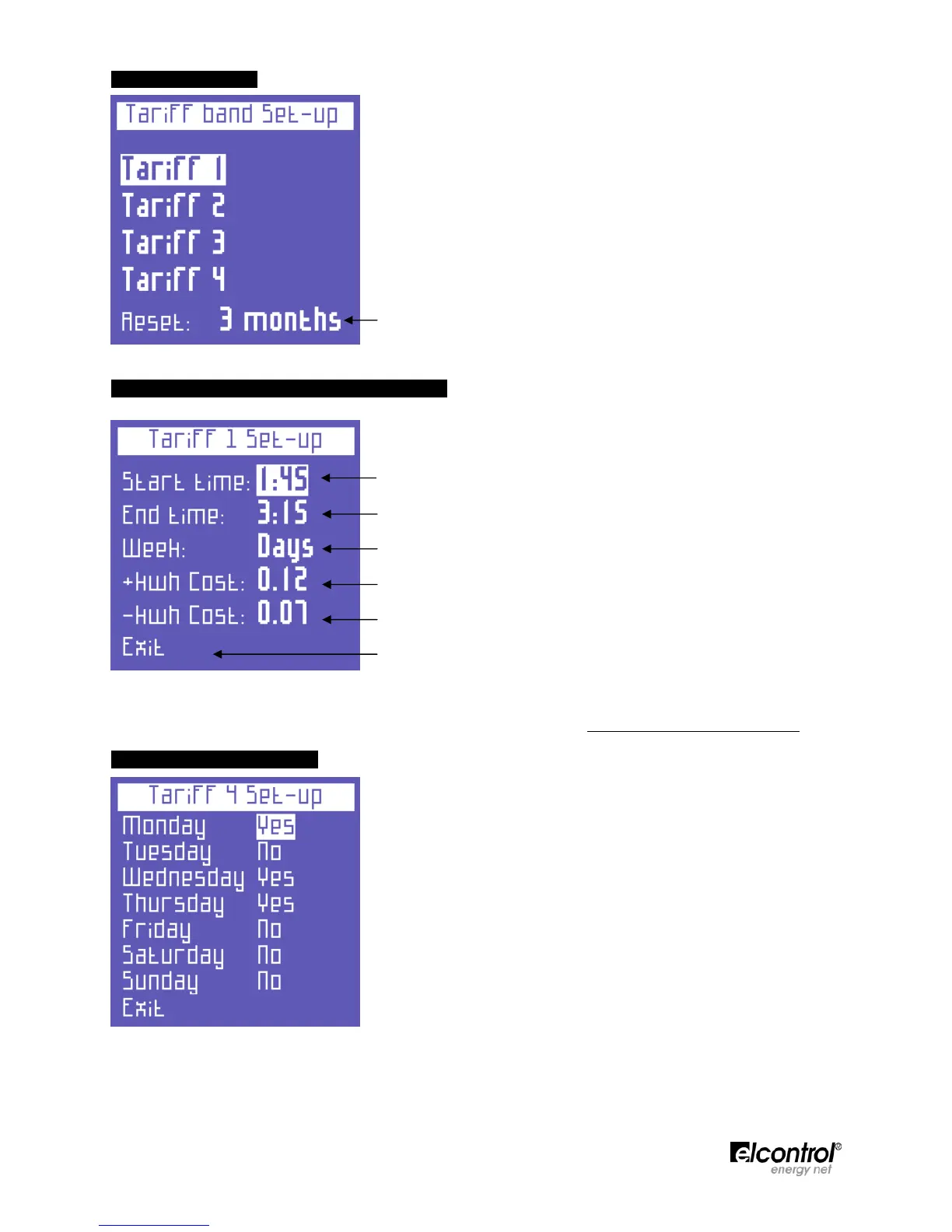
Choose the tariff band to be set by selecting it with the cursor.
Then press
to access the relevant configuration and reset the
submenu (Sect. 4.2.9.1).
● This function resets the measurements previously performed (for all
4 tariffs). The following options are available: NEVER - 1 MONTH -
2 MONTHS - 3 MONTHS
4.2.9.1 - Configuration and Resetting of Tariff
This page allows the user to set the following parameters for each
tariff:
● start time (with 15 minute intervals);
● end time (with 15 minute intervals);
● access to the subpage to select the days on which the tariff is to be
applied (Sect. 4.2.9.1.1);
● the cost of the kWh consumed (in the relevant currency);
● the yield of the kWh generated (in the relevant currency);
● return to the "Tariffs Setup" page (Sect. 4.2.9).
NOTE: do not cause the time of the different tariff bands to overlap. When the time of a tariff is changed,
always make sure that it does not overlap with the time of another tariff. To set 12:00 am, select 0:00.
4.2.9.1.1 - Selection of Days
This page allows the user to set the days on which the tariff will be
active.
To do so, select the day to be enabled/disabled and press ⊳
⊳⊳
⊳ or
to
change its status.
Select “Exit” and press
to return to the “Tariff Setup” page (Sect.
4.2.9.1).


 To Next Page