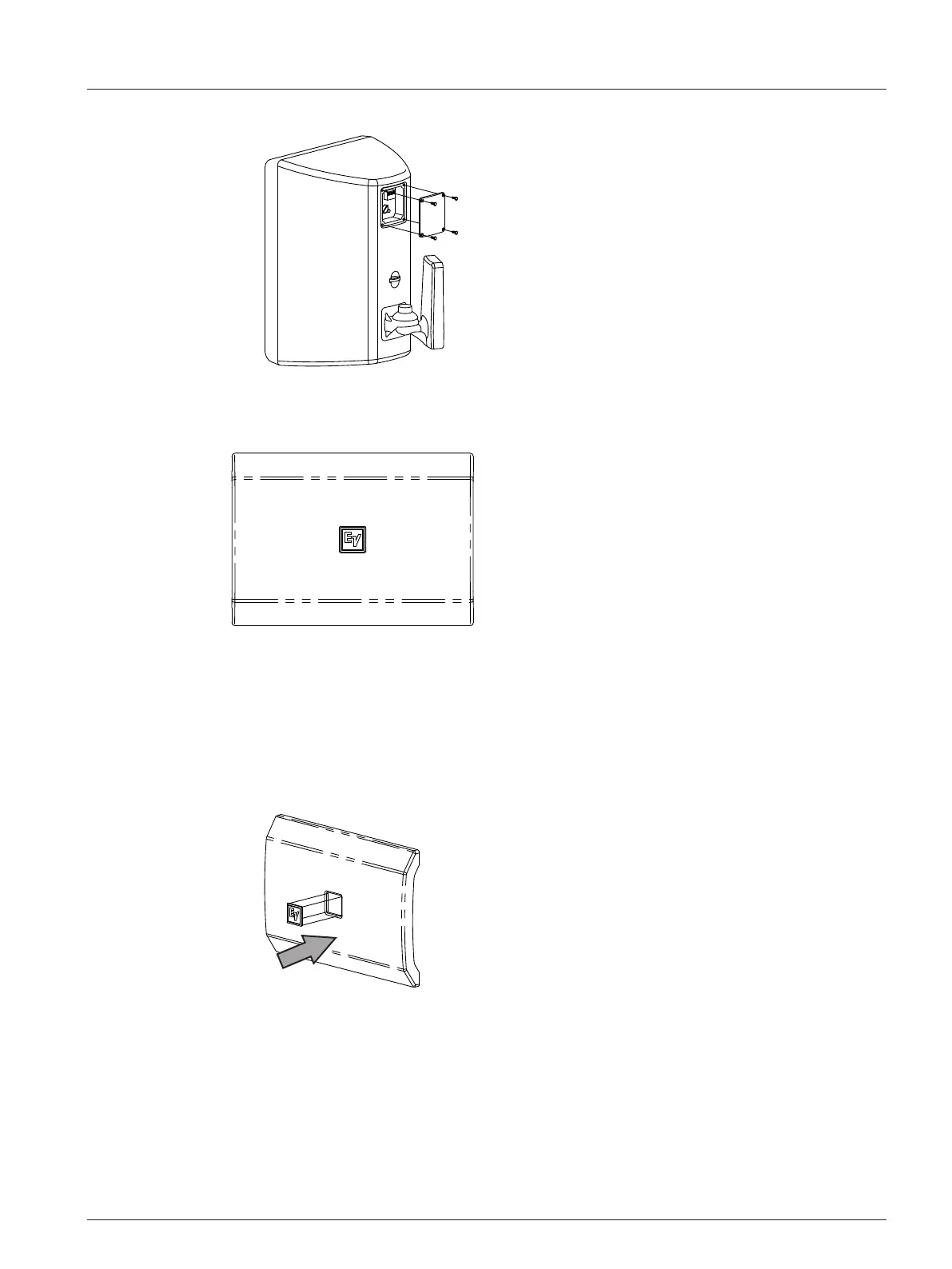
3. Attach the flush input cover (B).
Replacing the logo
An additional logo is included, horizontal installation is shown.
To
replace the logo, do the following:
1. Remove the existing logo.
2. Clean the surface with alcohol.
3. Align the logo with the logo recess on the grille.
4. Remove the paper backing.
5. Insert the logo.
Press firmly to ensure the logo is applied.
4.4
en 19
Electro-Voice Installation manual 2017.08 | 01 | F.01U.345.360





 To Next Page