Page 35
Convection Fan Blade and Element Replacement
The Convection Fan Blade and Element are concealed by the fan cover. Remove the cover as
described on page 33.
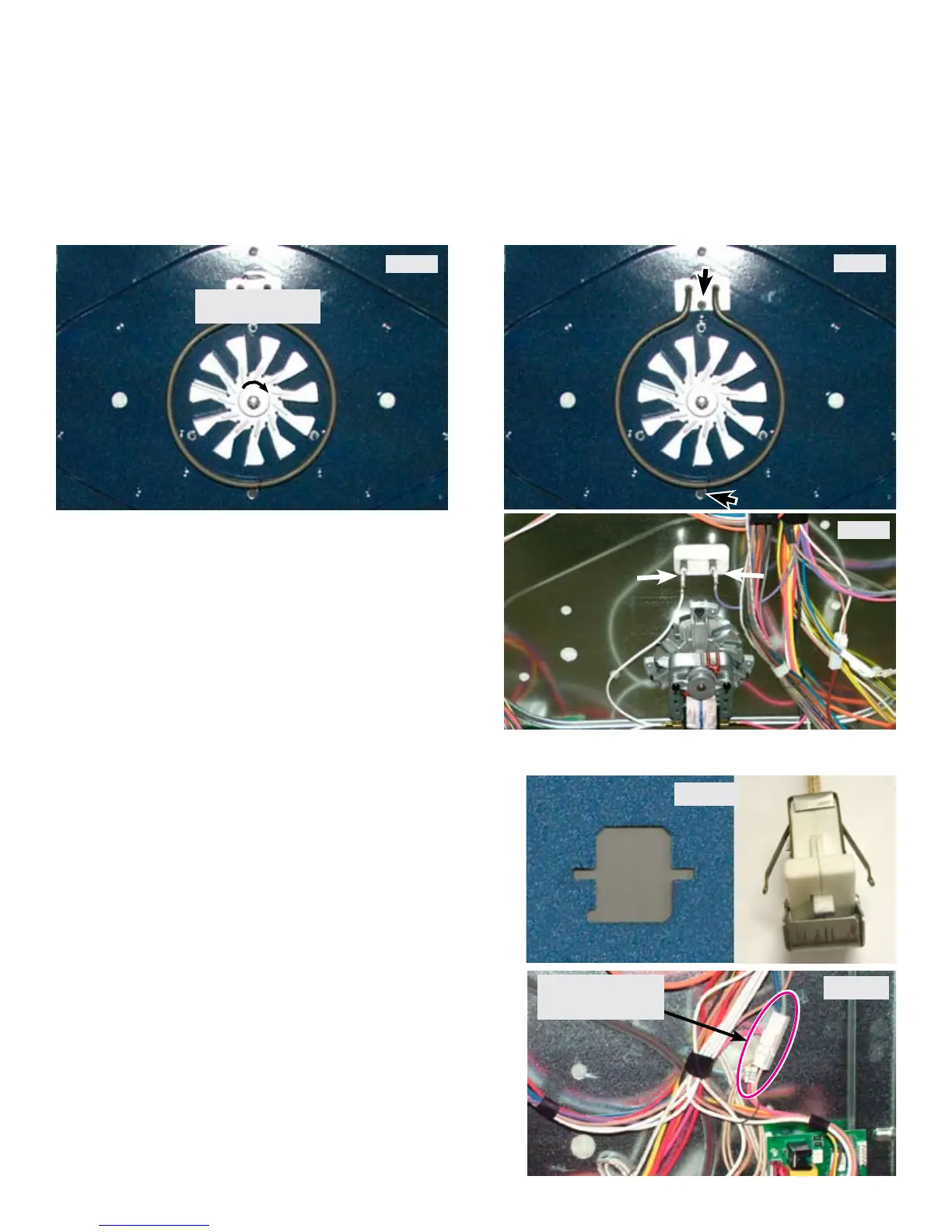
Photo A
Turn Nut Clockwise
To Remove
Photo B
The convection element is a single pass, 120
volts, 350 watts. It is secured to the oven liner by
the two screws indicated by the arrows in Photo B.
Photo C
Before removing the convection element
disconnect the element wires which can be
accessed by removing the lower rear shield on the
back of the range. (Photo C)
The rack sensing switch is installed into a cutout in the
oven liner rear wall. (Photo D)
To replace the switch rst turn off the power to the
range and remove the lower back cover panel.
Unplug the harness connector (Photo E) and tie a 36
inch length of strong string or cord to the end of the
connector that is attached to the switch. Secure the
other end of the string so that it can not pull all the way
through.
From inside the oven remove the rack sensor assembly
by taking out the two screws at the top and bottom of
the assembly. (Page 32 - Photo B).
Depress the tabs on the switch (Photo D) to release it
from the cutout and carefully pull the switch with the
attached wire harness inside the oven cavity.
Attach the string to the new switch harness and
carefully pull the harness back through the oven liner
and insulation .
Photo D
The Blade can be removed by using a 13mm
socket wrench to remove the blade retaining nut.
The nut has left hand threads so to remove the nut
turn the wrench in a clockwise direction. (Photo A)
Photo E
Rack Switch
Harness Connector



 To Next Page