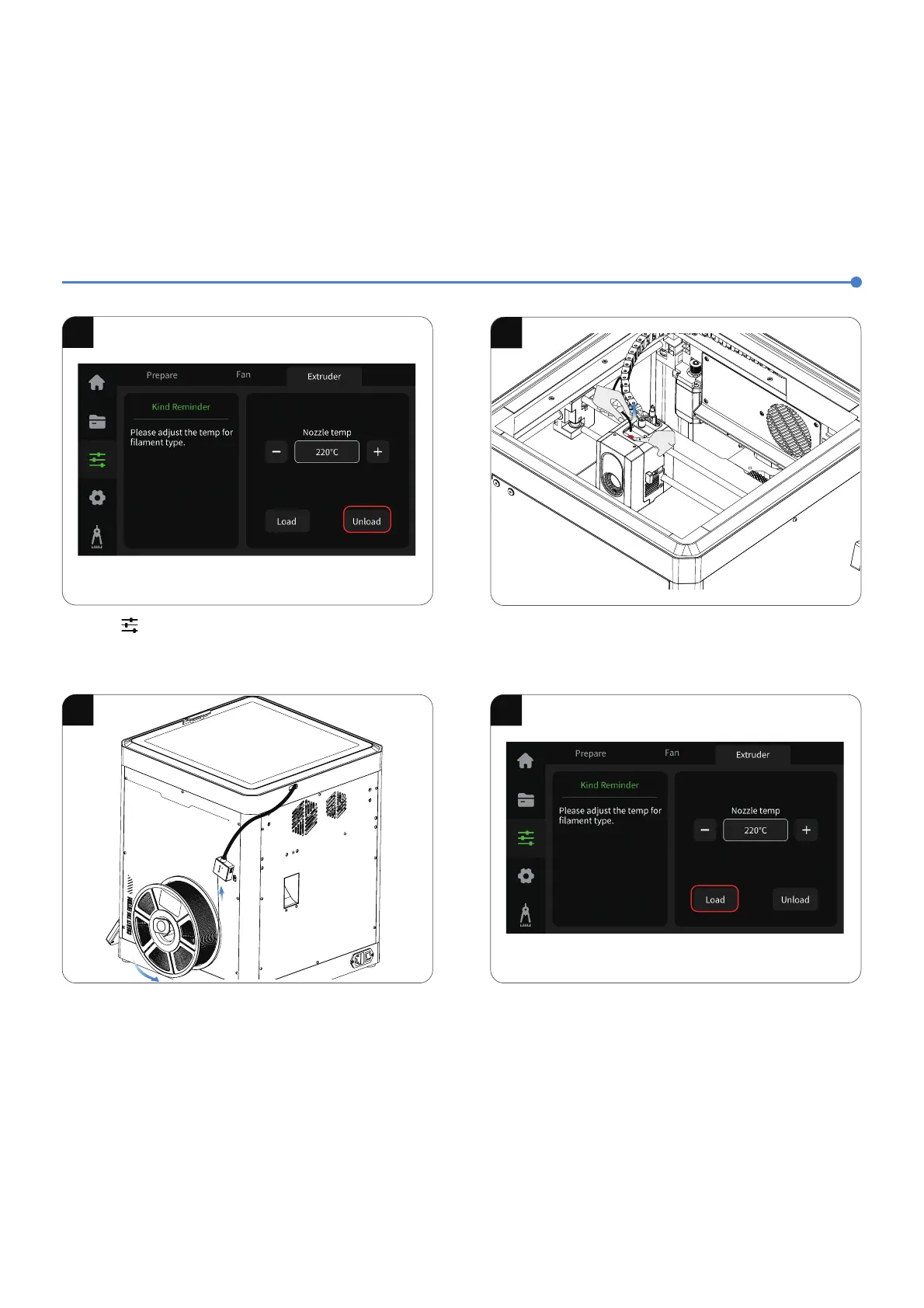
4.Click “Load” and wait for the nozzle to heat up. Once the nozzle
reaches the preset temperature (e.g., 220熑 for PLA), it will start
the filament loading process.
;ğĵÖĻýĽŮýşĵÖóýĻýĽŮ
滶
2.After unloading is complete, press the pneumatic connector
above the printhead to detach the filament guide tube. Extract
the old filament from the tube and replace it with a new one.
滷
1.Click 瀈 瀉 and switch to the Extruder option. Click
“Unload” and wait for the machine to complete the unloading
process.
滾
3.Load the filament by inserting one end into the filament detector
and pushing it forward until it reaches its maximum position.
滸
C
entau
ri C
a
r
b
o
n
滹













 To Next Page