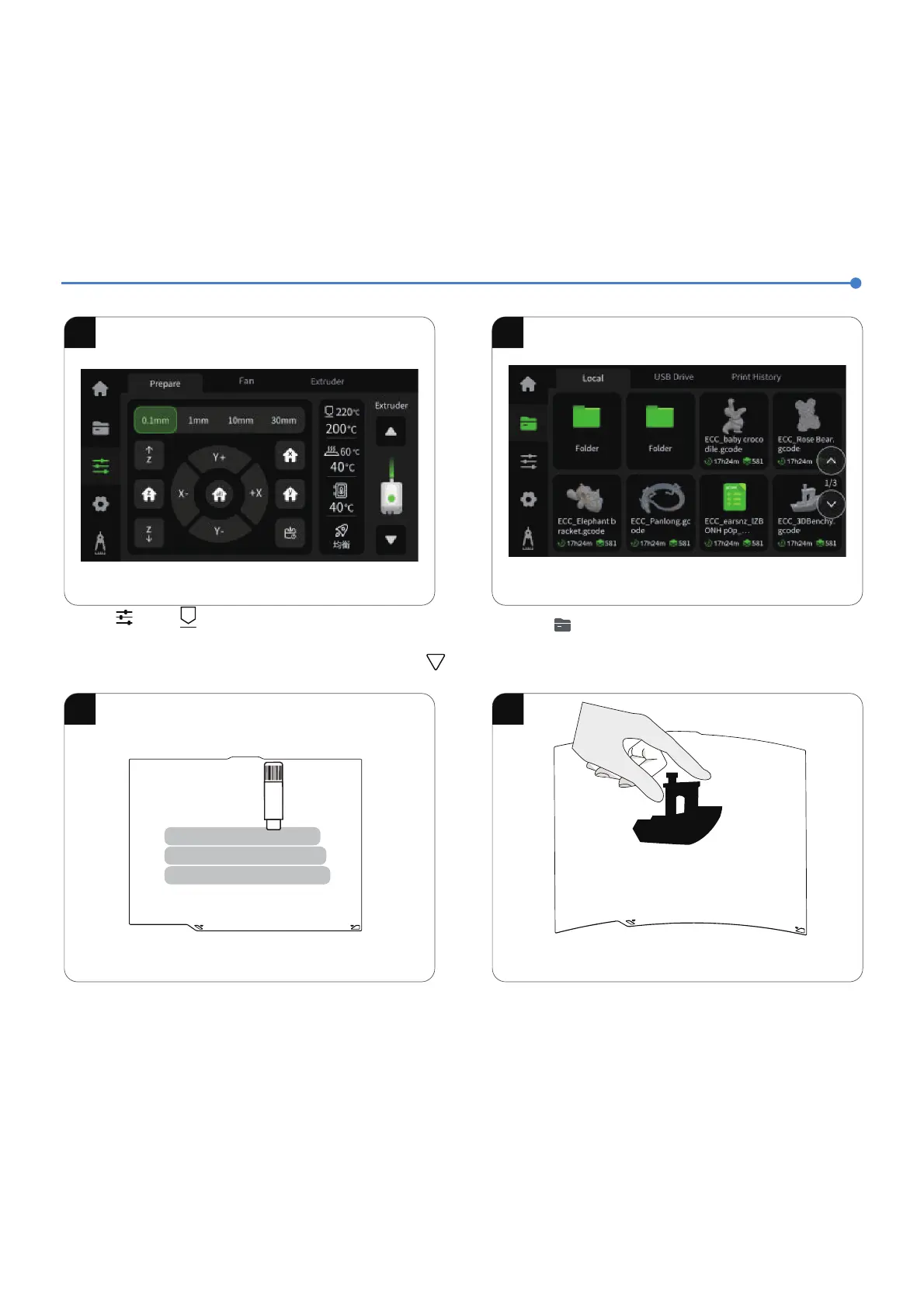
First Print
滶澳ĵğóı瀈瀉瀲瀈瀉ŮŅŦýŮŮěýĽŅƚƚĵýŮýĻşýŢÖŮųŢýŮŅ
ŮěýŦųğŮÖòĵýŮýĻşýŢÖŮųŢýĒŅŢŮěýǁĵÖĻýĽŮ瀀ý澳ē澳澴滷滷滵熑ĒŅŢ~V瀁澳
ªÖğŮĒŅŢŮěýŮýĻşýŢÖŮųŢýŮŅŢýÖóěŮěýŦýŮƋÖĵųý澴ŮěýĽóĵğóı瀈瀉
ŢýşýÖŮýùĵƒųĽŮğĵŮěýǁĵÖĻýĽŮŦŮÖDžŦýƑŮŢųùğĽēĒŢŅĻŮěýĽŅƚƚĵý澳
2.Click 瀈 瀉 - 瀈Local瀉 to select a model for test printing.
滶
滷
滽
滸 滹
4.After the printed model cools down, detach the flexible build
plate together with the model from the device. Bend the plate
slightly to separate the model from it (avoid overbending to
prevent deformation).
3.If the adhesion of the build plate decreases after prolonged use,
you can apply solid glue or use platform adhesive spray to
enhance the first-layer adhesion of the model, or replace the
build plate.













 To Next Page