LAN (Network) Printing
滶滷
2.Connect your computer and printer to the same local area network (LAN). Open your browser and enter the printer's IP address in the
address bar to access the backend management. Utilize the web interface to monitor the printing progress and pause/stop the print as
needed.
*Upload G-code files for printing.
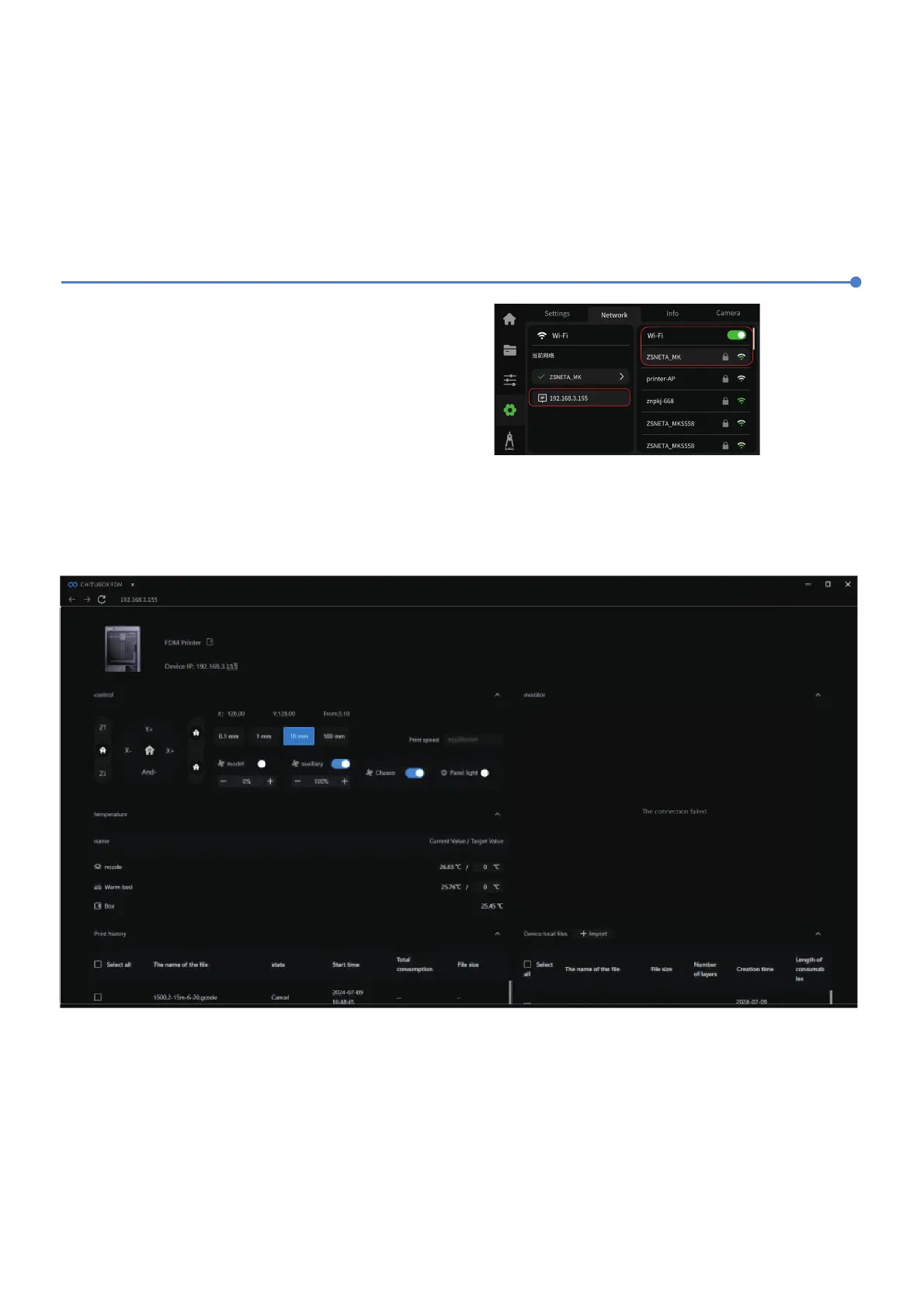
1.The device supports Wi-Fi connection. Go to the
“Network” interface, establish a successful connection, and
check the IP address on the screen (refer to the image on
the right).













 To Next Page